Today, we’re announcing a simple, cost-effective path for data lake modernization. Amazon S3 Tables now support managed migration of your Apache Hive tables to Apache Iceberg. Migration works with Parquet tables in Amazon S3 that are registered in the AWS Glue Data Catalog and allows you to upgrade your data lake with no pipelines to build or compute to provision, while production workloads keep running.
Apache Iceberg has become the open standard for large analytics datasets. It lets you manage petabyte-scale tables with features like schema evolution, hidden partitioning, and time travel queries, while keeping your data open and queryable with any Iceberg-compatible engine. Amazon S3 Tables offer fully managed storage purpose-built to keep Iceberg tables performant and cost-effective as they grow, with features like automatic maintenance, optimization, replication, and S3 Intelligent-Tiering built-in.
What is new
Previously, migrating Apache Hive tables to Apache Iceberg could take weeks of engineering work to build and manage the required infrastructure. Converting data types and building rollback capabilities added operational complexity. Now, this is available as a managed, API-driven operation.
S3 Tables handle the entire migration workflow, including data validation, compatibility checks, type conversions, file recompression, and compaction. Before copying any data, S3 Tables identify every source object in scope and generate a compatibility report. You can sync as many times as you need without stopping writes to your source table, except for a few minutes during cutover. Once you are ready, you can complete the migration, minimizing time that tables are offline.
Compared to self-managed approaches, S3 Tables managed migrations are cost-effective because you pay only for the data copied, with no charge for the Hive-to-Iceberg conversion, and source objects in S3 Intelligent-Tiering stay in their current access tier.
A first look at the migration
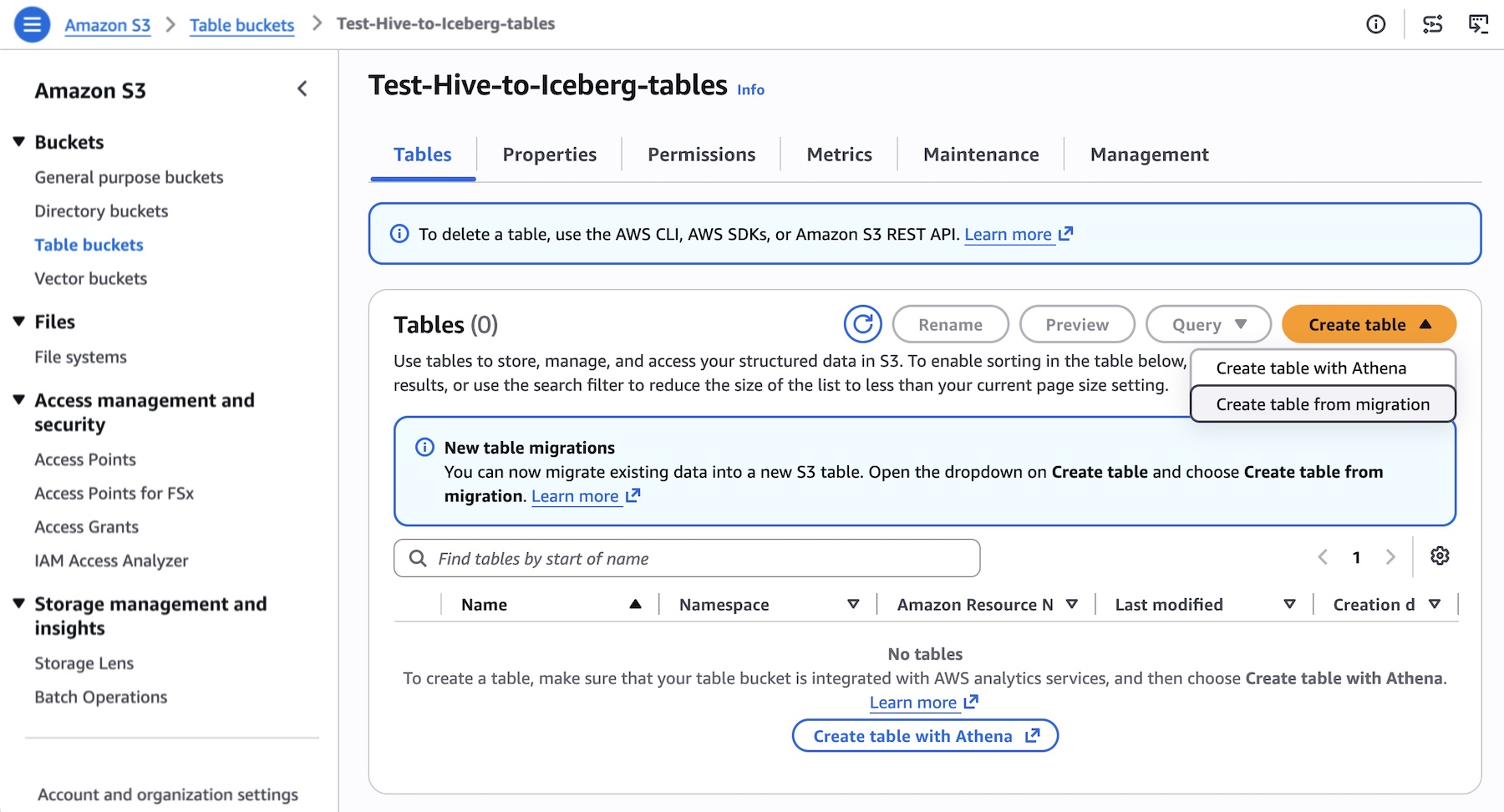
To migrate an AWS Glue Hive table, choose your destination table bucket in the S3 console, then choose Create table from migration.
Create a namespace and table name for your destination Iceberg table. The destination table is created using recommended default settings tuned for query performance and storage efficiency.
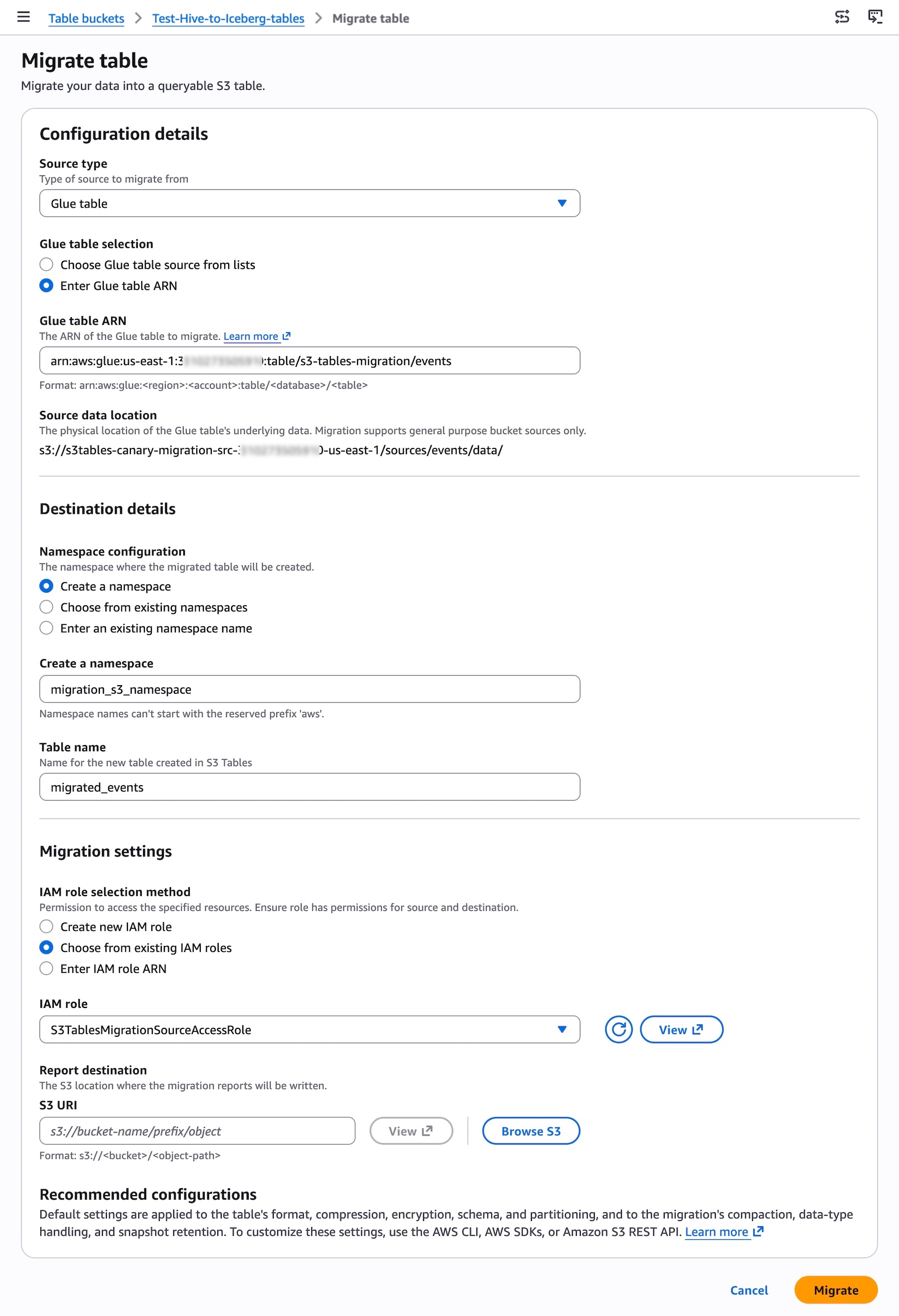
When you start the migration, S3 Tables validate the source table, generate a compatibility report, and begin copying data. The destination table is read-only during the migration. Once you complete migration, the destination table is promoted to read-write.
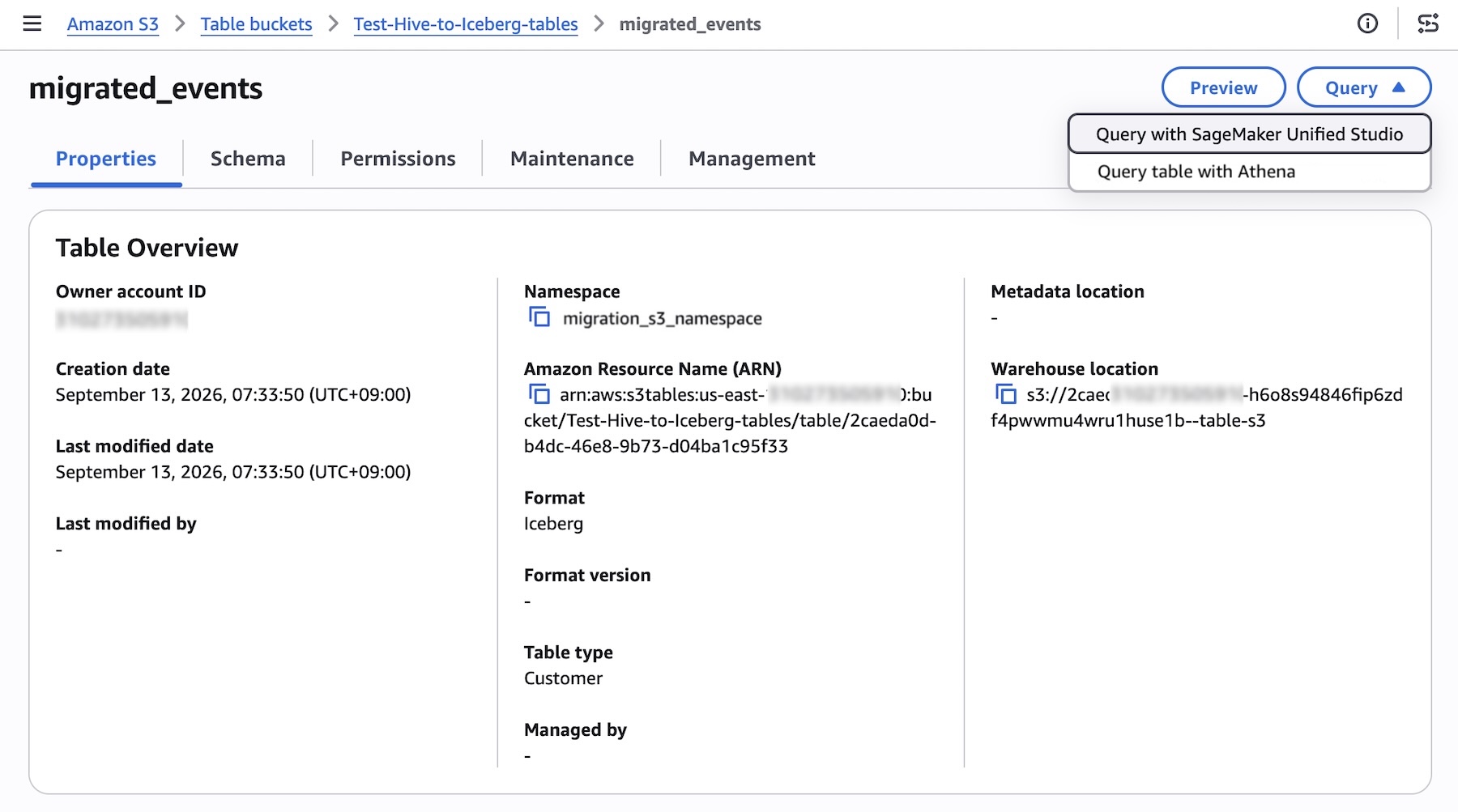
You can begin working with your data right away using a direct integration with Amazon Athena and Amazon SageMaker Unified Studio in the AWS console, or use any tool compatible with the Apache Iceberg REST API to directly query the tables. To learn more, visit the S3 Tables migration documentation.
You can also use AWS Command Line Interface (AWS CLI), AWS SDKs, or the Agent Toolkit for AWS. For example, set up migration jobs and call the start-table-migration command.
cat > /tmp/start-migration.json <<'EOF' { "roleArn": "arn:aws:iam::123456789012:role/S3TablesMigrationRole", "destinationTable": { "tableBucketARN": "arn:aws:s3tables:us-east-1:123456789012:bucket/my-destination-bucket", "namespace": "mynamespace", "name": "my_destination_table", "encryptionConfiguration": { "sseAlgorithm": "aws:kms", "kmsKeyArn": "arn:aws:kms:us-east-1:123456789012:key/1234abcd-12ab-34cd-56ef-1234567890ab" }, "storageClassConfiguration": { "storageClass": "INTELLIGENT_TIERING" }, "tags": { "team": "s3tables", "purpose": "migration" }, "properties": { "writeFormat": "parquet", "icebergFormatVersion": 2, "compressionCodec": "zstd", "dictionaryEncoding": true }, "schema": { "type": "struct", "schema-id": 0, "identifier-field-ids": [1], "fields": [ { "id": 1, "name": "id", "type": "long", "required": true, "doc": "primary key" }, { "id": 2, "name": "payload", "type": "string", "required": false } ] }, "partitionSpec": { "spec-id": 0, "fields": [ { "source-id": 1, "transform": "identity", "name": "id", "field-id": 1000 } ] } }, "source": { "sourceType": "glueTable", "glueTable": { "catalogId": "123456789012", "databaseName": "my_glue_database", "tableName": "my_source_table", "lastModifiedTime": "2026-09-01T00:00:00.000Z" } }, "dataMigration": { "maintenanceSettings": { "icebergCompaction": { "targetFileSizeMB": 512, "strategy": "sort", "icebergSortOrder": { "order-id": 1, "fields": [ { "source-id": 1, "transform": "identity", "direction": "asc", "null-order": "nulls-first" } ] } }, "icebergSnapshotManagement": { "minSnapshotsToKeep": 1, "maxSnapshotAgeHours": 168 } }, "dataTypeTransforms": { "conflictPolicy": "FAIL", "typeConversion": { "int96": { "type": "timestamp", "sourceTimezone": "UTC" } } } }, "reviewMigrationPlan": false, "completeWorkflowOnSuccess": false, "output": { "compatibilityReportConfiguration": { "bucket": "arn:aws:s3:::my-report-bucket", "prefix": "reports/compat/", "scope": "AllSourceObjects" }, "migrationReportConfiguration": { "bucket": "arn:aws:s3:::my-report-bucket", "prefix": "reports/migration/", "scope": "FailedSourceObjects" } } } EOF aws s3tables start-table-migration \ --cli-input-json file:///tmp/start-migration.jsonTo catch up the destination table with changes in the source, call sync-table-migration as many times as you need before you complete the migration. Each sync copies only what changed.
If you’re using coding agents like Kiro, the migrating-hive-tables-to-s3-tables skill in the Agent Toolkit for AWS provides step-by-step migration guidance with safety guardrails for agents. The skill can:
- Analyze existing IAM policies and recommend equivalent destination policies
- Validate the migration plan before getting started
- Execute the Start → Sync → Complete API calls
- Monitor job progress and guide validation and cutover
To learn more, visit the GitHub README page for the skill.
Now available
Amazon S3 Tables managed migration is available today in US East (N. Virginia, Ohio), US West (Oregon), Asia Pacific (Mumbai, Singapore, Sydney, Tokyo), and Europe (Frankfurt, Ireland, Stockholm) Regions. At launch, the capability supports AWS Glue-registered Hive tables stored in Parquet format within the same AWS account and AWS Region. If you want to call APIs, search documentation, find regional availability, or troubleshoot about this new feature, try using the AWS MCP Server and plugins with your preferred AI tool.
Try it in the Amazon S3 console today and send feedback to AWS re:Post for Amazon S3 or through your usual AWS Support contacts.
— Channy