
Every time I started a new Telegram bot project (for MVPs, lead generation, or service catalogs), I ended up spending the first 4–5 hours rewriting the exact same boilerplate: language switching, Terms & Privacy consent flow, SQLite setup, and basic admin tools.
To stop repeating myself, I extracted the core architecture into a clean, modular starter kit built with Python, aiogram 3, and SQLite. Here is a breakdown of how the project is structured and how I solved common boilerplate bottlenecks.
Project Architecture
Instead of dumping everything into a single bot.py file, the project is split into isolated modules so routing, storage, and background jobs stay decoupled:
text telegram-bot-starter-kit/ ├── main.py # Entry point, dispatcher & router registration ├── config.py # Environment variables & bot settings ├── database.py # Async SQLite connection & user state queries ├── handlers.py # Core user flows & menu navigation ├── admin_handlers.py # Admin-only commands (/stats, /broadcast) ├── keyboards.py # Inline & reply keyboard builders ├── scheduler.py # Background & periodic tasks └── locales/ ├── en.json # English UI strings └── es.json # Spanish UI strings Key Architectural Decisions 1. Lightweight JSON Localization (EN/ES) Instead of pulling in heavy i18n frameworks for small-to-medium bots, all UI copy lives in plain en.json and es.json files with safe UTF-8 / UTF-8-BOM decoding. Adding a third language takes two minutes: duplicate a JSON file and add a button to the language keyboard. 2. Built-in Terms & Privacy Acceptance Flow For commercial bots, logging user consent isn't optional. On /start, after choosing a language, the user gets a Terms of Service & Privacy Policy prompt. Until they accept, access to the main menu is restricted, and their acceptance status is persisted in SQLite. 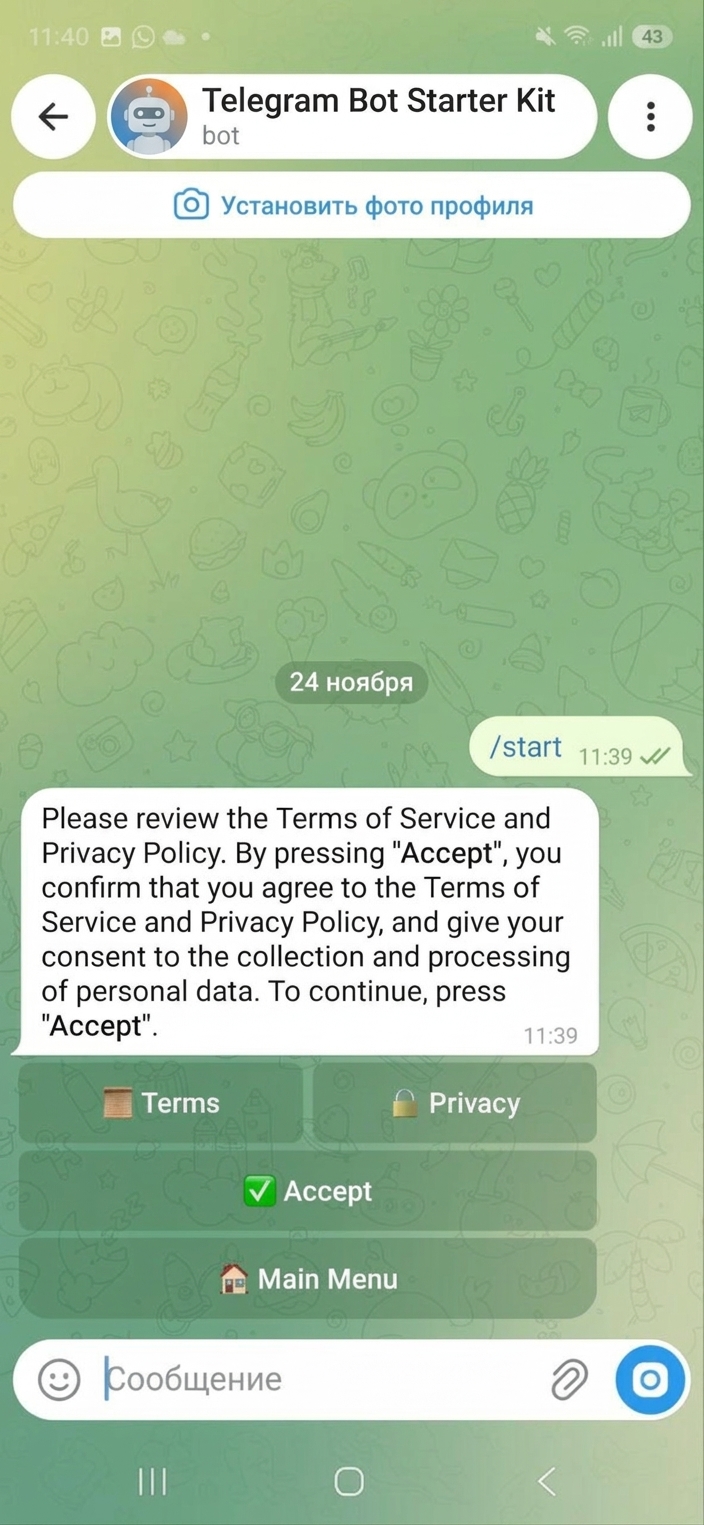 3. Zero-Config Storage & Lightweight VPS Ready Using SQLite means the bot runs out of the box on a minimal Linux VPS (even 1 CPU / 1 GB RAM) without setting up PostgreSQL or Redis upfront. Background jobs are isolated in scheduler.py, keeping user handlers fast and readable. 4. AI-Friendly Structure for Rapid Customization Many developers now extend templates using AI coding assistants (Cursor, Claude, ChatGPT). Clear module boundaries make it easy to feed specific files to an LLM to add new menu branches without breaking existing state logic. Explore the Structure & Source You can check out the full architectural breakdown, setup instructions, and UI previews in the GitHub repository: 👉 https://github.com/kirillmrmv-svg/telegram-bot-starter-kit (Note: The GitHub repository serves as an architectural showcase with documentation and core structure; the complete ready-to-run source archive is linked there on Gumroad for anyone who wants to skip the setup.) 


