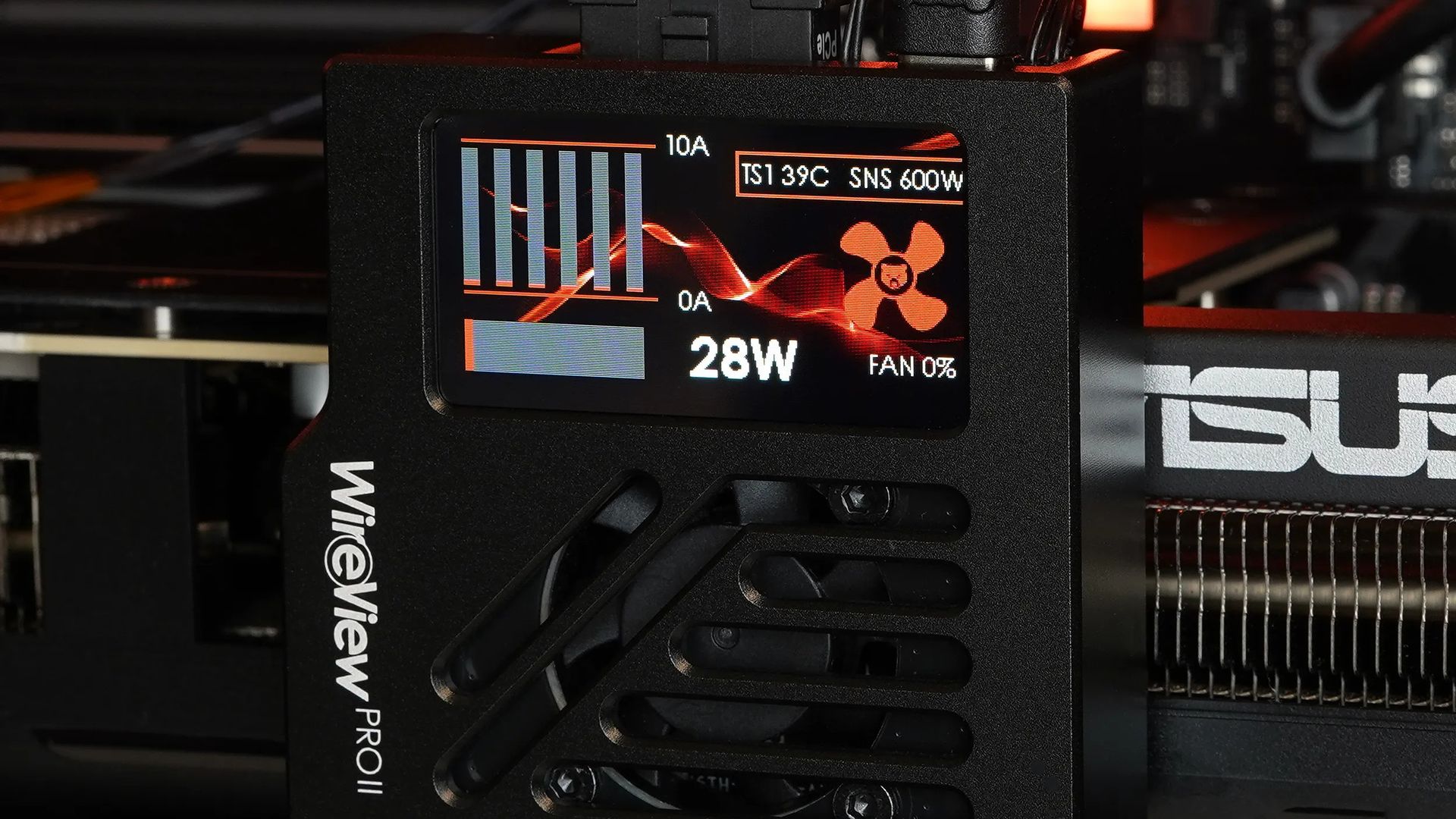
A developer known as Codeh4ck released a free, open-source Windows app, RTX Lens, to help assuage melting power connector fears for owners of powerful RTX 5080 and 5090 GPUs. The app can read per-pin current information on Asus Astral cards, the WireView Pro II GPU monitoring device from Thermal Grizzly, and MSI MPG Ai1300TS/Ai1600TS PSUs, enabling an optional shutdown for persistent warnings. It works by reading current at the GPU, PSU, or both ends of the cable, and can even notify you by phone to provide extra protection for your investment.
The project’s README says that the app allows reading of “GPU power, pin currents, and temperatures at a glance.” The per-pin monitoring is the important part here, as the 12V-2x6 connection carries current on six 12V pins with a rating of about 9A, with Asus’s warning at 9.2A, and exceeding the per-pin limit has led to melted connectors. An RTX 5090 is rated at 575W of board power, which is close to the connector’s 600W rating. This led to the app’s construction, the developer says, due to “double paranoia about the 12VHPWR connector melting, since I own 2 5090s.”
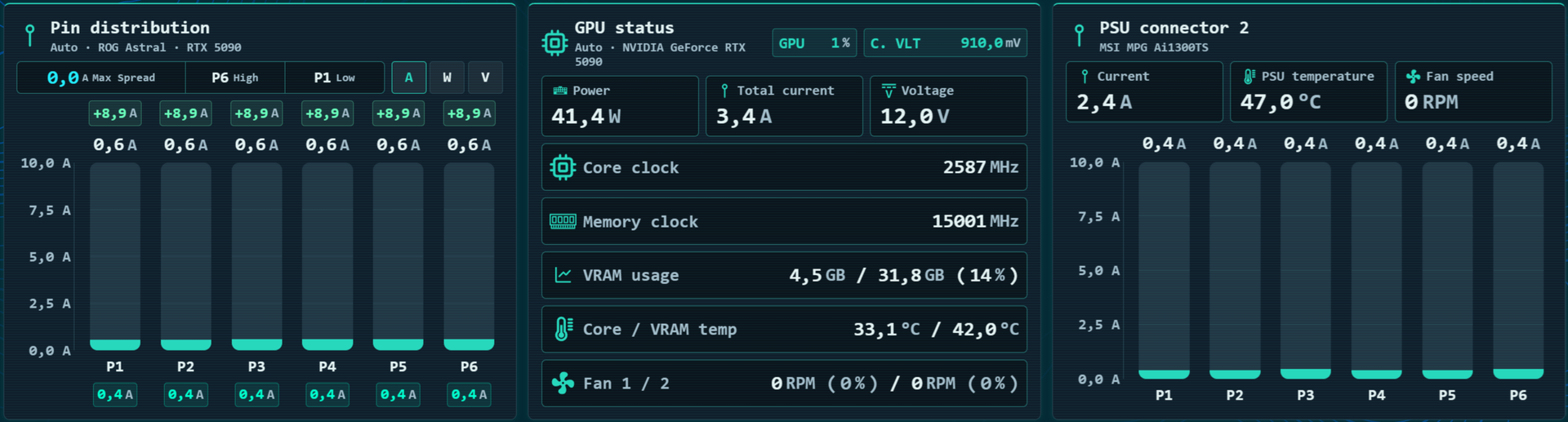
For supported Asus ROG Astral RTX 5080 and 5090 GPUs, the app uses the open-source LibreHardwareMonitor library. The WireView Pro II already measures inline at the GPU connector, but the app can read and edit the device’s settings, mirroring the official app’s settings.
The MSI PSUs measure at the PSU side of each connector and reveal per-pin currents for both 12V-2x6 ports, as well as PSU temperature and fan status, although a USB data connection is needed for both the PSUs and the WireView. The project clarifies that “With an Astral or WireView Pro II, you can compare both ends of the cable.” All of the listed hardware has been tested on real devices, the developer says.
Device | Cable end | Per-pin data | Also reads |
|---|---|---|---|
Asus ROG Astral RTX 5080, 5090 | GPU | Current | Connector power, current totals |
Thermal Grizzly WireView Pro II | Inline at GPU | Current, voltage, power | Cable rating, temps, faults |
MSI MPG Ai1300TS, Ai1600TS | PSU (both ports) | Current | PSU temp, fan |
Other GeForce RTX cards | None | None | Clocks, temps, usage, VRAM, fans |
The app allows users to set up warning profiles per device with thresholds and reminders, and optionally a shutdown when a warning persists. This would be used in cases of sustained overcurrent or uneven pin loads on Astral, or WireView device faults. The app’s service initiates a Windows shutdown after a set time, from one second to almost 24 hours. The app can also make performance recordings that are exportable as interactive HTML.
Additionally, it can configure MSI Afterburner Safeguard+ for the MSI PSUs with per-connector alarms and timeouts, emergency low-power profiles, or even a script for delayed shutdowns or optional methods of notification, like email. More customization is available, in this case, as the app can set the PSUs’ fan curves with up to six temperature points.
Phone apps for Android, using a sideloaded APK from GitHub, and the iPhone, through a TestFlight beta or sideloaded with iLoader, are available. The sideloaded iPhone app only shows warnings while it’s open and connected, though. Pairing happens by QR code on the same network, and remote access from outside the network requires a reachable address. The PC also must stay awake, with the service running, for local or remote connections to work. An alternative way to monitor is a read-only iCUE widget for the Corsair Xeneon Edge touchscreen, if you’re so inclined.
The ongoing melting connector problem has led to solutions in the past, including a vibe-coded safeguard that now limits the GPU if a pin current exceeds 9.5A for more than 15 seconds, then shuts down the system if it stays that high. That tool, 12VHPWR Guard, is limited to Asus cards; RTX Lens adds wider device support and more options. Some hardware already works to help here, as MSI’s Ai1600TS cut GPU power after about three minutes in our testing, and Cooler Master’s GPU Shield can scale down an RTX 5090 to 450W, but these are not an option, or the best option, for everyone.
RTX Lens updates have been fast, with five shipped releases in the last week or so, and the maintainer appears motivated to keep development going. The developer says the project is in a “beta-ish phase,” and that “Google Play Store and App Store releases are coming soon, pending approval from Google and Apple.”


