Configure PostgreSQL connection pooling on Vercel with Next.js. Size pg pools, release clients, handle transactions, and reproduce queued requests locally.
Your Next.js endpoint works locally, then starts timing out after a deployment or traffic spike. PostgreSQL reports too many connections, or requests wait even though the database has little CPU activity. Adding more function instances can make the problem worse because each instance can open another group of connections.
PostgreSQL connection pooling on Vercel needs decisions at two layers. Your Node.js process manages clients through a driver pool. Your database provider may also run a pooler that assigns those client connections to PostgreSQL backends. Diagnose the layer that is waiting before changing a limit.
This guide builds a shared node-postgres pool for a Next.js App Router application, handles transactions without leaking a client, and provides a local lab that reproduces a request waiting for an unreleased client. The examples use Node.js 24 and the Node.js runtime for the database route.
Identify which connection limit you reached
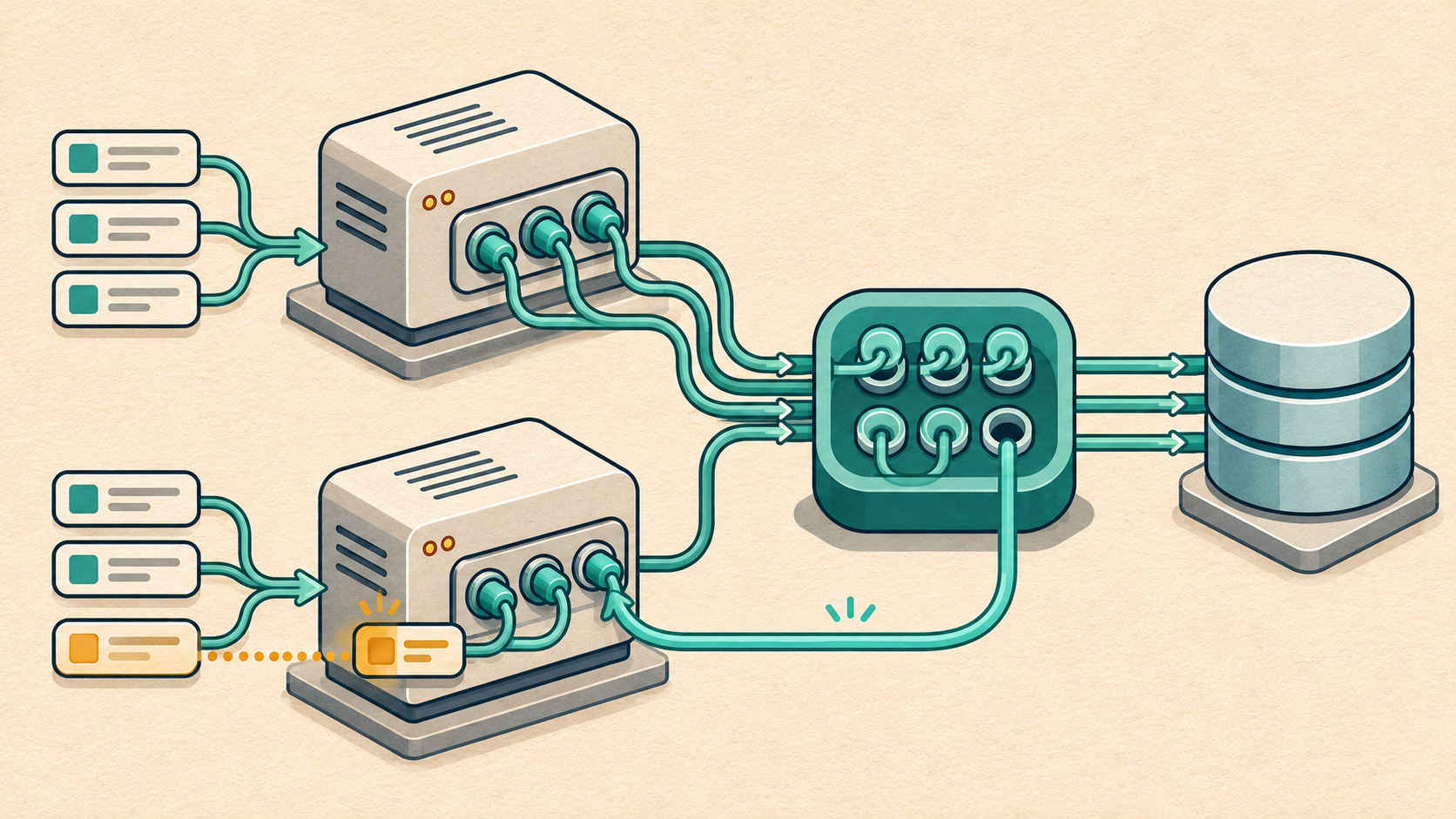
Follow the connection path from a request to the query. A request first waits for an available client in its local pg pool. With a provider pooler, that client connects to the pooler, which may then wait for a PostgreSQL backend. A query that reaches PostgreSQL can still wait for a lock or spend time executing.
Next.js request -> local pg pool in one function instance -> optional provider pooler -> PostgreSQL backend -> query execution and lock waitsIf a client is checked out and never released, requests can queue inside the application while PostgreSQL sees an idle connection. If many instances each create several clients, the provider's connection budget can fill up. If a query holds a lock, increasing the local pool can send more queries into the same wait.
Use the error code, acquisition time, pool counters, provider metrics, and database activity together. A function-duration timeout tells you when the platform stopped waiting. The earlier events explain where the time went.
Create one reusable pool per function instance
Create the pool at module scope so requests handled by the same instance can reuse it. With Fluid compute, a function instance can handle concurrent invocations. Each instance still owns its own pool, so module scope establishes reuse within that instance. Vercel's connection-pooling guide
Install the driver and Vercel's lifecycle helper in the Next.js app package. The versions below are the versions used for this guide's local checks.
npm install pg@8.23.1 @vercel/functions@3.11.3 server-only npm install --save-dev @types/pg@8.23.1Set DATABASE_URL as a server-side environment variable using the endpoint supplied by your database provider. Use its TLS configuration and certificate requirements. The pg driver supports TLS options, and SSL parameters in a connection string can affect how an explicit ssl configuration is applied. node-postgres SSL configuration
import 'server-only' import {Pool} from 'pg' import {attachDatabasePool} from '@vercel/functions' const developmentState = globalThis as typeof globalThis & { devfieldnotesPool?: Pool } function createPool() { const connectionString = process.env.DATABASE_URL if (!connectionString) throw new Error('Missing DATABASE_URL') const pool = new Pool({ connectionString, max: 5, connectionTimeoutMillis: 1500, idleTimeoutMillis: 5000, application_name: 'devfieldnotes-nextjs', }) pool.on('error', error => { console.error('database-pool-idle-error', {name: error.name}) }) attachDatabasePool(pool) return pool } export const pool = developmentState.devfieldnotesPool ?? createPool() if (process.env.NODE_ENV !== 'production') { developmentState.devfieldnotesPool = pool }The development cache helps reuse the pool across module reloads. Production uses the module instance. Five clients is an illustrative starting point for this example. Select a value using your database budget, observed concurrency, and query duration.
The attachDatabasePool helper integrates idle-connection cleanup with Vercel's function lifecycle. Call it when constructing the pool. Checked-out clients still need to be released by the code that acquired them. Vercel database-pool lifecycle reference
Use pool.query for a standalone statement when you do not need to keep a client across statements. For a transaction, acquire one client and retain it through commit or rollback. node-postgres documents both usage patterns. node-postgres Pool API
Keep a transaction on the client that started it
A transaction belongs to a database connection. Calling BEGIN through pool.query and then making later pool.query calls allows those statements to use different clients. Acquire a client once and run every statement in that transaction through it. node-postgres transactions
The helper below returns the client after a successful commit or rollback. If rollback fails, it removes the client from the pool. It also applies statement and lock limits within the transaction, which revert when the transaction ends.
import type {Pool, PoolClient} from 'pg' export async function inTransaction<T>( pool: Pool, work: (client: PoolClient) => Promise<T>, ): Promise<T> { const client = await pool.connect() let discardClient = false try { await client.query('BEGIN') await client.query("SET LOCAL statement_timeout = '3s'") await client.query("SET LOCAL lock_timeout = '1s'") const result = await work(client) await client.query('COMMIT') return result } catch (error) { try { await client.query('ROLLBACK') } catch { discardClient = true } throw error } finally { client.release(discardClient) } }Keep the callback focused on database work. Fetching an embedding, waiting for an AI model, or sending an email while a transaction is open occupies a client during that wait. Prepare remote inputs first where possible, then perform the short database operation. Persist external work for a separate worker when it must survive a failed request.
A network failure during COMMIT can leave the outcome uncertain. Before retrying a write, use its business operation identifier to determine whether it committed. Our Cron Jobs guide shows how durable job identity and database constraints help keep repeated invocations consistent. Vercel Cron Jobs in production
Connect the pool to a Next.js route
This minimal read endpoint requires no application tables. Add the two modules above, then create the route below in a Next.js application whose @ alias points to the project root. It is useful for checking connectivity in a protected preview deployment.
import {pool} from '@/lib/db' import {inTransaction} from '@/lib/transaction' export const runtime = 'nodejs' export async function GET() { const requestId = crypto.randomUUID() try { const result = await inTransaction(pool, client => client.query<{database_time: string}>( 'SELECT now()::text AS database_time', ), ) return Response.json(result.rows[0], { headers: {'Cache-Control': 'no-store'}, }) } catch (error) { console.error('database-read-failed', { requestId, name: error instanceof Error ? error.name : 'UnknownError', total: pool.totalCount, idle: pool.idleCount, waiting: pool.waitingCount, }) return Response.json({error: 'Database unavailable', requestId}, { status: 503, headers: {'Cache-Control': 'no-store'}, }) } }The runtime setting makes the intended Node.js execution environment explicit for this TCP driver. Check runtime configuration against the Next.js version in your application. Next.js route runtime configuration
The connection deadline bounds acquisition in the local driver. PostgreSQL's statement_timeout limits statement execution, while lock_timeout limits time waiting for a lock. Provider pooler waits have their own behavior and limits. Leave enough function time for acquisition, the entire transaction, cleanup, and the response. The three-second setting applies to each statement, so a callback with many statements can run for much longer than three seconds. PostgreSQL client connection defaults
Reproduce a client leak as a queued request
Use a scratch directory with Node.js 24 and a disposable PostgreSQL database. Save lib/transaction.ts from above, then save the following script as pool-lab.mjs beside the lib directory. Supply DATABASE_URL through your shell or an environment file.
npm init -y npm pkg set type=module npm install pg@8.23.1 node --env-file=.env.local pool-lab.mjsThe lab intentionally sets max to one so a single held client occupies all local capacity. The first query waits until that client is released. Later assertions check that a timed-out acquisition leaves the queue, and a failed transaction rolls back before the next query runs.
import assert from 'node:assert/strict' import {setImmediate} from 'node:timers/promises' import {Pool} from 'pg' import {inTransaction} from './lib/transaction.ts' const connectionString = process.env.DATABASE_URL if (!connectionString) throw new Error('Missing DATABASE_URL') const pool = new Pool({ connectionString, max: 1, connectionTimeoutMillis: 1500, idleTimeoutMillis: 5000, }) pool.on('error', error => { console.error('lab-idle-error', {name: error.name}) }) let held try { held = await pool.connect() const queued = pool.query('SELECT 1 AS value').then( result => ({ok: true, result}), error => ({ok: false, error}), ) await setImmediate() assert.equal(pool.waitingCount, 1) assert.equal(pool.idleCount, 0) console.log('A held client queues the next query') held.release() held = undefined const outcome = await queued assert.equal(outcome.ok, true) assert.equal(outcome.result.rows[0].value, 1) console.log('Releasing the client lets the queued query finish') held = await pool.connect() await assert.rejects(pool.query('SELECT 1'), /timeout/i) assert.equal(pool.waitingCount, 0) held.release() held = undefined console.log('An acquisition timeout clears the waiting request') await assert.rejects(inTransaction(pool, async client => { await client.query('CREATE TEMP TABLE pooling_rollback_probe (id integer)') await client.query('SELECT 1 / 0') }), error => error.code === '22012') const rolledBack = await pool.query( "SELECT to_regclass('pg_temp.pooling_rollback_probe') IS NULL AS cleared", ) assert.equal(rolledBack.rows[0].cleared, true) console.log('The failed transaction rolled back its table creation') const recovered = await inTransaction(pool, client => client.query('SELECT 2 AS value'), ) assert.equal(recovered.rows[0].value, 2) assert.equal(pool.waitingCount, 0) console.log('A later transaction succeeds using the same pool') } finally { held?.release() await pool.end() }In a request handler, release an explicitly acquired client in finally. End the shared pool when a script exits or the process is shutting down. Calling pool.end at the end of each request drains the pool while other requests may still need it. node-postgres pooling guide
The five lab checks passed on Node.js 24.19.0 with pg 8.23.1, using PostgreSQL 18.7 through PGlite 0.5.17 and pglite-socket 0.2.20. PGlite's socket server exposes an embedded PostgreSQL instance over a local TCP connection. This run used one client and exercised local acquisition, release, and transaction cleanup. The application TypeScript examples also passed type-checking with TypeScript 5.9.3. PGlite socket documentation
Run a separate concurrency test against your provider to observe its backend limits, pooler behavior, TLS setup, and latency. Verify attachDatabasePool in a Vercel deployment as part of that check. Record the exact versions and configuration with the results.
Size the pool across every instance
Estimate how many connections each active service can create. With direct PostgreSQL connections, twelve saturated instances with max set to five can occupy roughly sixty backends. A worker, a Cron route, preview deployments, and overlapping releases add their own demand when they share the database.
Leave room for administration and other services. A pool is created empty and grows as clients are needed, so the configured maximum expresses possible demand. The node-postgres sizing guide discusses budgeting across instances and using a modest pool when the platform can scale instances dynamically. node-postgres pool sizing
With a provider pooler, count application-to-pooler clients and pooler-to-PostgreSQL backends separately. Your application can have available local capacity while the provider waits for a backend. Measure query throughput and wait times before increasing either limit.
For an initial capacity estimate, multiply the operations per second that need a client by their average time holding it. One hundred operations per second holding a client for 50 milliseconds imply about five clients busy on average. This estimate describes average occupancy. Bursts and slow requests require additional measurements and headroom.
Reduce client hold time by shortening transactions and investigating slow queries. In a vector-search endpoint, generate the query embedding before acquiring the database client, then run the bounded retrieval query. The pgvector guide provides that application context. PostgreSQL vector search with pgvector and Next.js
Check the provider pooler's transaction contract
Transaction pooling assigns a backend for a transaction and returns it afterward. Persistent session state therefore needs particular care. In Neon's documented PgBouncer configuration, transaction-local settings are one supported approach, while session-level advisory locks and SQL-level PREPARE have limitations. Protocol-level prepared statements have separate support. Check the provider and driver combination you actually deploy. Neon connection-pooling documentation
Use the provider's documented connection method for migrations, backup tools, and operations that need a persistent session. Keep request traffic and operational credentials scoped to their jobs. A direct migration connection should not make the application role a database administrator. Our PostgreSQL permissions guide explains how to separate those capabilities. Least-privilege PostgreSQL roles
Measure waiting before raising a limit
Record acquisition duration separately from transaction duration. Sample totalCount, idleCount, and waitingCount for each instance, and correlate them with the deployment and provider metrics. A queue can disappear by the time an error response is logged, so include measurements during the wait as well as at failure.
From an appropriately privileged diagnostic connection, inspect PostgreSQL activity grouped by application and state. The example below includes only the current database and reports the age of the oldest transaction in each group.
SELECT application_name, state, wait_event_type, wait_event, count(*) AS connections, max(now() - xact_start) AS oldest_transaction FROM pg_stat_activity WHERE datname = current_database() GROUP BY application_name, state, wait_event_type, wait_event ORDER BY connections DESC;Review connections that remain idle inside a transaction, long lock waits, and a growing population of idle sessions. Access to other sessions' activity details depends on the diagnostic role's permissions. With a provider pooler, pair this backend view with its client and server connection metrics. PostgreSQL activity statistics
Validate the route under a small burst, a failed SQL statement, a held client, and a redeployment while requests are active. Confirm clients return after both success and failure, queued requests have a bounded wait, and a subsequent request recovers. The configuration is ready to expand when those observations show which resource the next increment of traffic will consume.


