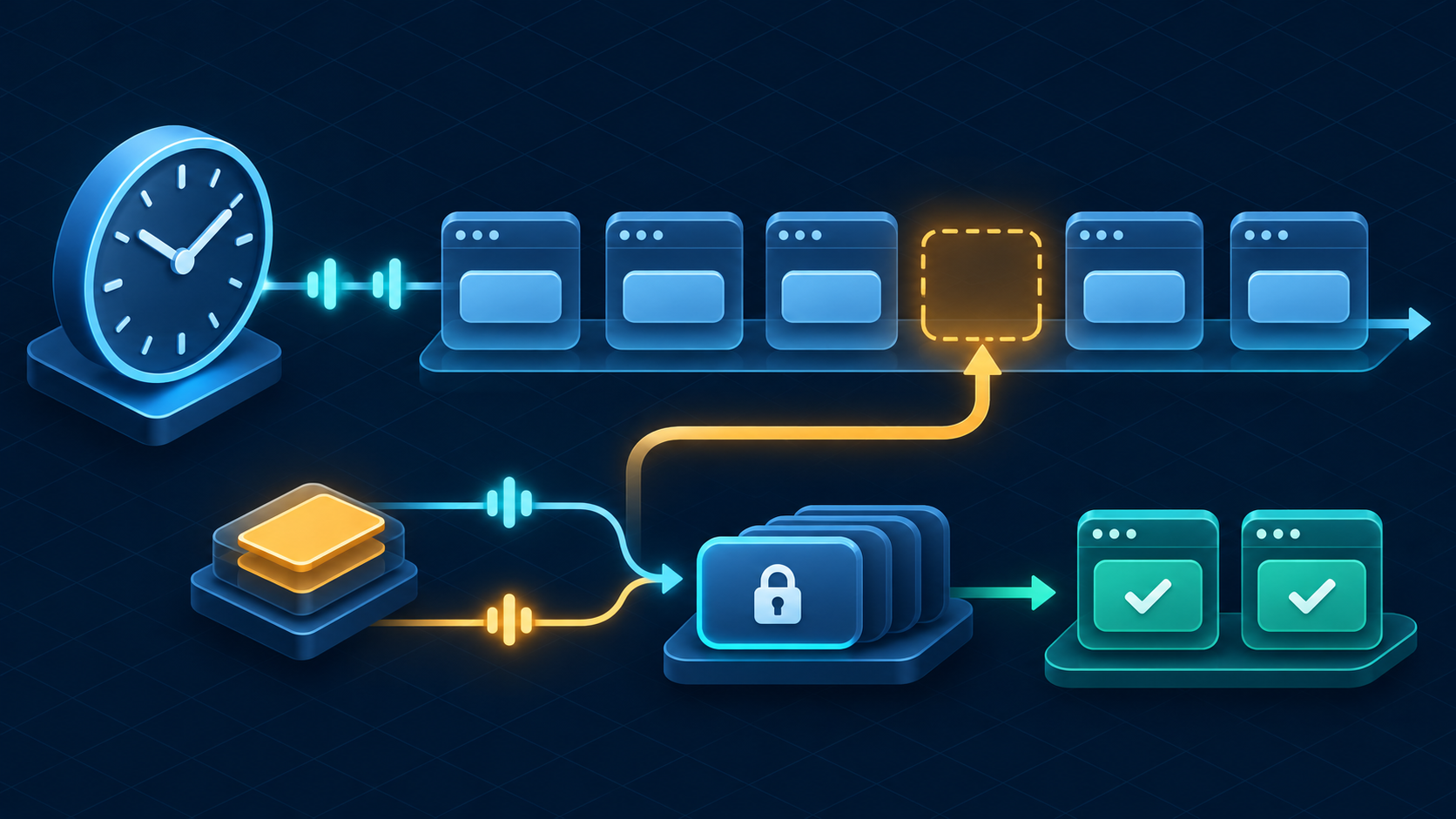
Build Vercel Cron Jobs in Next.js with CRON_SECRET, PostgreSQL locks, bounded backfill, safe retries, and a practical production debugging guide.
Your daily report runs at 02:00 UTC. One morning it never reaches the app. The following day it arrives twice, and both invocations try to produce the same report. A route that processes “today” on each request skips the missing day and may repeat yesterday’s work. The fix is to record which days are due and which were completed in PostgreSQL.
This guide builds a Next.js cron endpoint that queues each closed reporting day once, catches up after missed invocations, and can resume after a crash. The example writes daily event counts to PostgreSQL. A later section explains what changes when a job sends email or calls an external API.
Configure the schedule and protect the route
Vercel Cron Jobs invoke a production route with an HTTP GET on a UTC schedule. Put the configuration in the root directory of the Vercel project. In a monorepo, that is the configured app root, which may differ from the repository root. This example schedules 02:00 UTC daily; the plan limits list minimum intervals and timing precision. A Hobby job may run within the scheduled hour, so do not depend on an exact minute.
{ "$schema": "https://openapi.vercel.sh/vercel.json", "crons": [ { "path": "/api/cron/daily-report", "schedule": "0 2 * * *" } ] }Set a random CRON_SECRET in Production. Vercel sends it as a Bearer token. Fail closed if the variable is missing, and never log the header. The cron management docs explain how deployed environment values, rotations, and rollbacks interact. After changing the value, deploy and verify the next invocation.
A request that reaches the route is a wake-up signal. It can be late, duplicated, or absent; Vercel does not retry a failed cron invocation. The delivery guidance recommends reconciliation. Keep the schedule as a trigger and put the actual reporting state in the database.
Model a run by the day it processes
The business key is the report day in UTC. A request ID identifies an invocation and is useful for logs, but two requests for the same report day must share a business key. Store a cursor for the next day to enqueue, a unique job per day, and the report itself. Keep queued and completed distinct; a successful enqueue tells you nothing about whether the report exists yet.
CREATE TABLE support_event ( id bigint GENERATED ALWAYS AS IDENTITY PRIMARY KEY, occurred_at timestamptz NOT NULL ); CREATE INDEX support_event_time_idx ON support_event (occurred_at); CREATE TABLE report_schedule ( name text PRIMARY KEY, next_day date NOT NULL ); CREATE TABLE daily_report_job ( report_day date PRIMARY KEY, queued_at timestamptz NOT NULL DEFAULT now(), completed_at timestamptz ); CREATE INDEX daily_report_pending_idx ON daily_report_job (report_day) WHERE completed_at IS NULL; CREATE TABLE daily_report ( report_day date PRIMARY KEY, event_count bigint NOT NULL CHECK (event_count >= 0) ); -- Choose the first eligible day during deployment. -- This date is an example for the lab, not a moving default. INSERT INTO report_schedule (name, next_day) VALUES ('daily-report', DATE '2026-11-08');In an existing app, replace support_event with your actual source table. If you need a report per workspace, use a compound job key and include that workspace in both the data query and the report key. This example has one global report stream.
Backfill missed days without a race
Compute the latest due day using the database clock in UTC. At 01:59 UTC on November 11, November 10 is still inside the two-hour reporting grace period. At 02:00, it becomes due. That rule works for late triggers and manual calls without guessing a window from the request’s arrival time.
Use a single statement to lock the schedule row, enqueue up to seven missing days, and advance the cursor. PostgreSQL makes those changes atomically. If the statement fails, it leaves both the cursor and the queue unchanged. On success, the jobs are durable before the route starts processing them. The optional timestamp parameter is for test fixtures; production passes null.
WITH bounds AS MATERIALIZED ( SELECT next_day, ( (coalesce($1::timestamptz, statement_timestamp()) AT TIME ZONE 'UTC') - interval '2 hours' )::date - 1 AS due_through FROM report_schedule WHERE name = 'daily-report' FOR UPDATE ), due AS MATERIALIZED ( SELECT next_day + n AS report_day FROM bounds CROSS JOIN generate_series(0, 6) AS offsets(n) WHERE next_day + n <= due_through ), inserted AS ( INSERT INTO daily_report_job (report_day) SELECT report_day FROM due ON CONFLICT (report_day) DO NOTHING RETURNING report_day ), advanced AS ( UPDATE report_schedule SET next_day = (SELECT max(report_day) + 1 FROM due) WHERE name = 'daily-report' AND EXISTS (SELECT 1 FROM due) RETURNING next_day ) SELECT (SELECT count(*)::integer FROM inserted) AS enqueued, coalesce((SELECT next_day FROM advanced), bounds.next_day)::text AS next_day FROM bounds;The cursor locks only the brief enqueue statement. A second invocation can wait for that transaction to finish, see the updated cursor, and enqueue the next due batch if any remains. The job’s primary key also protects against duplicates after a manual repair or replay. If the schedule row is missing, the query returns no row; treat that as a failed setup, rather than a successful no-op.
The seven-day cap bounds each invocation. After a longer outage, several sweeps may be needed. Alert on the gap between the latest due day and the cursor, and expose an authorized way to run another sweep. Initialize the cursor to a deliberate date so a first deployment does not accidentally attempt years of backfill.
Claim work and commit the result together
For a short database-only report, the cleanest worker is a transaction. Select a pending row with FOR UPDATE SKIP LOCKED. Competing workers can work on different days while the selected row stays locked. The statement writes the aggregate and marks the job complete together. A crash before commit releases the lock and leaves the row pending.
WITH pending AS MATERIALIZED ( SELECT report_day FROM daily_report_job WHERE completed_at IS NULL ORDER BY report_day LIMIT 1 FOR UPDATE SKIP LOCKED ), saved AS ( INSERT INTO daily_report (report_day, event_count) SELECT p.report_day, count(e.id) FROM pending p LEFT JOIN support_event e ON e.occurred_at >= (p.report_day::timestamp AT TIME ZONE 'UTC') AND e.occurred_at < ((p.report_day + 1)::timestamp AT TIME ZONE 'UTC') GROUP BY p.report_day ON CONFLICT (report_day) DO UPDATE SET event_count = excluded.event_count RETURNING report_day ) UPDATE daily_report_job j SET completed_at = statement_timestamp() FROM saved WHERE j.report_day = saved.report_day RETURNING j.report_day::text AS report_day;The half-open UTC interval includes midnight at the start of the day and excludes midnight at the start of the next day. COUNT(e.id) keeps empty days at zero. SKIP LOCKED is appropriate for claiming work, not for a report that needs an exhaustive view of pending rows. A zero-row response means no unlocked work was claimable at that instant. See the PostgreSQL locking clause reference for its concurrency semantics.
This example allows independent report days to finish out of order. If Tuesday depends on Monday, represent the dependency in the claim rule or serialize processing at the job-stream level. If events can arrive after the two-hour grace period, define a separate reconciliation or correction pass instead of assuming completed means immutable.
Keep the Next.js handler bounded
Install pg and its TypeScript types. Export the two SQL statements above as static strings from lib/daily-report-sql.ts. The handler uses one PostgreSQL connection per invocation and executes each statement in its own transaction. Keep the pooled database URL and cron secret server-only.
import { createHash, timingSafeEqual } from 'node:crypto' import { Pool } from 'pg' import { enqueueDailyReports, processOneReport } from '@/lib/daily-report-sql' export const runtime = 'nodejs' export const maxDuration = 30 const connectionString = process.env.REPORT_DATABASE_URL if (!connectionString) throw new Error('Missing REPORT_DATABASE_URL') const pool = new Pool({ connectionString, max: 2, connectionTimeoutMillis: 1500, statement_timeout: 2500, }) function digest(value: string) { return createHash('sha256').update(value).digest() } export async function GET(request: Request) { const secret = process.env.CRON_SECRET if (!secret) return new Response('Cron is not configured', { status: 503 }) const supplied = request.headers.get('authorization') ?? '' if (!timingSafeEqual(digest(supplied), digest('Bearer ' + secret))) { return new Response('Unauthorized', { status: 401 }) } const runId = crypto.randomUUID() const started = Date.now() try { const client = await pool.connect() try { const { rows: [sweep] } = await client.query<{ enqueued: number; next_day: string }>(enqueueDailyReports, [null]) if (!sweep) throw new Error('Report schedule row is missing') const completedDays: string[] = [] for (let i = 0; i < 7 && Date.now() - started < 20_000; i++) { const { rows: [job] } = await client.query<{ report_day: string }>(processOneReport) if (!job) break completedDays.push(job.report_day) } const outcome = { runId, enqueued: sweep.enqueued, completedDays, nextDay: sweep.next_day, elapsedMs: Date.now() - started, } console.info('daily-report-sweep', outcome) return Response.json(outcome, { headers: { 'Cache-Control': 'no-store' } }) } finally { client.release() } } catch { console.error('daily-report-sweep-failed', { runId }) return Response.json({ error: 'Report sweep failed', runId }, { status: 503, headers: { 'Cache-Control': 'no-store' }, }) } }Use a node-postgres direct or compatible pooled connection that honors the server-side statement timeout. Keep the database deadline comfortably below the function deadline, and use the batch cap to leave time for the response. With two statements committed separately, enqueue survives a crash before processing, and completed reports survive a lost response.
In a production implementation, store sanitized error categories and durations to make database failures diagnosable. Avoid exposing connection strings, secrets, or raw SQL error objects in the response. For a heavier workload, move the worker to a queue or durable workflow and keep the cron route focused on reconciliation.
Handle external effects separately
A SQL lock cannot undo an email send or HTTP request. Do not hold the database transaction open while calling a slow provider. Write an outbox row in the same transaction as the business state, then let a worker claim and deliver it separately.
Use a stable provider idempotency key derived from the operation, such as daily-report plus the report day and recipient ID. Record the provider’s result. If the provider accepted a request but the response was lost, reconcile before retrying when the provider cannot deduplicate the operation. A timeout alone does not tell you whether the external effect happened. The HubSpot outbox guide shows how that pattern fits an integration.
Test duplicates, missed days, and interrupted work
Apply the schema to a disposable PostgreSQL database. Run the enqueue query at 2026-11-11T01:59:00Z, then at 2026-11-11T02:00:00Z. Starting with the example cursor, expect two queued days on the first call, then one more on the second. Call again with the same timestamp and expect zero new rows. A future timestamp far beyond the cursor should enqueue at most seven rows and advance only past that batch.
Run the processing statement inside a transaction and roll it back. Verify the report and completion timestamp did not persist. Run it again and commit; then run it until no pending jobs remain. Seed events at the start and end of a UTC day to test the interval boundaries. Finally, exercise two real database connections in staging: hold a lock on the first pending row, then check that the other worker claims the next day.
For local HTTP verification, call the route against a test database with the configured header. Local development servers do not dispatch the production schedule. Test missing and incorrect credentials, a valid sweep, and a replay. Avoid using the production URL for an ad hoc smoke test unless you intend to process real work.
curl -i http://localhost:3000/api/cron/daily-report curl -i -H "Authorization: Bearer $CRON_SECRET" \ http://localhost:3000/api/cron/daily-reportDiagnose “Vercel cron job not running” from the business state
Start with the latest successful report and oldest pending day. An empty runtime log cannot distinguish a skipped invocation from one that never reached the function. If the report is late, check the active production deployment’s schedule, the UTC expression, and the project’s plan limits. Then check the invocation result and the durable queue.
A 401 suggests the deployment’s secret is missing or the header is wrong. A 404 points to an incorrect route or project root. For a 3xx, check redirects, trailing slashes, and login middleware; cron invocations do not follow redirects. A 2xx with no reports can mean no due work, a queue backlog, or a worker that could not claim a locked row. The Vercel troubleshooting guide covers schedule and routing checks.
Alert when the last completed day is older than your reporting deadline, when pending work ages beyond its expected processing window, or when the cursor stops advancing. A successful trigger is useful evidence, but the report itself is the outcome you promised.


