Apple iPad mini 8.5-inch (2026) review: One-minute review
It's been a long time coming, but Apple has finally addressed more than a few people's wish lists with its latest-generation iPad mini. Yes, it's still the smallest iPad in terms of display size, not price, but this upgrade is really about the sum of its parts.
The jump to OLED is the headline upgrade, and paired with a thinner, lighter build and plenty of performance under the hood, it makes a big, big difference. The 8.5-inch Super Retina XDR display is an absolute joy to use; whether I'm watching a film, playing a game, editing photos, or just scrolling through iPadOS, everything looks fantastic.
If you've been holding out for an OLED iPad mini, this is the upgrade you've been waiting for. It's a major improvement, even without ProMotion, and the improved refresh responsiveness makes everyday scrolling and swiping feel that much more seamless.
The design is another big part of the story. At just 5.33mm thick and 254g, the iPad mini is deceptively slim and light. The mini was already the iPad I find easiest to take pretty much anywhere, but this new model is even more comfortable to hold and use for longer stretches. And while it might look familiar, there are some meaningful changes beyond the thinner build. The new IP67 rating adds welcome water and dust resistance, giving the mini more durability for everyday use, and giving you peace of mind if you're sharing it with family members.
It also packs plenty of power. The A20 Pro chip makes multitasking, photo editing, gaming, and even some of Apple's newer AI features, which demand a fair bit of power, feel effortless. Battery life has been solid in my testing, too, getting close to Apple's 10-hour claim, while the N1 chip brings Wi-Fi 7, Bluetooth 6, and Thread connectivity. If you opt for the Cellular model, you also get Apple's C2 modem.
Of course, all of this comes at a price. The iPad mini starts at $699, so it's certainly not the cheapest iPad in Apple's lineup. The model I've been testing is the 512GB Wi-Fi and Cellular version with the optional nano-texture display, which comes in at $1,099. That's a considerable investment for a tablet this size, but the mini has never really been about offering the lowest entry price. It's for people who want this particular screen size and the portability that comes with it, and Apple has now managed to squeeze a whole lot more value into this little package.
There are still a couple of things I'd like to see, most notably ProMotion and a more exciting selection of colors. But those small issues don't take away from how much I enjoy using this iPad. The OLED display makes a world of difference, the slimmer build is even better, and the combination of performance, battery life, and added durability makes this a seriously capable little tablet. If you're already a fan of the iPad mini, you'll love a lot about this generation.
Apple iPad mini 8.5-inch (2026) review: Specs
iPad mini (2026) | |
Starting price | $699 / £699 / AU$1,099 |
Operating system | iPadOS 27 |
Chipset | A20 Pro |
Storage | 128GB / 256GB / 512GB |
Display | 8.5-inch Super Retina XDR display (OLED 2316 x 1512) |
Cameras | 12MP wide main, 12MP ultra-wide front |
Battery | 18.9Wh |
Connectivity | Wi-Fi 7, Bluetooth 6, and Thread from Apple N1. 5G Sub-6Ghz and Gigabit LTE on Cellular models with Apple C2. |
Weight | 255g (Wi-Fi) / 263g (Cellular) |
Dimensions | 195.3mm x 132.6mm x 5.4mm |
Apple iPad mini 8.5-inch (2026) review: Pricing and availability
Apple's new iPad mini starts at $699 / £699 / AU$1,099 for the Wi-Fi model, or $849 / £849 / AU$1,349 if you want Wi-Fi and Cellular. Apple began taking preorders on October 28, ahead of the tablet's official launch on November 6, 2026.
You can configure your iPad mini with 128GB, 256GB, or 512GB of storage. If you want Apple's nano-texture display, you'll need to choose either the 256GB or 512GB model, and that adds $100 / £100 / AU$200 to the price. Apple also includes a polishing cloth in the box with nano-texture models.
- Value score: 4 / 5
Apple iPad mini 8.5-inch (2026) review: Design
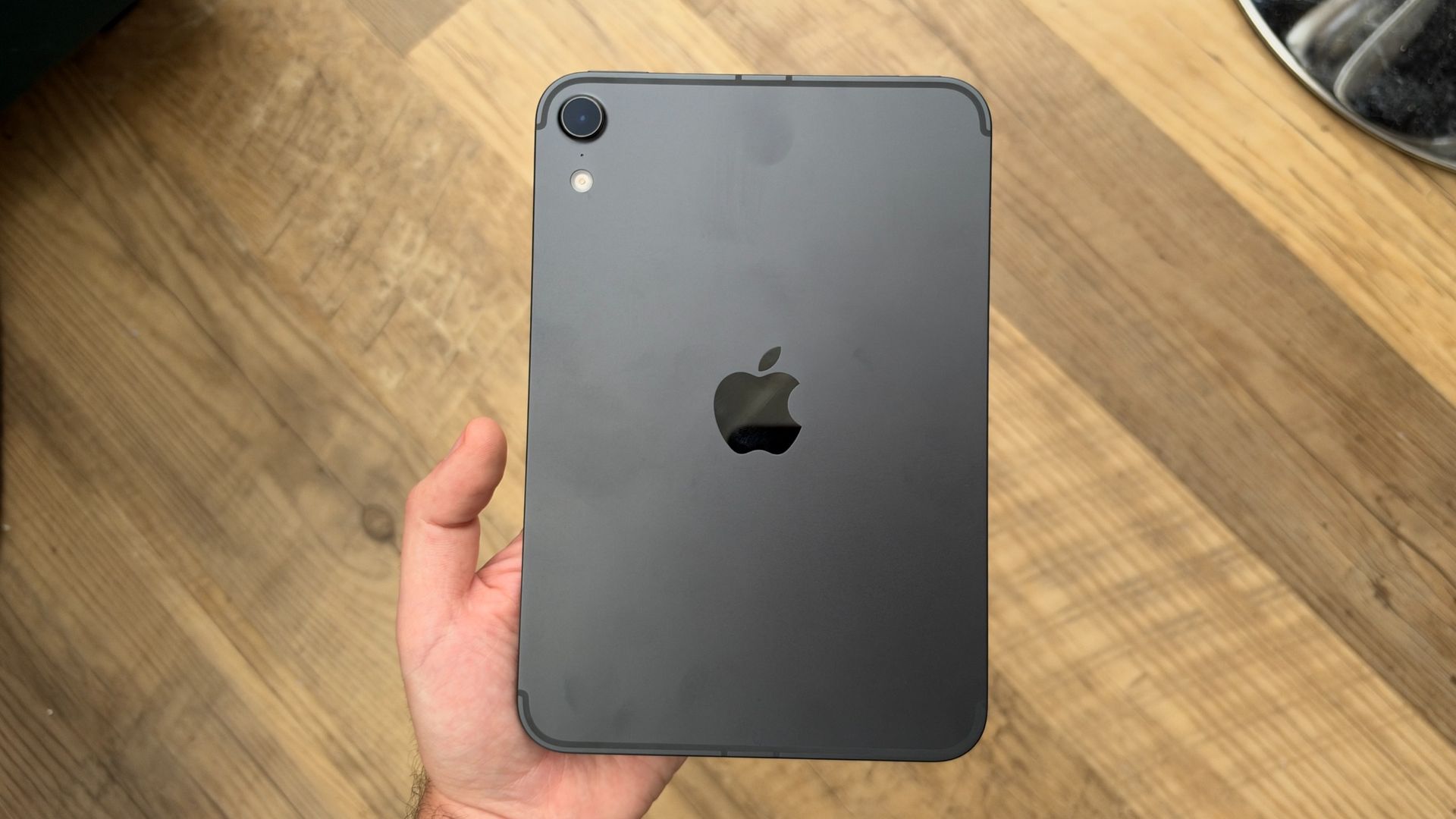
- Super light and thin
- This makes for more of an upgrade than you might expect from reading the specs
- Still the most portable iPad in the lineup
The new iPad mini is really, really thin — almost deceptively so — and won't weigh your hand down at all. At just 5.33mm thick and 254g, it's noticeably slimmer and lighter than the previous generation, which measured 6.35mm and weighed 295g.
The iPad mini has always been the most portable tablet in Apple's lineup, offering much of the full-size iPad experience in a much smaller package. That's still true here, but the latest model takes that portability even further. It's easy to hold in one hand while scrolling, throw into a bag for a trip to the cafe, and take pretty much anywhere. It's genuinely pocketable when you're wearing a jacket, and, interestingly, weighs less than an iPhone Duo.
The overall design hasn't changed dramatically, and that's not necessarily a bad thing. The slimmer build brings it even closer to offering that 'sheet-of-glass' look and feel, while also making it more comfortable to hold for longer viewing sessions. The display is larger, too, thanks to the slimmer bezels, so you're getting more screen without sacrificing that compact form factor.
On the front, Apple has moved the 12MP Center Stage camera so it's on the top edge when you're holding the mini in landscape orientation, aligning it with the rest of the iPad lineup. There's still no Face ID; Touch ID is built into the power button instead, and it works quickly to unlock the tablet and authorize purchases. The separate volume buttons sit nearby, with their orientation changing depending on how you're holding the iPad.
Flip it around and you'll find the centered Apple logo, rear camera, and Adaptive True Tone flash. The USB-C port is on the bottom when you're holding the mini in portrait mode, and a microphone sits near the Center Stage camera.
One thing you might notice is what's missing here: the speaker grilles. Apple has done away with those cutouts as part of its new Acoustic Audio system, which I'll get into more in the Audio section below. It makes for a much cleaner look, and the change also makes IP67 water and dust resistance possible — a first for the iPad mini, and a welcome addition. I've tested it with a little water, and the iPad stands up just fine; it's nice to know you can take it to the beach or use it in the rain. It's also some useful added durability for a tablet the whole family could easily use.
The one area where I'm a little less enthusiastic is the choice of colors. The A17 Pro iPad mini came in Blue and Purple, while here you can choose between Starlight and Midnight. I've been testing Midnight, which has a very dark blue look, but it does show fingerprints on the rear. Paired with Apple's new TechWoven Folio, though, it makes for a nice-looking setup.
- Design score: 4.5 / 5
Apple iPad mini 8.5-inch (2026) review: Display
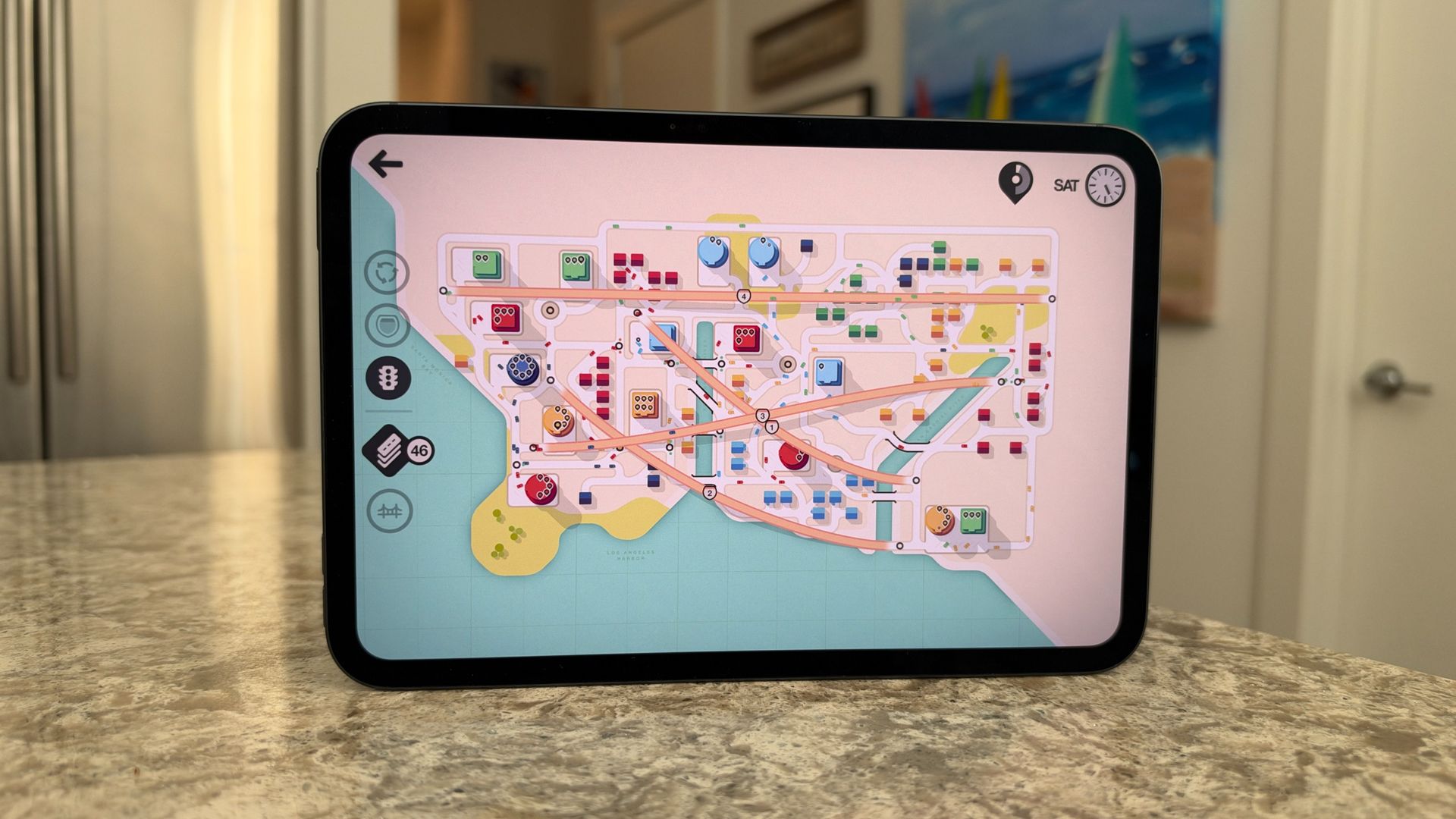
- OLED display is a terrific addition
- Content looks exceptionally great here, with rich blacks and vibrant colors
- Nano-texture pairs really well with OLED and lets you use the iPad mini in any light
It feels like we've been asking Apple to bring an OLED display to the iPad mini for years — it's certainly been a wish of mine — and Apple finally delivered this year. Whether you're coming from the previous-generation iPad mini or older model, this is pretty close to a night-and-day experience.
The 8.5-inch Super Retina XDR display is an absolute joy to use. It's OLED, so blacks are properly inky, colors really pop, and everything looks fantastic. It's a great tablet for running through some tasks, drawing with the Apple Pencil, FaceTiming with family and friends, and especially for watching content.
Admittedly, it's only 0.2 inches larger than the previous display, so you're not getting much extra usable space. But the visuals are much more vibrant, everything looks crisper, and it's a more immersive view. At this size, it's made a real difference in my iPad mini experience.
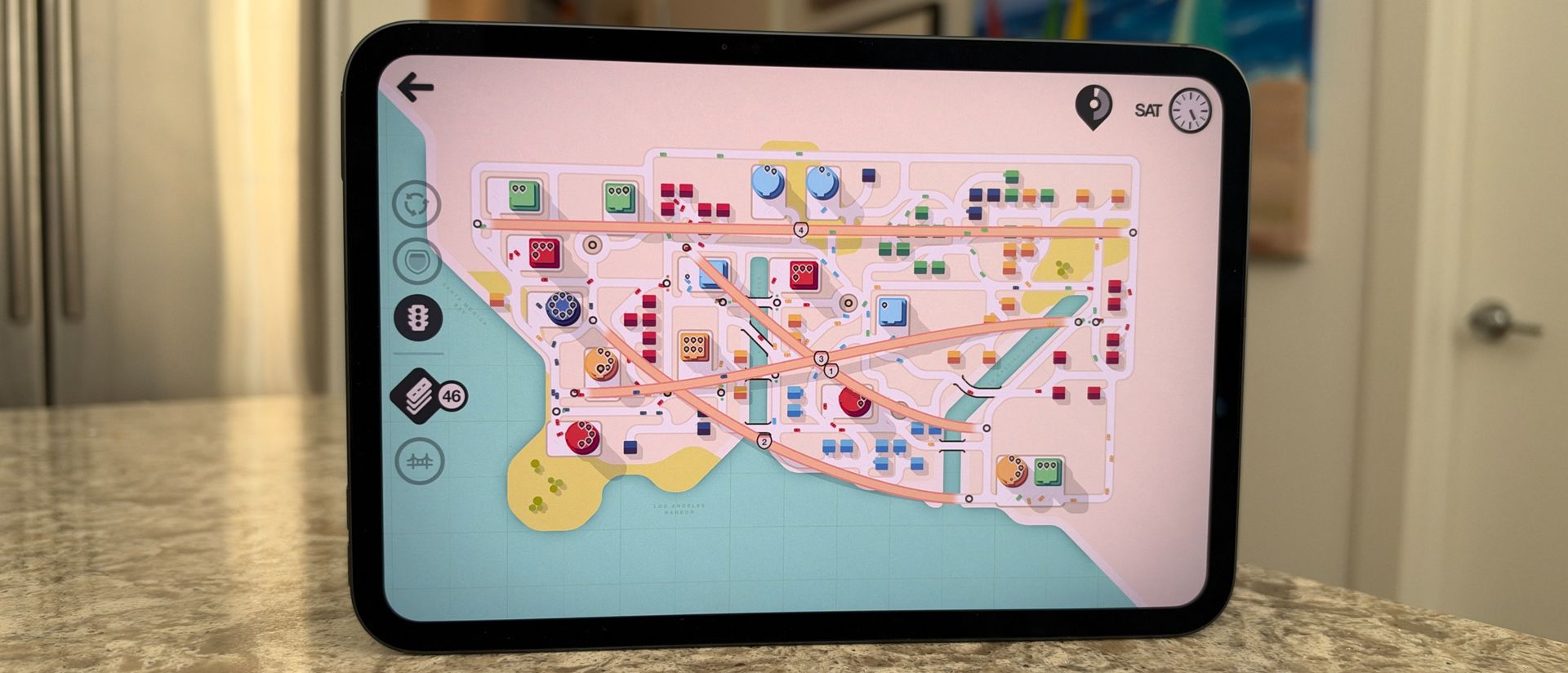
I found myself editing photos in Pixelmator Pro and Apple's Photos app, drawing in Procreate, and playing games like Mini Metro and Mini Motorways to see how quickly visuals render and how much colors can pop. Watching films like Toy Story 5 or Moana on Disney+ was a blast, too, and the same goes for catching up on Ted Lasso on Apple TV. HDR content, in particular, benefits from the OLED panel, with more pronounced contrast and colors that really jump off the screen. This is a fantastic little movie-watching tablet.
The new mini also gets a brightness boost, with peak brightness reaching 1,200 nits for HDR and 600 nits in everyday use, up from 500 nits on the previous generation. You'll notice that difference indoors and outdoors, especially when watching HDR content. And when you're using the iPad mini outside, that extra brightness paired with NanoTexture makes a big difference.
Which brings us to the optional nano-texture upgrade. Available on the 256GB and 512GB models, it costs an extra $100 / £100 / AU$200, and adds Apple's proprietary, etched coating over the Super Retina XDR display. It's incredibly effective at reducing glare from both natural and artificial light sources, as well as reflections on the screen. Apple has brought this technology to several other products, including the iPad Pro, MacBooks, iMacs, and Studio Displays, and there's also a slightly different implementation on the iPhone Duo.
I've found nano-texture particularly useful in direct sunlight. It effectively mutes reflections and cuts down glare, making the display much easier to see when you're out and about. It also gives the screen a more paper-like feel, which makes using either the Apple Pencil Pro or Apple Pencil USB-C particularly nice. I've found myself bringing the iPad mini along to cafes and meetings to take notes, and its size makes it feel a little like carrying a classic Moleskine notebook.
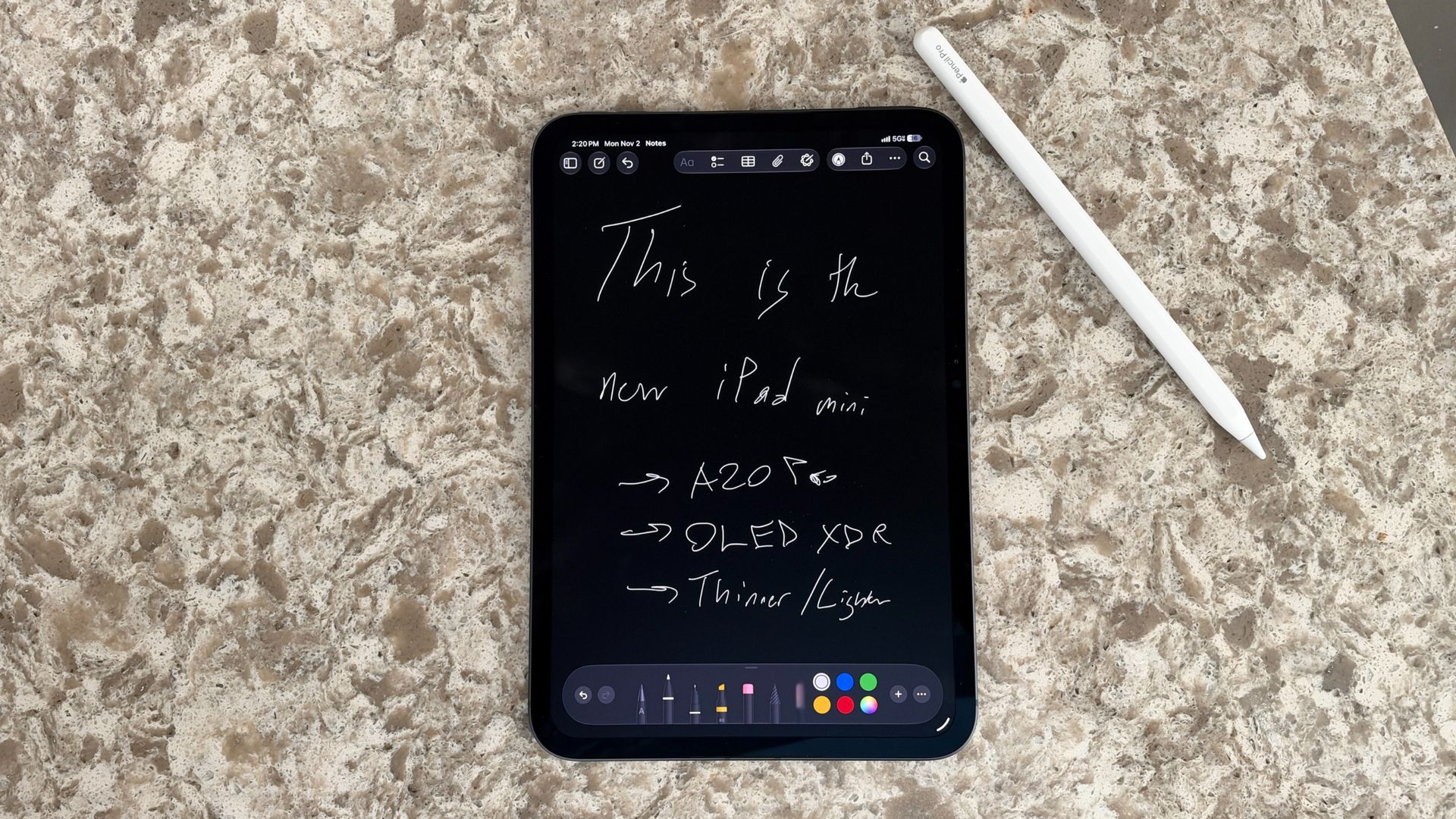
It's not a cheap upgrade, and I haven't tested the standard glass and nano-texture versions side by side. But paired with a more portable iPad than the Air or Pro, and one that now has extra durability, it makes the mini even more enjoyable to use when you're out and about.
Another benefit of the move from LED to OLED is better display responsiveness, even if the display here doesn't quite reach the 120Hz standard of ProMotion. Apple describes this as sub-pixel millisecond control, and in everyday use, scrolling and swiping feel a little more seamless than on the previous generation, and it does make the display feel that bit more fluid.
It's not, however, ProMotion. The iPad mini is still limited to a 60Hz refresh rate, rather than the super-smooth 120Hz you'll find on Apple's Pro models. As I've said in previous iPhone and iPad reviews, if you're not coming from a device with a higher refresh rate, you probably won't miss it. It's an odd omission here, especially at this starting price, but I've still found the iPad mini responsive in use, with no noticeable issues in everyday use.
All in all, the move to OLED makes a big difference. The new mini is a joy to watch content on, and even using iPadOS feels better on this display.
- Display score: 4.5 / 5
Apple iPad mini 8.5-inch (2026) review: Cameras
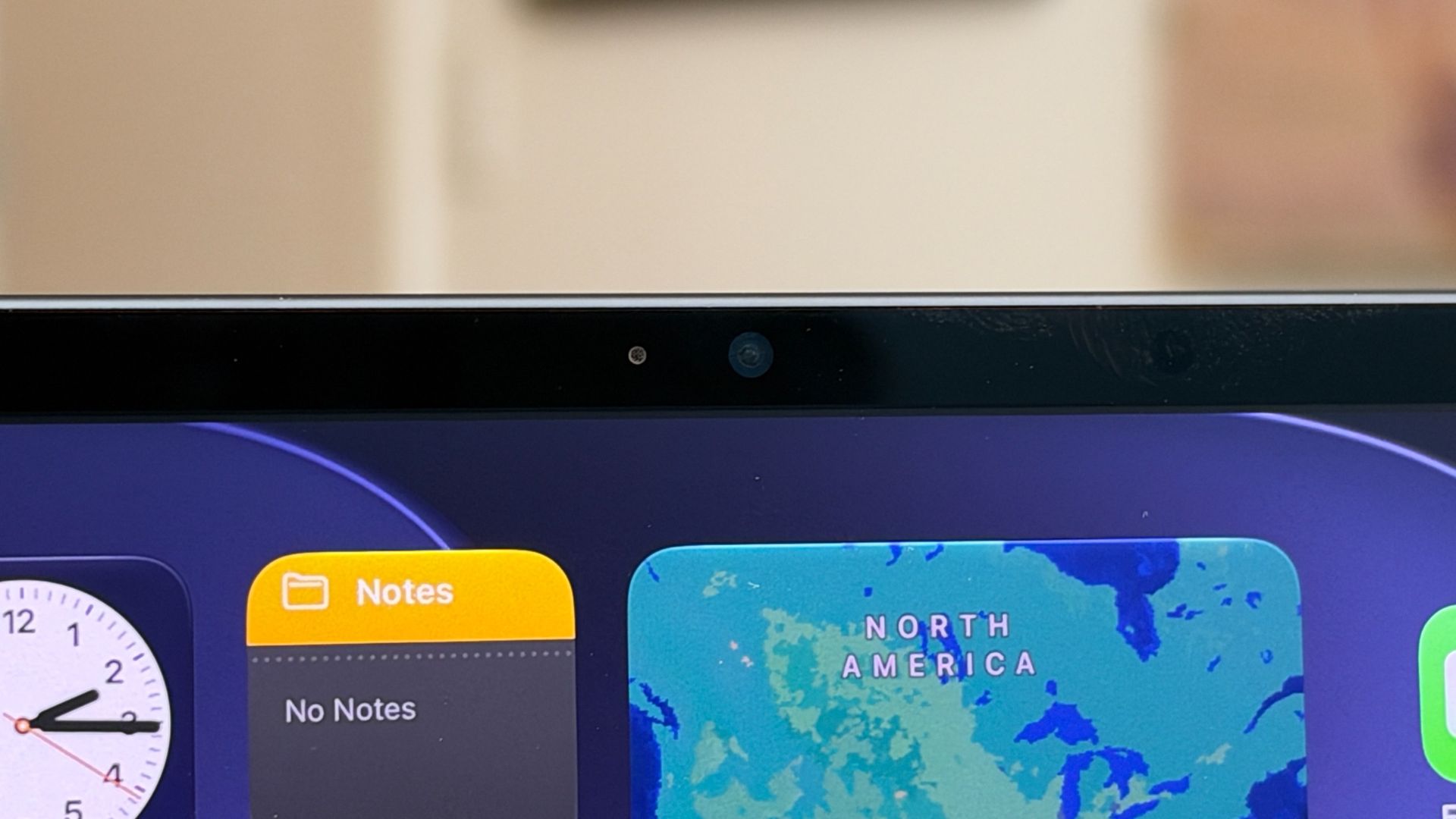
- A welcome move for the front-facing camera
- Still a 12MP main camera on the back
Like every other iPad in Apple's lineup, and most that came before it, the iPad mini has two cameras. Around the back is a 12MP wide camera paired with an Adaptive True Tone flash. It's nearly identical to the main camera on the previous-generation iPad mini, and if you do choose to take photos with the mini — and it's probably the most acceptable iPad for that — you'll get some good shots. I wouldn't expect it to rival an iPhone 18 Pro or even an iPhone Air, though.
The real upgrade is the camera built into the bezel around the front display. It's now a 12MP Center Stage camera, positioned centrally on the side of the iPad when you're using it in portrait mode, so that when you're holding it horizontally, it's in the right place for video calls. And when you pair the iPad mini with Apple's Folio Case or a third-party alternative, that's generally how you'll have it positioned when propped up.
Performance here is great for video calls, whether you're using Apple's own FaceTime or jumping into a Webex meeting, Slack huddle, or a Zoom or WhatsApp call. I looked clear and stayed in focus, but as someone who likes to walk and talk, I particularly appreciated Center Stage. As I moved around, the camera and onboard software worked together to keep me in the shot, using smart panning and zooming to follow my movements.
- Cameras score: 4 / 5
Apple iPad mini 8.5-inch (2026) review: Software
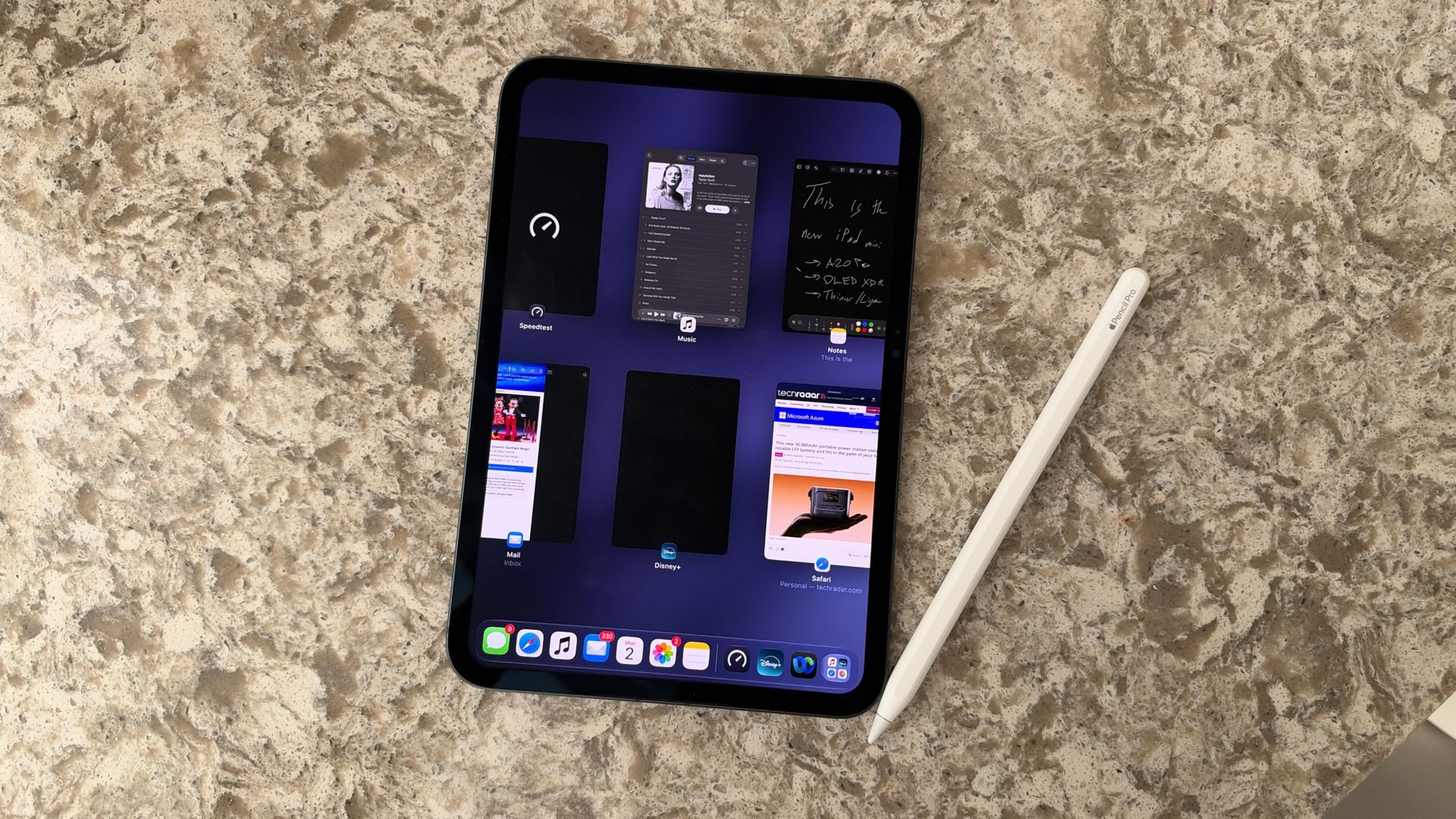
- Runs iPadOS 27 out of the box
- Full multitasking with windows is great on this form factor
- Support for two Apple Pencil models
The iPad mini is running iPadOS 27 out of the box, which certainly brings a lot more to the table than previous versions, particularly anything before iPadOS 26. For starters, the iPad mini supports the new Siri AI beta if you opt in and are in an eligible region. You also get the full windowed app experience that Apple introduced with iPadOS 26.
That means you can have several apps open at once, switch between them, and layer windows on top of each other. The mini's 8.5-inch display isn't the largest canvas for this kind of multitasking, but it feels surprisingly expansive, and can handle several apps at once.
Multitasking felt fast, and I often found myself using the iPad mini for more than just one thing at a time, ranging from streaming content or gaming to productivity tasks like emailing and web browsing. I also used it for creative pursuits, including journaling, drawing, and photo editing, as well as simply settling in with a good read.
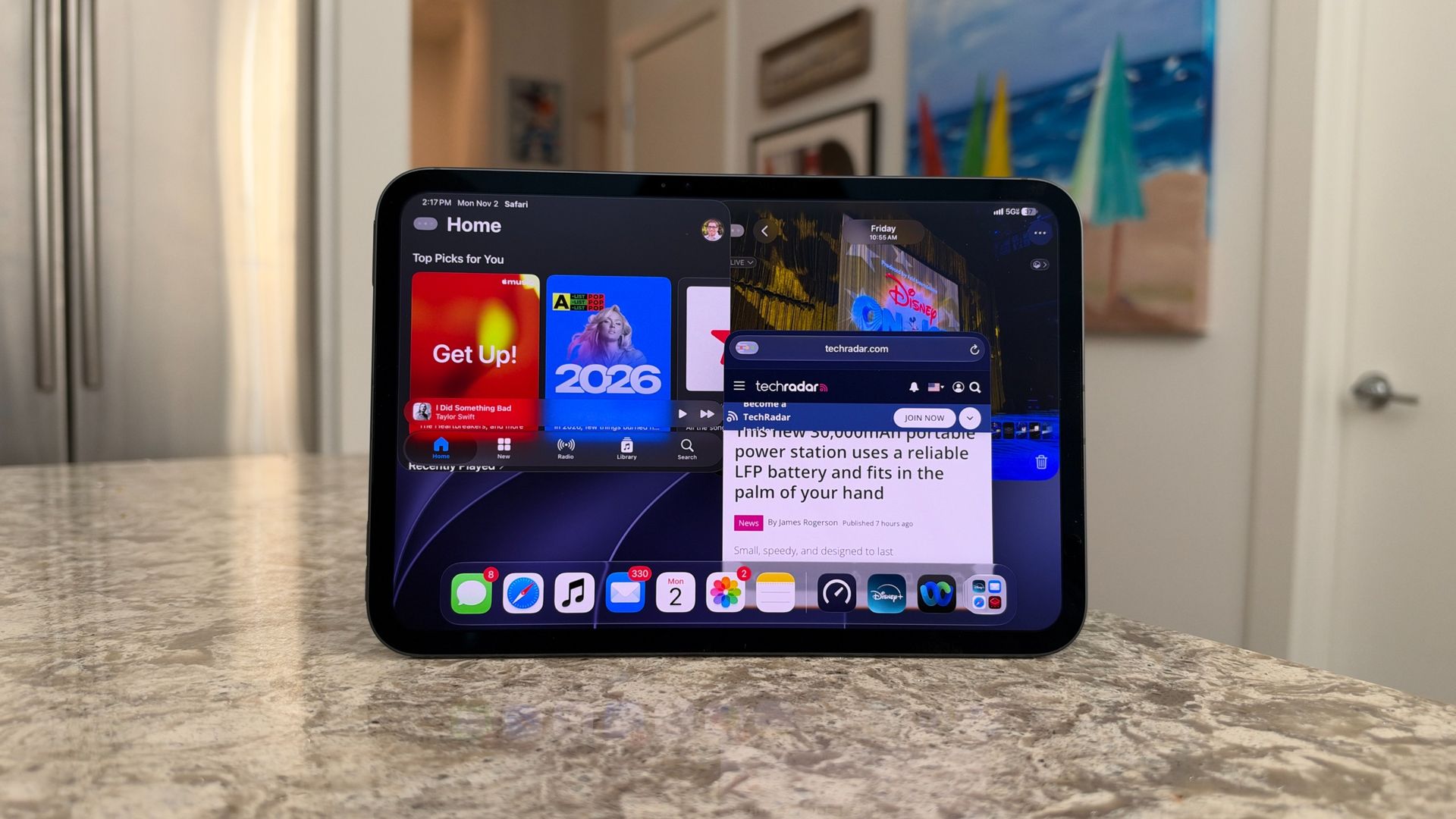
What I really love about the size here is that, this iPad's name notwithstanding, this is not an especially small display. At 8.5 inches it's closer to the size of a classic notebook or book, so it actually feels pretty expansive, especially when you're working between different apps. Some days, though, I connected a keyboard and trackpad and plugged the iPad mini into an external display to give myself another window to work with.
That's a particularly welcome addition, because the mini is no longer limited to simply mirroring its display on an external monitor. You can also extend your workspace, which opens up even more possibilities for multitasking and getting things done.
I found myself pulling images and other assets from Photos, Files, and Messages, then dropping them straight into Pixelmator Pro. Moving between apps and juggling different windows felt effortless, and it's a good example of what the iPad mini can help you do beyond the usual browsing, streaming, and reading.
Of course, a lot of that comes down to the hardware under the hood. I'll touch on this more in the next section, but the iPad mini runs Apple's A20 Pro chip, from the same family of processors as those powering the iPhone 18 Pro, iPhone 18 Pro Max, and iPhone Duo. However, performance differs depending on which storage configuration you choose, so it's worth looking a little closer.
- Software score: 4 / 5
Apple iPad mini 8.5-inch (2026) review: Performance
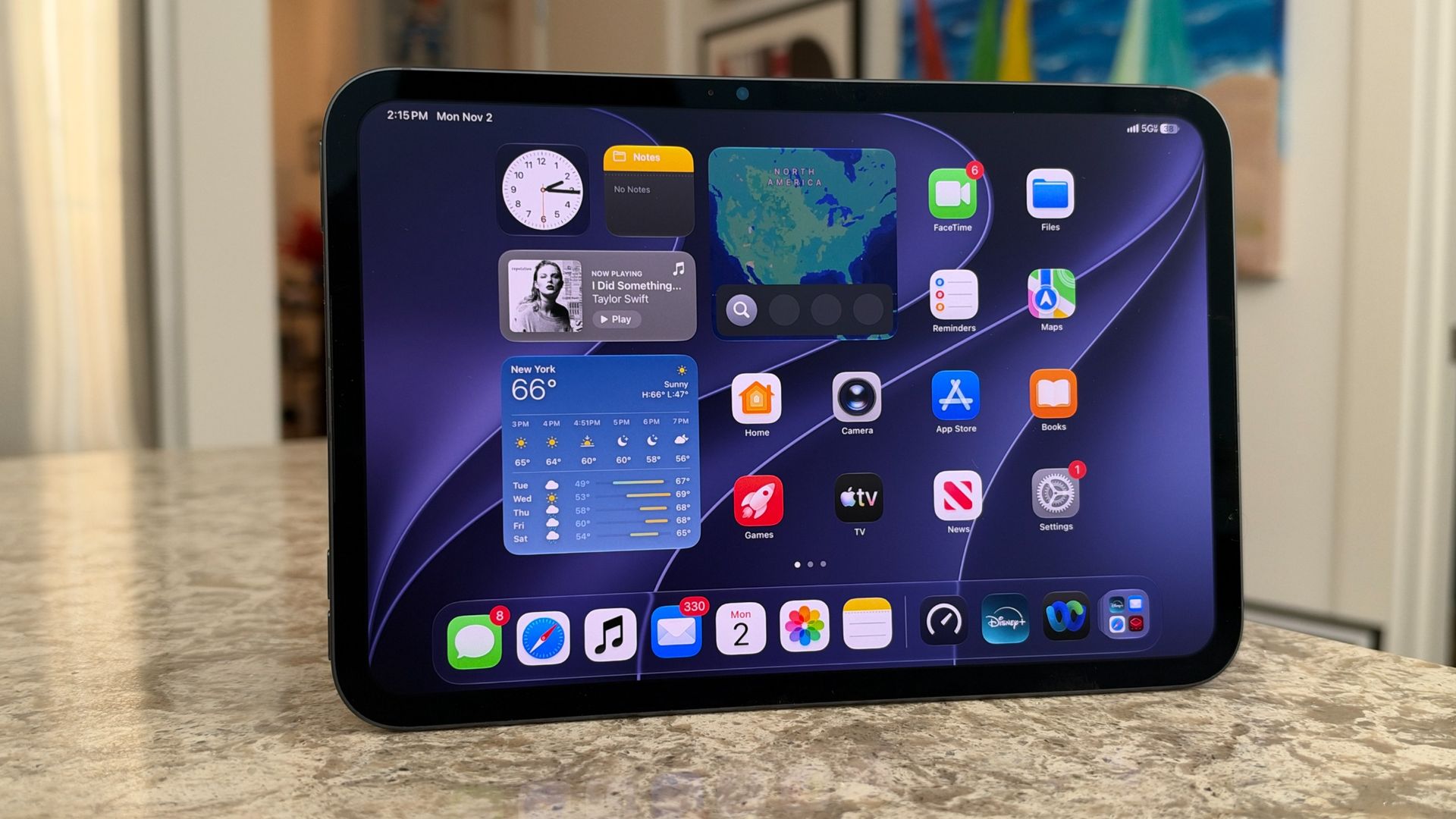
- A20 Pro is very, very fast
- Plenty of a runway for demanding tasks
- You'll need to pay more for the best version of the chip
As I mentioned above, the iPad mini runs Apple's A20 Pro chip, but there's a tale of two chips here. I've been testing the 512GB model with Wi-Fi and Cellular, which gets the full-fat version of Apple's latest silicon.
If you opt for the 128GB or 256GB configurations, you get a five-core CPU (two super cores and three efficiency cores), a seven-core GPU, and a 16-core Neural Engine. The 512GB version, meanwhile, comes equipped with a six-core CPU (two super cores and four efficiency cores), the same seven-core GPU, and a Dual 16-core Neural Engine. That's the same chip configuration as in the iPhone 18 Pro, iPhone 18 Pro Max and iPhone Duo, while the lower-storage models get a slightly more binned-down version.
I don't suspect those extra CPU cores will make a night-and-day difference for most everyday tasks. You might see more of a benefit with particularly processor-intensive workloads or when running more AI locally on-device, but for the vast majority of people even the lower-storage iPad minis should feel plenty fast.
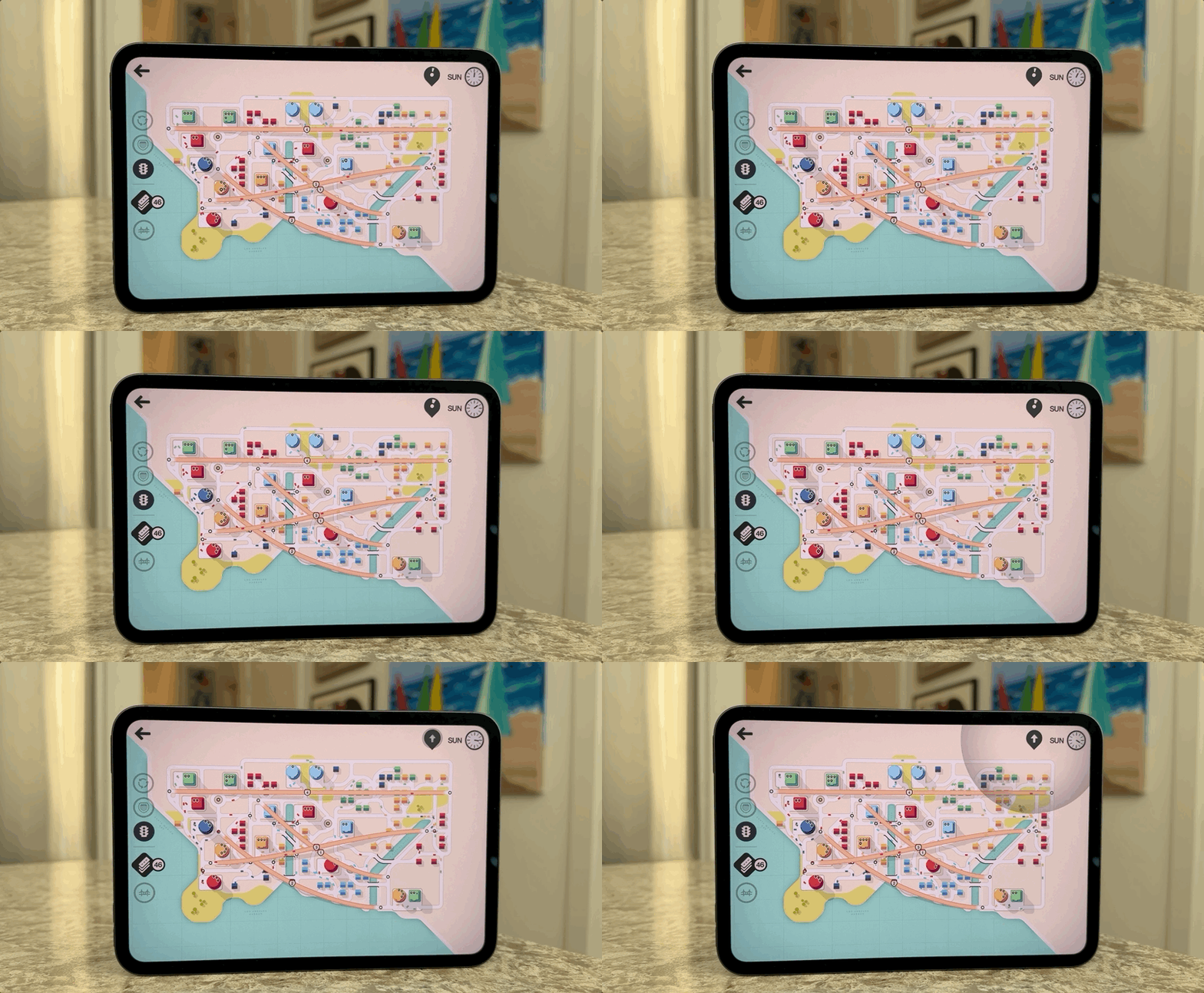
This is the second generation of iPad mini to get a Pro chip option, and it enables the tablet to tackle higher-performance tasks with ease. In Geekbench 7, my review unit scored 3,998 in single-core tests and 11,485 for multi-core. In Geekbench 6, it scored 4,720 and 12,697, respectively. Those are very impressive results, particularly compared with the scores for the previous-generation iPad mini, which scored 2,829 in single-core and 6,938 in multi-core in Geekbench 6.
Those are impressive numbers on paper, and in real-world testing over the past seven days, the iPad mini has been a champ. Apps open incredibly quickly, photo edits happen without a hitch, and even more demanding tasks, like using the Super Resolution option in Pixelmator Pro, and other power-hungry image upscaling tools, felt effortless. Everything feels very, very responsive, and I haven't found myself waiting around for the iPad mini to catch up.
I also put the Apple Intelligence features through their paces, including Clean Up and Expand Images in Photos, alongside multimodal requests with the new Siri AI beta. I tried a few third-party apps with AI-powered features, too. These are the kinds of tasks where having Apple's latest silicon and Neural Engine come into play, and the iPad mini handled my testing without any noticeable slowdown.
- Performance score: 4.5 / 5
Apple iPad mini 8.5-inch (2026) review: Battery & connectivity
- A lot of mileage for a mini iPad
- Impressive results in our battery test
- Apple's C2 modem serves up faster connectivity
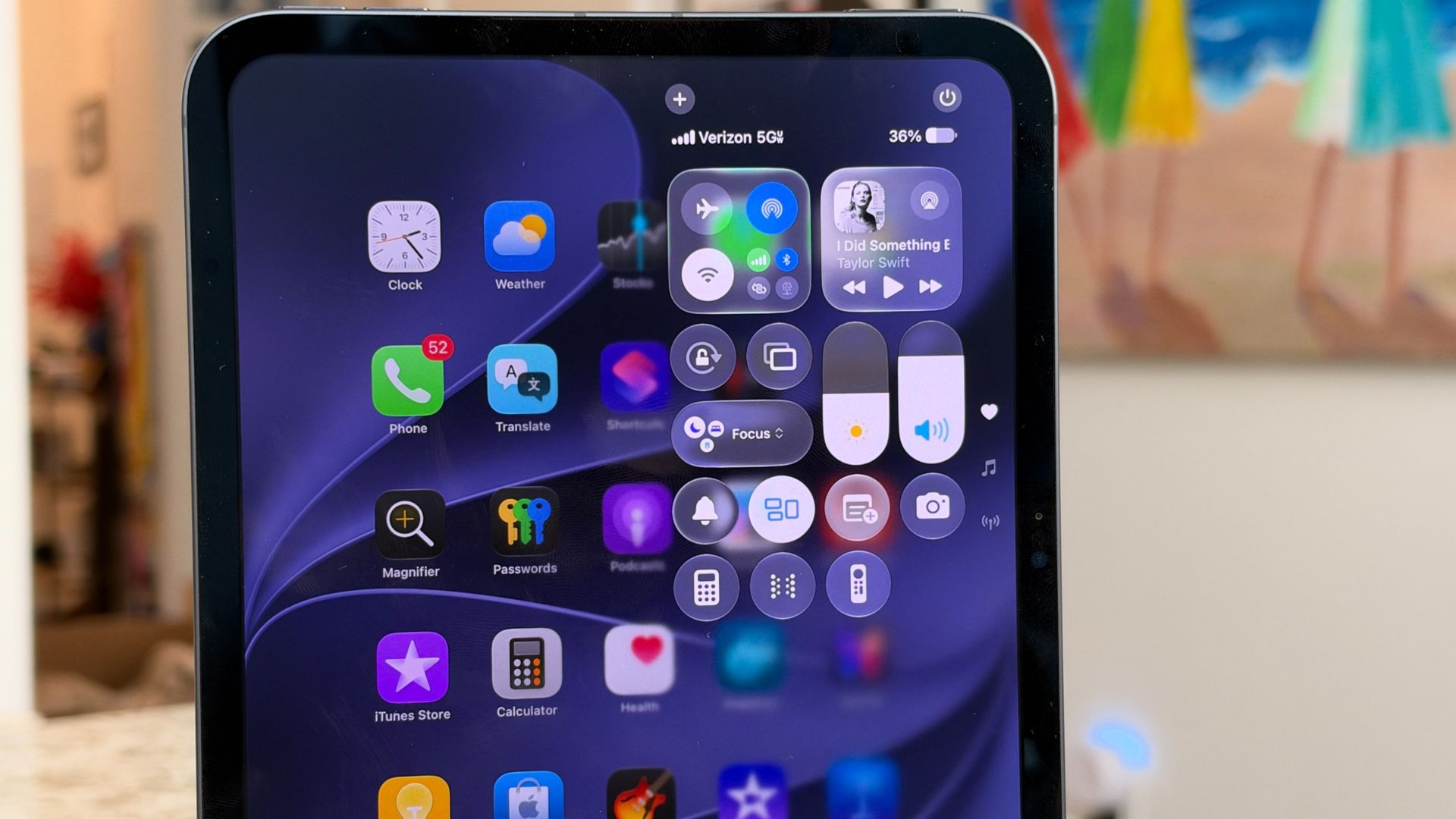
Apple continues to promise all-day battery life with the iPad mini: up to 10 hours of web browsing over Wi-Fi or video, and up to nine hours of web browsing over a cellular data connection. Inside is an 18.9-watt-hour rechargeable lithium-polymer battery, and in my testing I've found it lasts close to 10 hours, depending on what I'm doing.
That's a pretty good result, especially considering the upgraded display. I suspect the OLED panel is more efficient, and paired with the A20 Pro, it makes for a nice combination. In Future PLC's lab battery test, the new iPad mini lasted an impressive 14 hours and 24 minutes. That's a substantial improvement over the previous generation, which managed 10 hours and 36 minutes in the same test.
Connectivity also gets a meaningful upgrade. The iPad mini features Apple's N1 chip, which supports Wi-Fi 7, Bluetooth 6, and Thread. If you opt for the Cellular model you'll also get Apple's C2 modem, which the company says offers up to 50% faster speeds compared to its previous modem.
I've been testing the cellular connection on Verizon's network in the US, with access to 5G, and it's performed pretty well. Throughout New Jersey, I tracked download speeds ranging from 600 to 1,200Mbps, with upload speeds around 35 to 62Mbps. That's plenty for streaming, downloading files, browsing, and staying connected when I'm away from Wi-Fi.
- Battery and connectivity score: 4 / 5
Apple iPad mini 8.5-inch (2026) review: Should you buy it?
Attributes | Notes | Rating |
Value | Even with the price increase, you're getting a lot of tablet for your money. | 4 / 5 |
Design | Thinner and lighter, but keeps the classic, ultraportable design the iPad mini is known for. | 4.5 / 5 |
Display | OLED finally arrives on an iPad mini, and the display is excellent, even without ProMotion. | 4.5 / 5 |
Cameras | CenterStage is in the right spot for the front-facing camera, and makes the iPad mini even better for video calls. | 4 / 5 |
Software | iPadOS 27 is still feature-packed, offering true multitasking support, and the iPad mini takes full advantage of this software. | 4 / 5 |
Performance | The A20 Pro makes light work of pretty much every task. | 4.5 / 5 |
Battery and connectivity | Plenty of battery life, with some welcome connectivity upgrades. | 4 / 5 |
Buy it if...
You've been waiting for a better screen
The jump to OLED makes a significant difference for both viewing content and day-to-day use — combined with iPadOS, this display shines.View Deal
You want an ultraportable iPad that doesn't skimp on performance
With one of Apple's newest chips and a super-slim, premium build, the iPad mini feels responsive and comfortable to hold for long periods — this will remain a powerful iPad for years to come.View Deal
Don't buy it if...
You don't want to break the bank
The iPad mini starts at $699 / £699 / AU$1,099, and upgrades can quickly put that price over $1,000 / £1,000 / AU$1,450.View Deal
Apple iPad mini 8.5-inch (2026) review: How I tested
☑️ 100s of tablets reviewed
☑️ 15 years of product testing
☑️ Over 16,000 products reviewed in total
☑️ Nearly 200,000 hours testing tech
I've been using iPads since the original launched, so I've seen Apple's smallest tablet evolve quite a bit over the years. I've been testing the 512GB Wi-Fi and Cellular version of the iPad mini (8th Generation with A20 Pro) in Midnight, with the optional NanoTexture finish, for the past seven days.
During that time, I've put it through its paces with a range of apps across entertainment, creative, and productivity, while also exploring many of the features in iPadOS 27. I've also used it with Apple's new TechWoven Folio, alongside both the Apple Pencil USB-C and Apple Pencil Pro, to get a feel for how well the mini works for everyday use, creativity, and getting things done.
First reviewed: November 2026