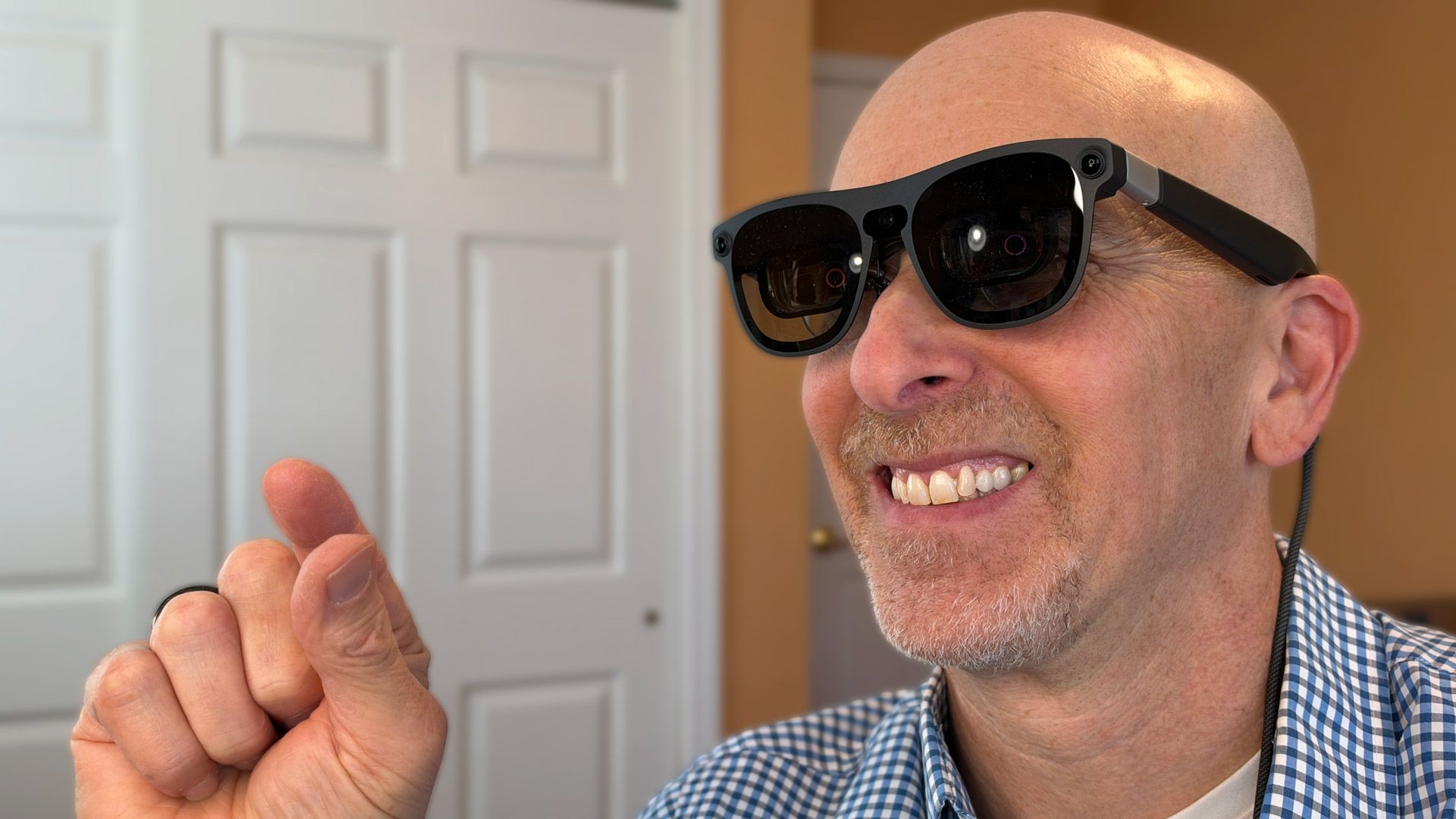
Xreal Aura Android XR glasses: Two-minute review
The list of AR, VR, and XR headsets I've tried is now long, and I'm starting to get a good feel for the pros and cons of these wearables, which range from unwieldy headgear to lightweight glasses, and from headsets and goggles that offer deeply immersive environments to mixed-reality glasses that can, with some caveats, close you off from the outside world almost as well.
As I've traversed the full panoply of wearable styles and capabilities, I've come to realize that I prefer lightweight and less odd-looking over a deeply immersive experience every time.
It's probably appropriate that I got to try the Meta VR Glasses and Snap's Specs just weeks or even days before taking a deeper dive into Xreal's Aura wired Android XR Glasses. All of these specs are less about disconnecting you from the world to immerse you in fully realized AR and VR experiences, and more about finding a middle ground between style and utility, and reality-bending mixed and virtual reality.
The Xreal Aura stand out as the first Android XR glasses, following on the heels of the first XR headset: the Samsung Galaxy XR. Those goggles were designed to compete with Apple's pricey and powerful Vision Pro (a task they mostly accomplished). As with other XR glasses I've tried, here Xreal has moved not only the battery to a wearable brick, but virtually all the compute, too. But Xreal has gone a step further and also added a trackpad surface to the puck for another, sometimes very useful, degree of control.
The Xreal Aura offer the full range of mixed-reality experiences — everything from immersive apps that put you up close and personal with Galapagos tours to games, like Cubism, that highlight the glasses' impressive hand-tracking capabilities.
The Xreal Aura are as good at immersing you in a classic rom-com like How to Lose a Guy in 10 Days, putting you in a virtual, theater-like atmosphere (the electrochromic lenses get quite dark) as they are at extending your desktop workspace into a wraparound screen experience wirelessly, or via a wired accessory cable.
They still look too odd for wearing out and about; but in a home, office, or travel scenario (they come with one of the best, most compact travel cases I've seen so far), they're an appropriate size, and feel good to wear.
The Gemini AI integration is top-notch, and I found myself giving the AI access to my screen so that it could help me identify objects, work out app issues, or just keep me company.
On the downside, while the hand tracking is impressive, the lack of eye tracking meant that I struggled a bit at times to find my target.
$1,099 is not cheap (pricing and availability for the UK and Australia are TBC), but it's worth remembering that this is a complete computer with full support for Google Play apps, and support for everything from console-grade gaming (yes, I connected a Bluetooth game controller) to movies, productivity apps, and powerful AI. Overall, I suspect this is the kind of XR headset most people are looking for, and it's the best example so far of Android XR's promise.
Xreal Aura review: Price and availability
Xreal launched pre-orders for the Xreal Aura in October (with sneak peeks over the last 12 months), and they started shipping in November in the United States, Canada, Japan, and South Korea. The base model, with 12GB of RAM and 256GB of storage, starts at $1,099, and you can upgrade to 16GB RAM and 512GB for $1,299. Xreal has not yet given us a timeline for UK and Australia availability.
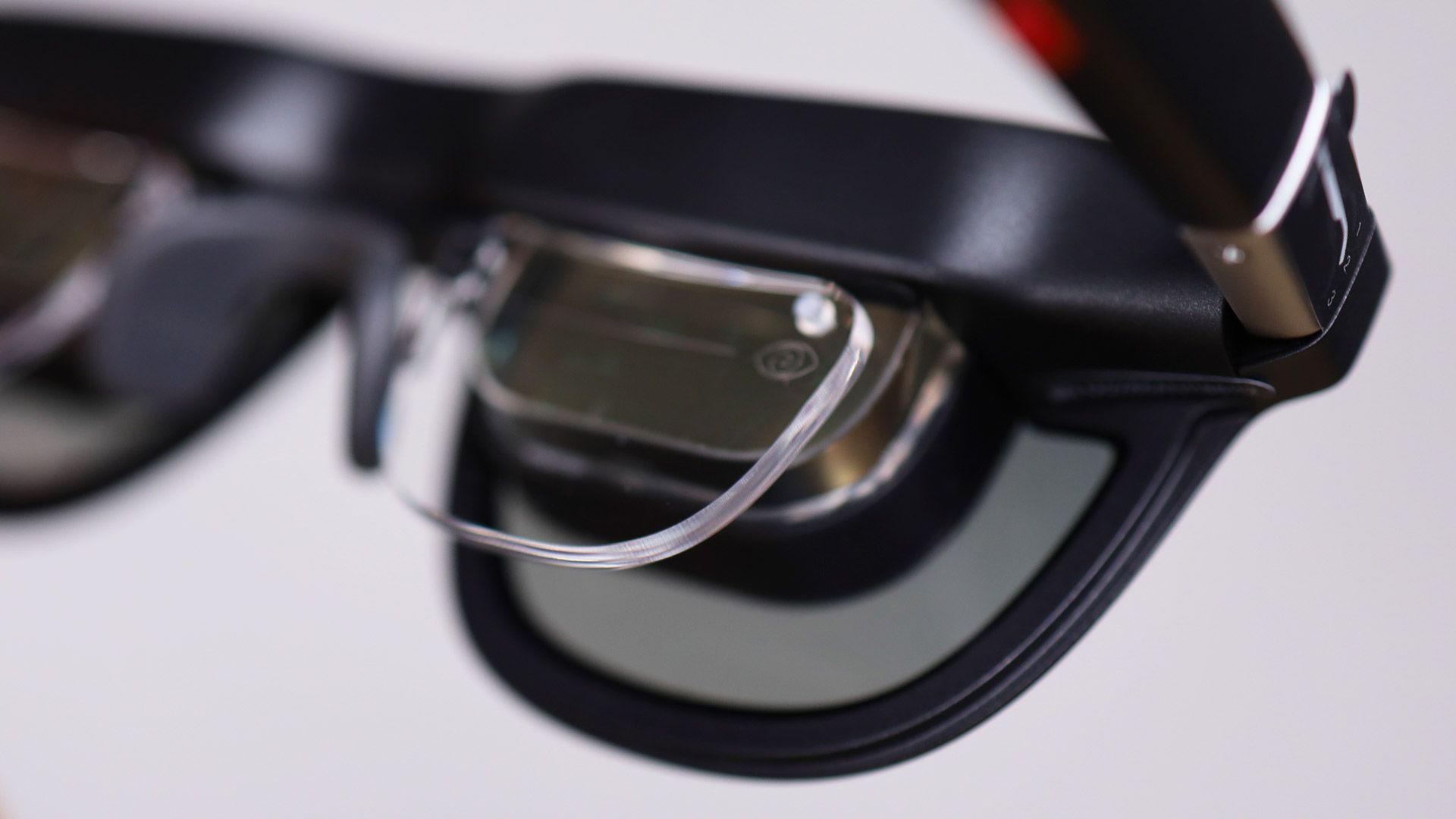
Note that if you wear glasses, you might, as I did, need a prescription insert, which cost around $60.
As mixed-reality wearables go, the Xreal Aura are among the cheaper options, costing less than a third of the price of the Apple Vision Pro, and starting at $600 less than Samsung's Galaxy XR headset. It's a full computer with productivity, entertainment, and immersive capabilities thanks to hand- and body-tracking (although, as mentioned, there's no eye tracking). Plus, it has fully baked-in Gemini AI capabilities. For those who want on-their-face computing without looking like they've entered flight school, this might be a very good option.
Xreal Aura: Specifications
Xreal Aura | Samsung Galaxy XR | Apple Vision Pro M5 | Meta Quest 3 | Meta Quest Pro | |
|---|---|---|---|---|---|
Weight | 90g (glasses) | 545g | From 1.3lbs / 600g | 1.14lbs / 515g | 1.6lbs / 722g |
Display | Micro-LED | Micro-OLED
| Dual micro-OLED | Two LCD displays | Two LCD displays |
Display resolution | 1920 x 1200 pixels per eye | 3552 x 3840 dual (27 million pixels) | 4K per eye (23 million pixels) | 2064 x 2208 pixels per eye | 1920 x 1080 per eye |
FOV | 70-degree | 109-degree | Est 100-degree | 110-degree horizontal, 96-degree vertical | 120-degree |
Refresh rate | 120Hz | 60Hz, 72Hz, 90Hz | 90Hz, 96Hz, 120Hz | 72Hz, 80Hz, 90Hz, 120Hz | 90Hz |
Chipset | Xreal S1 and | Qualcomm Snapdragon® XR2+ Gen 2 Platform | Apple M2, R1 | Qualcomm Snapdragon XR2 Gen 2 | Qualcomm Snapdragon XR2+ |
RAM | 12GB/16GB | 16GB | 16GB | 8GB | 12GB |
Storage | 256GB/512GB | 256GB | 256GB, 512GB, 1TB | 128GB or 512GB | 256GB |
Battery life | 4 to 5 hours | 2 hours | 3 hours (rated for video) | 2 hours 12 minutes | 2 hours |
Xreal Aura review: Design
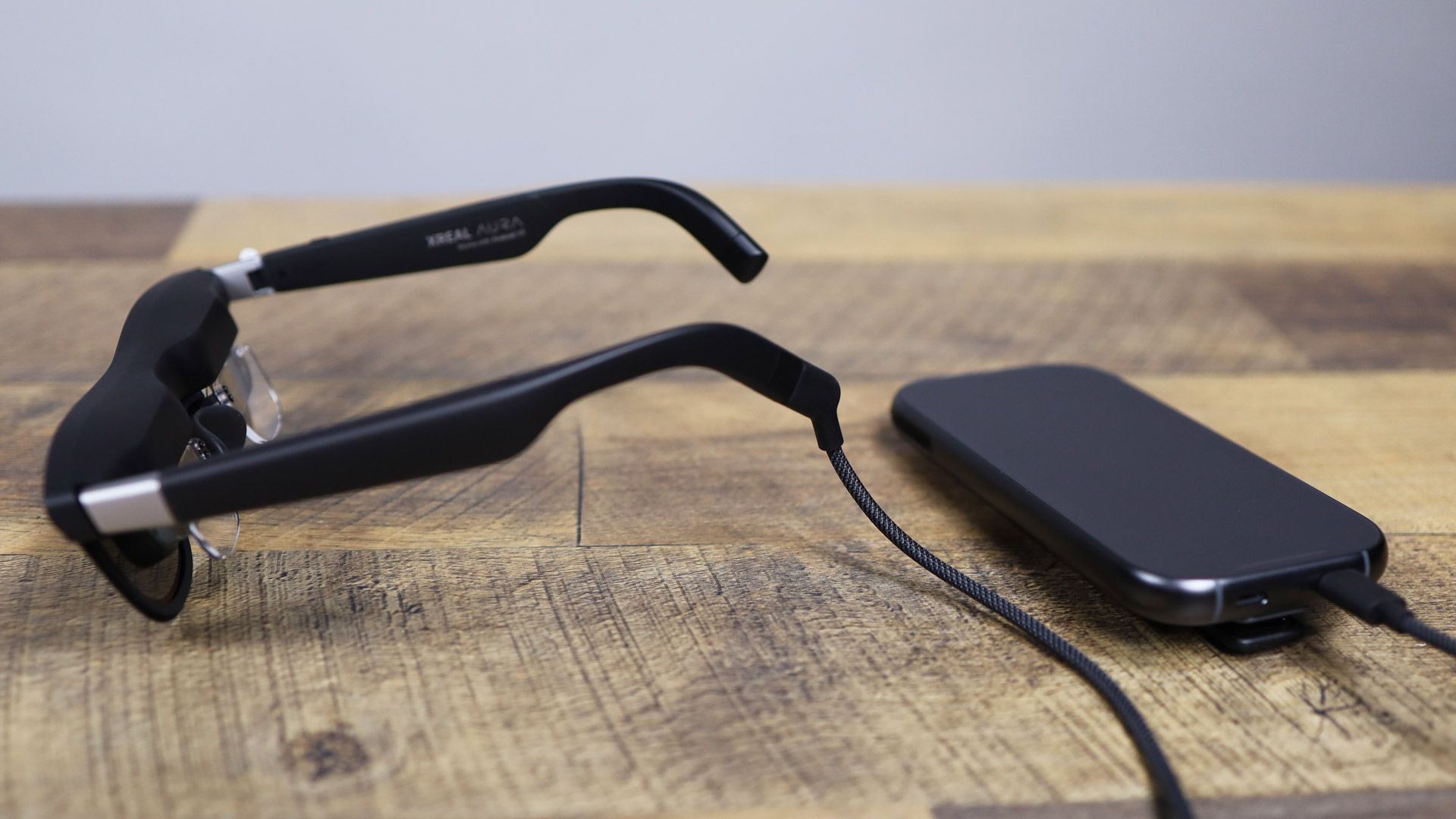
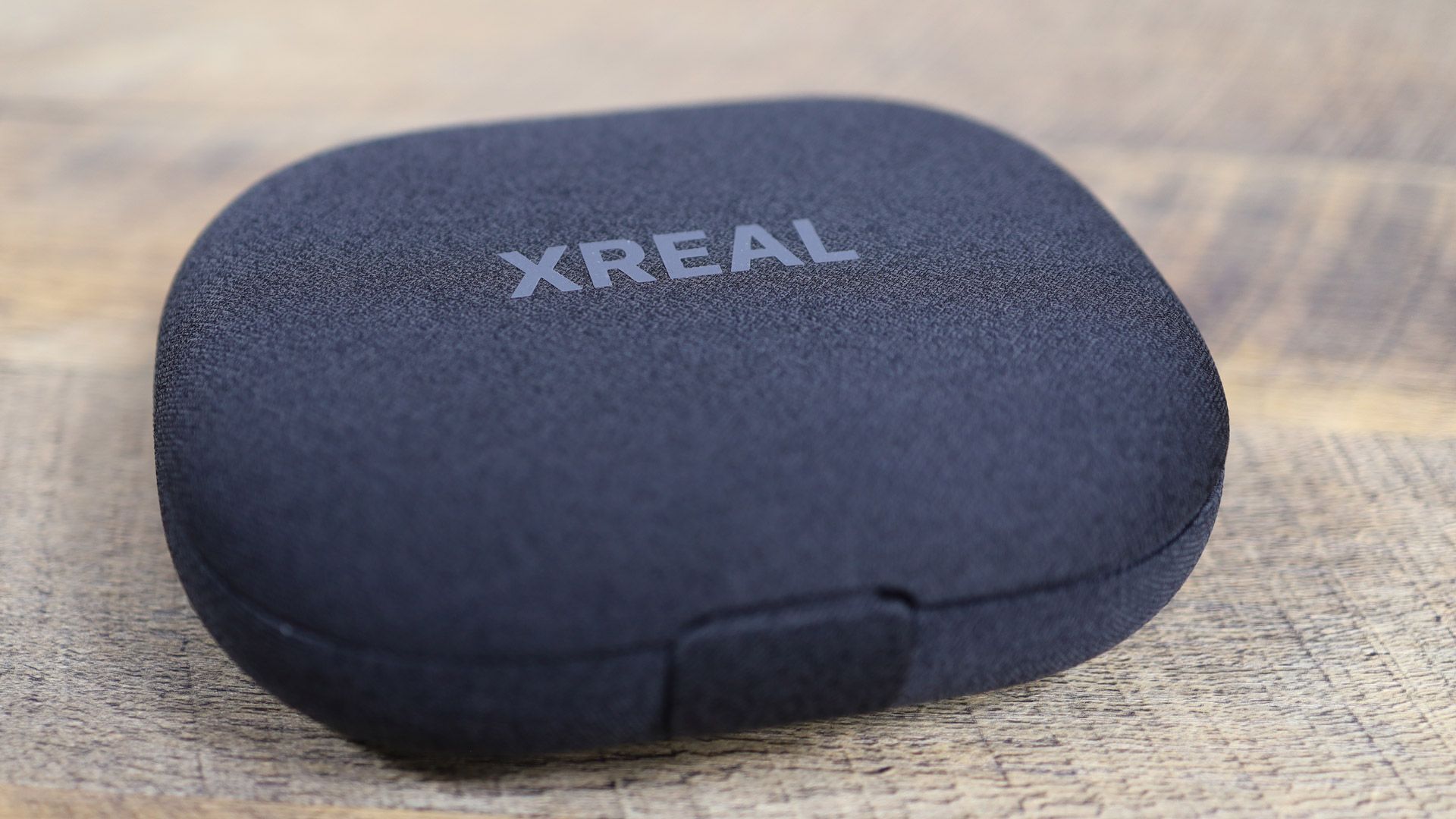
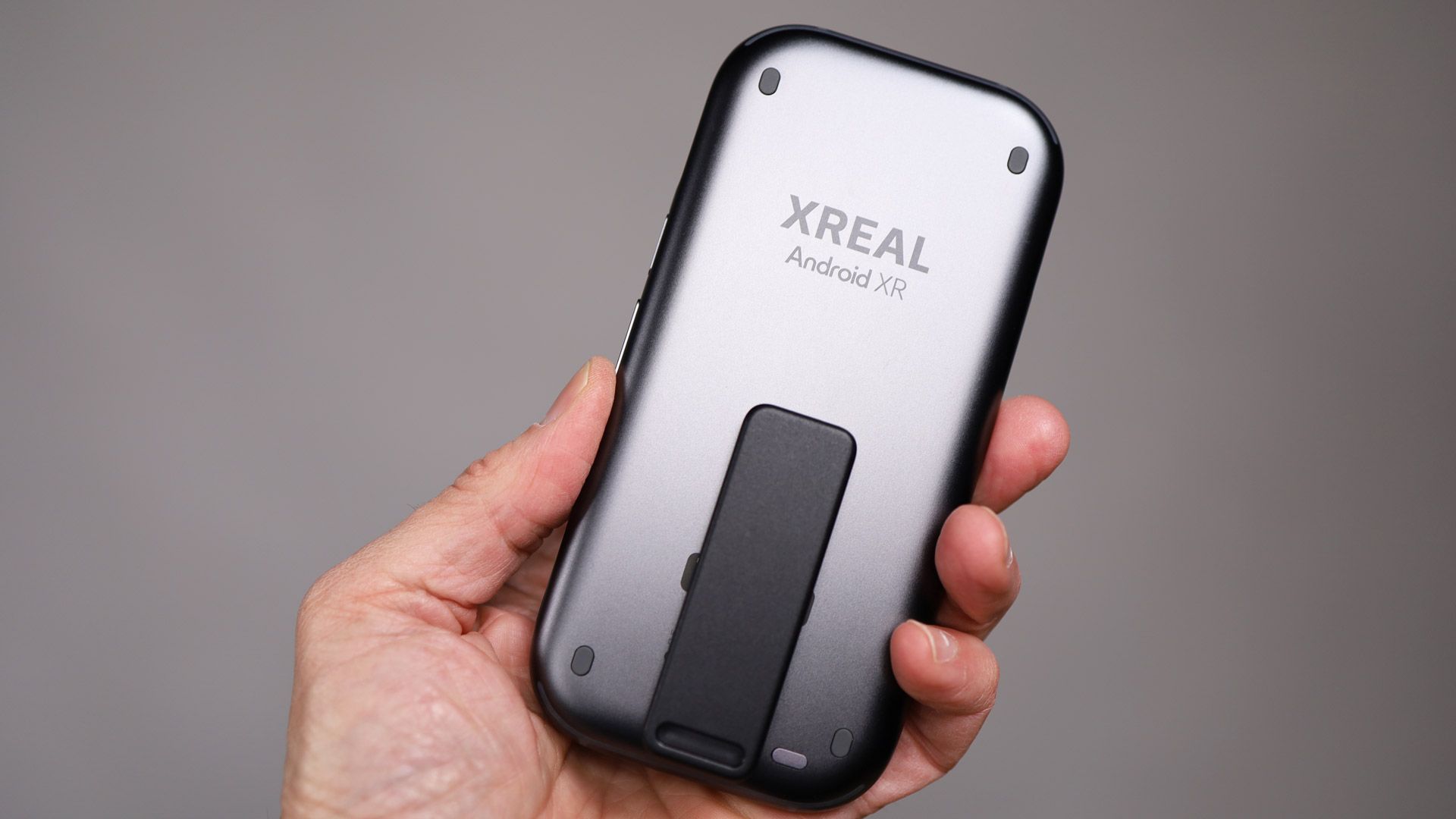
The Xreal Aura wired Android XR-powered glasses are lightweight. The 95-gram frames, which I wore for hours at a time, feel somewhat like heavy sunglasses. They're lightweight because they're wired to a roughly half-pound compute puck, which houses the 4,455mAh battery, Qualcomm Snapdragon Reality Elite Platform CPU, 12GB of RAM, and 256GB of storage. The puck is small enough to slip into my pocket, but I did take advantage of the included clip to attach it to my belt.
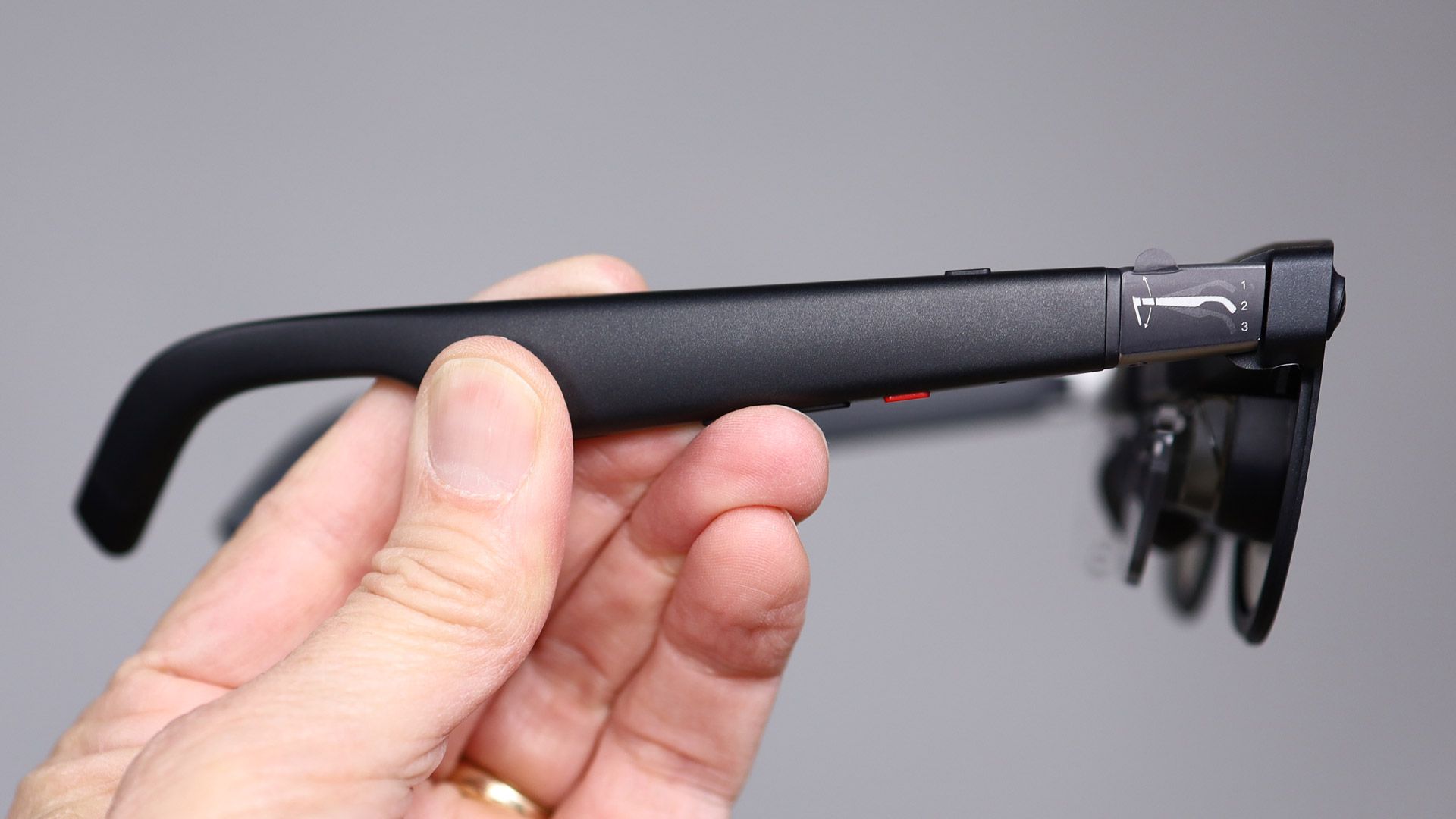
The glasses look almost identical to Xreal's 1S headset. They ship with optional nose pads, which I did swap out for a better fit, and adjustable stems, which you shift up or down with audible clicks.
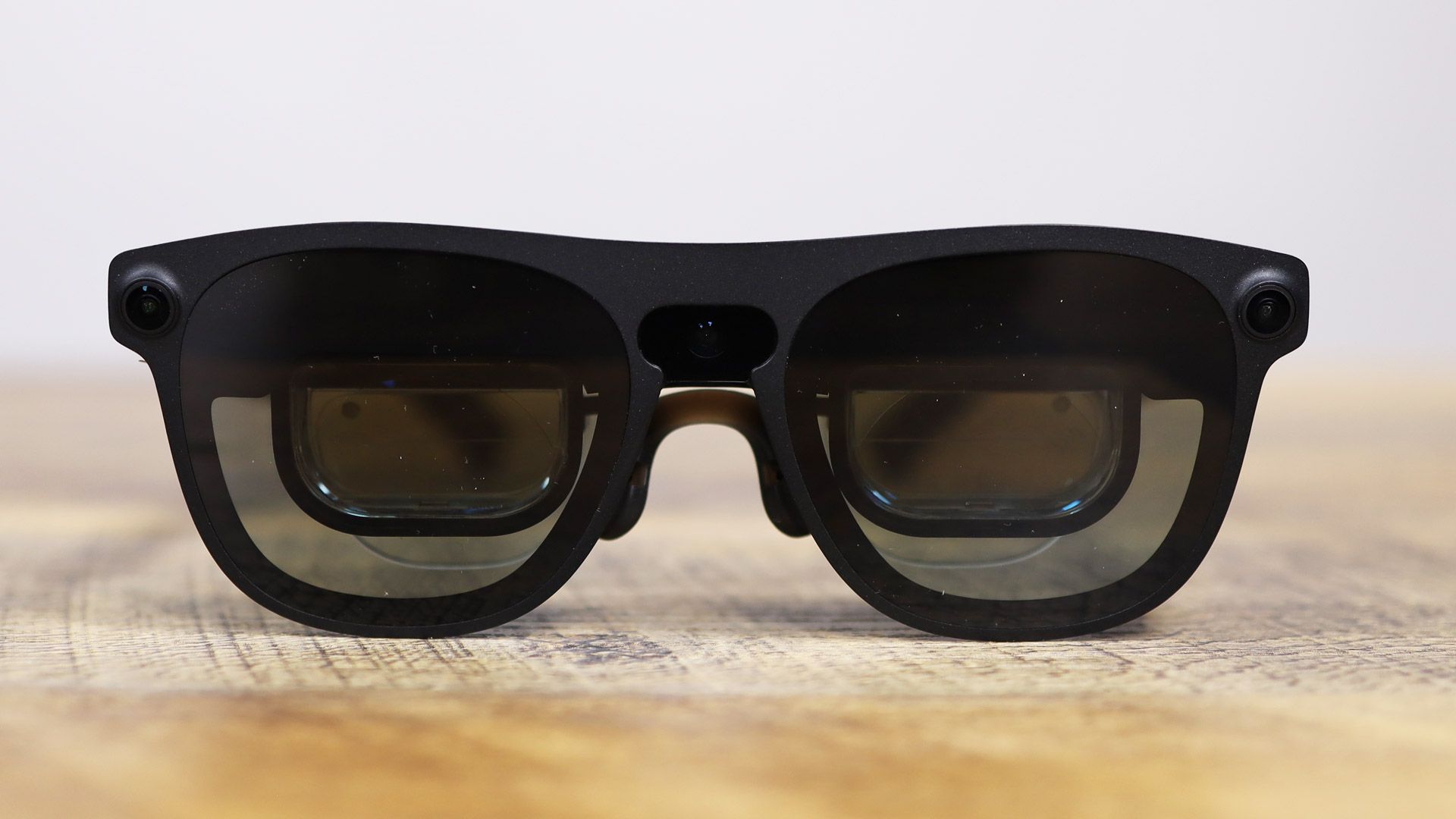
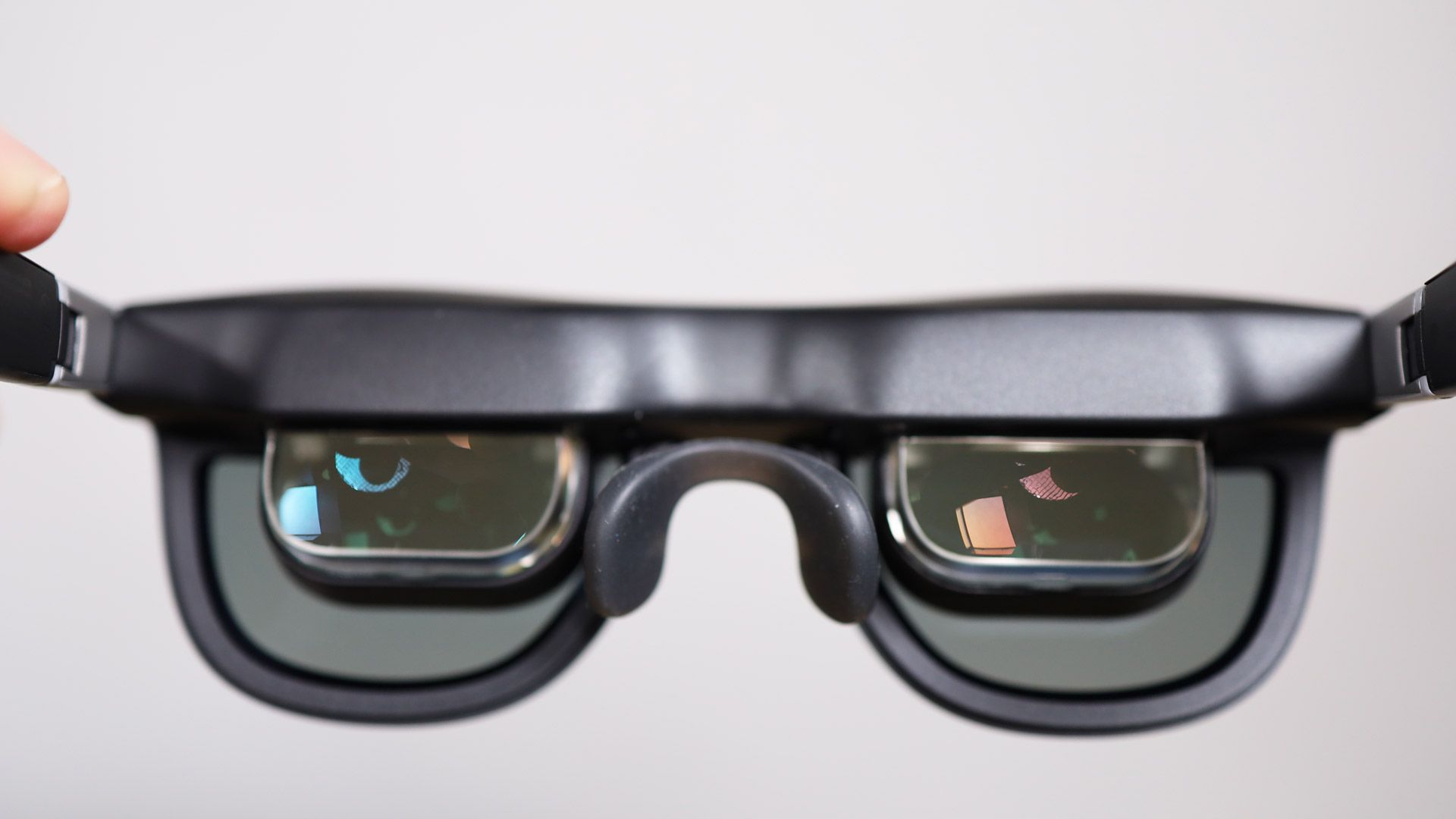
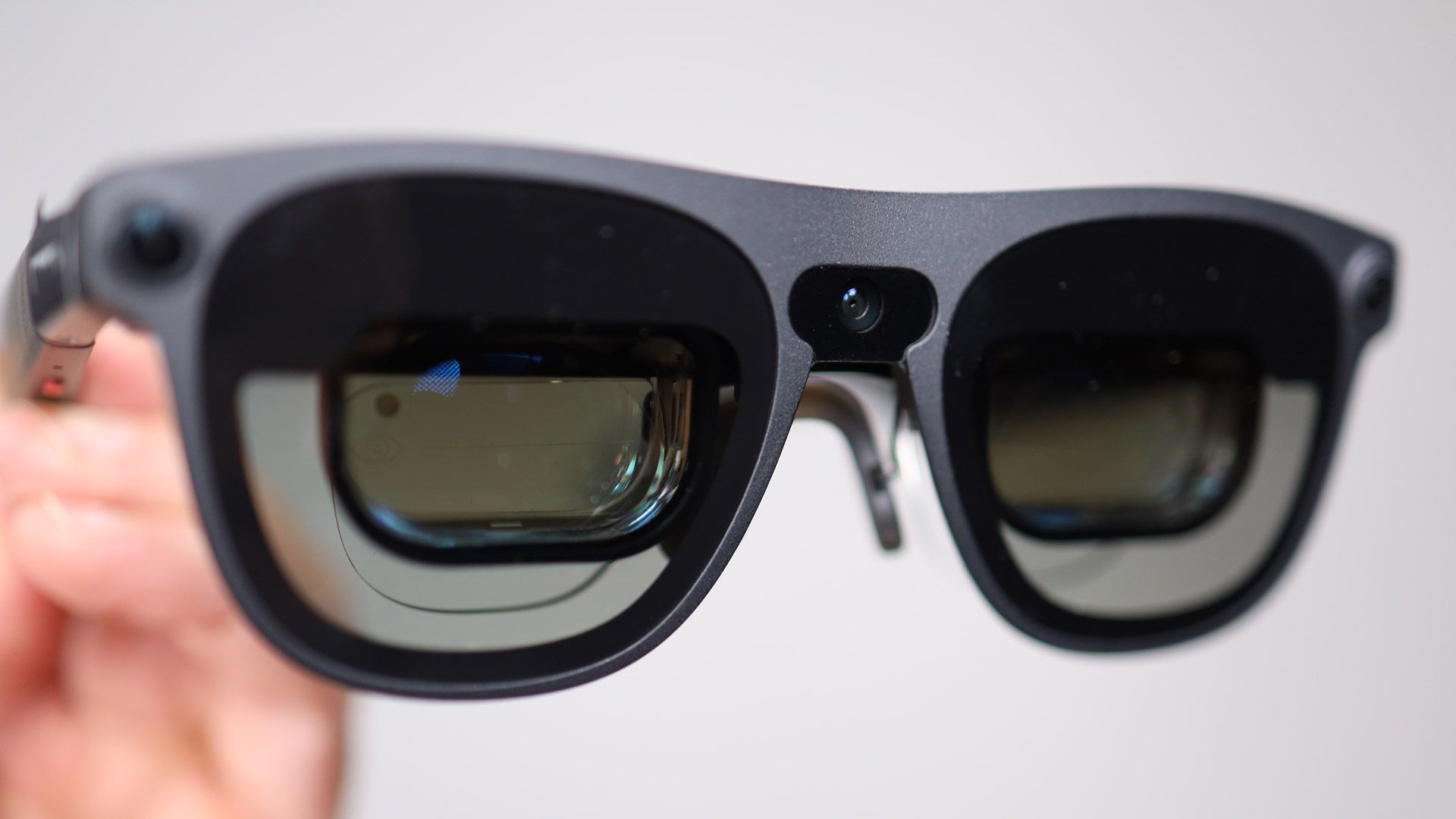
The front is festooned with three lenses: the two wide ones are used for six degrees of freedom hand-tracking, and the center RGB camera (which does include a privacy LED) is what Gemini uses to see your world and what I also used to grab some photos and video.
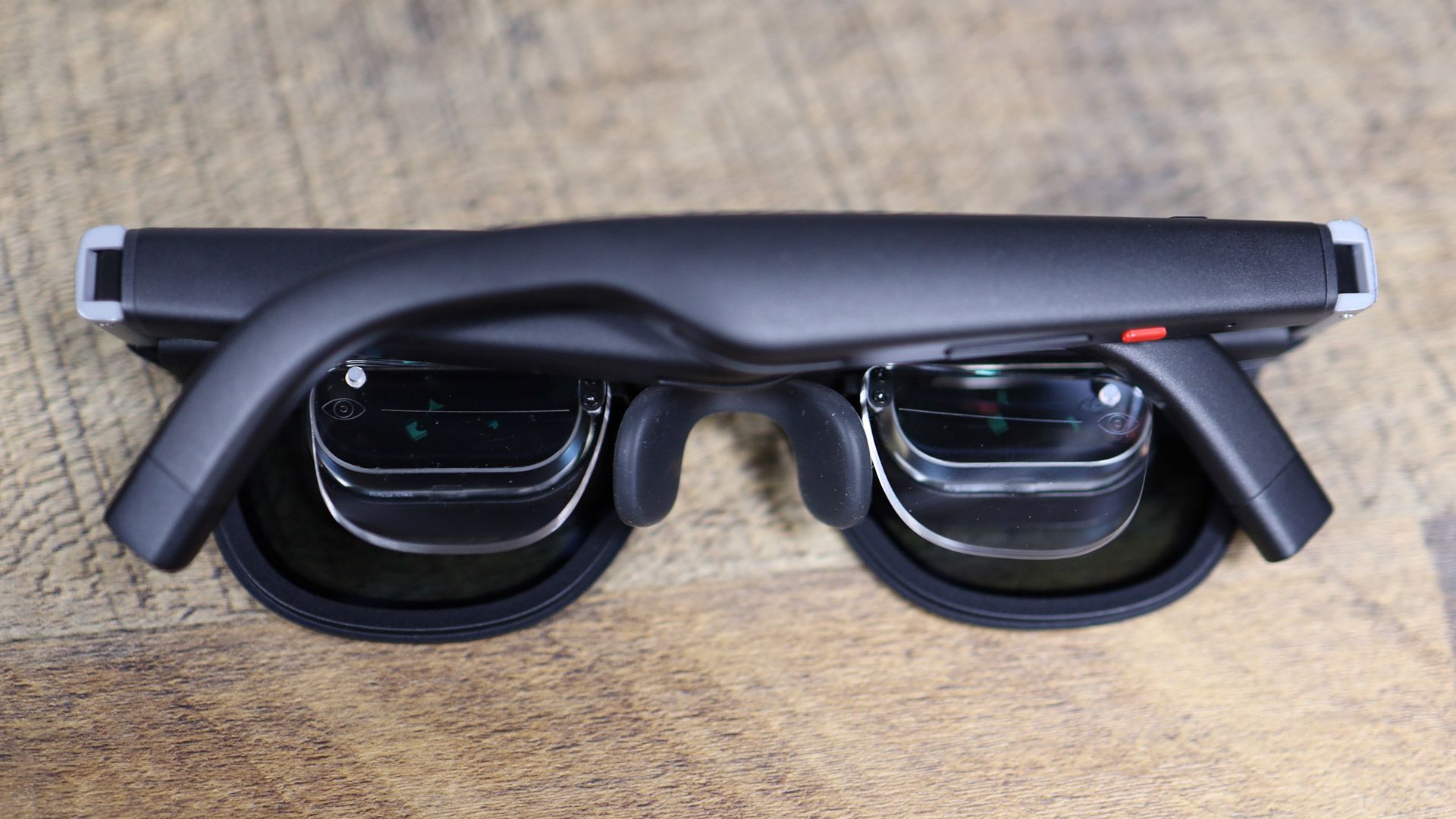
On the inside are a pair of prisms that direct the Sony Micro-LED imagery to your eyes. There's also a spot to insert prescription lenses that sit right in front of the prisms. Since I wear glasses, I took advantage of this optional feature.
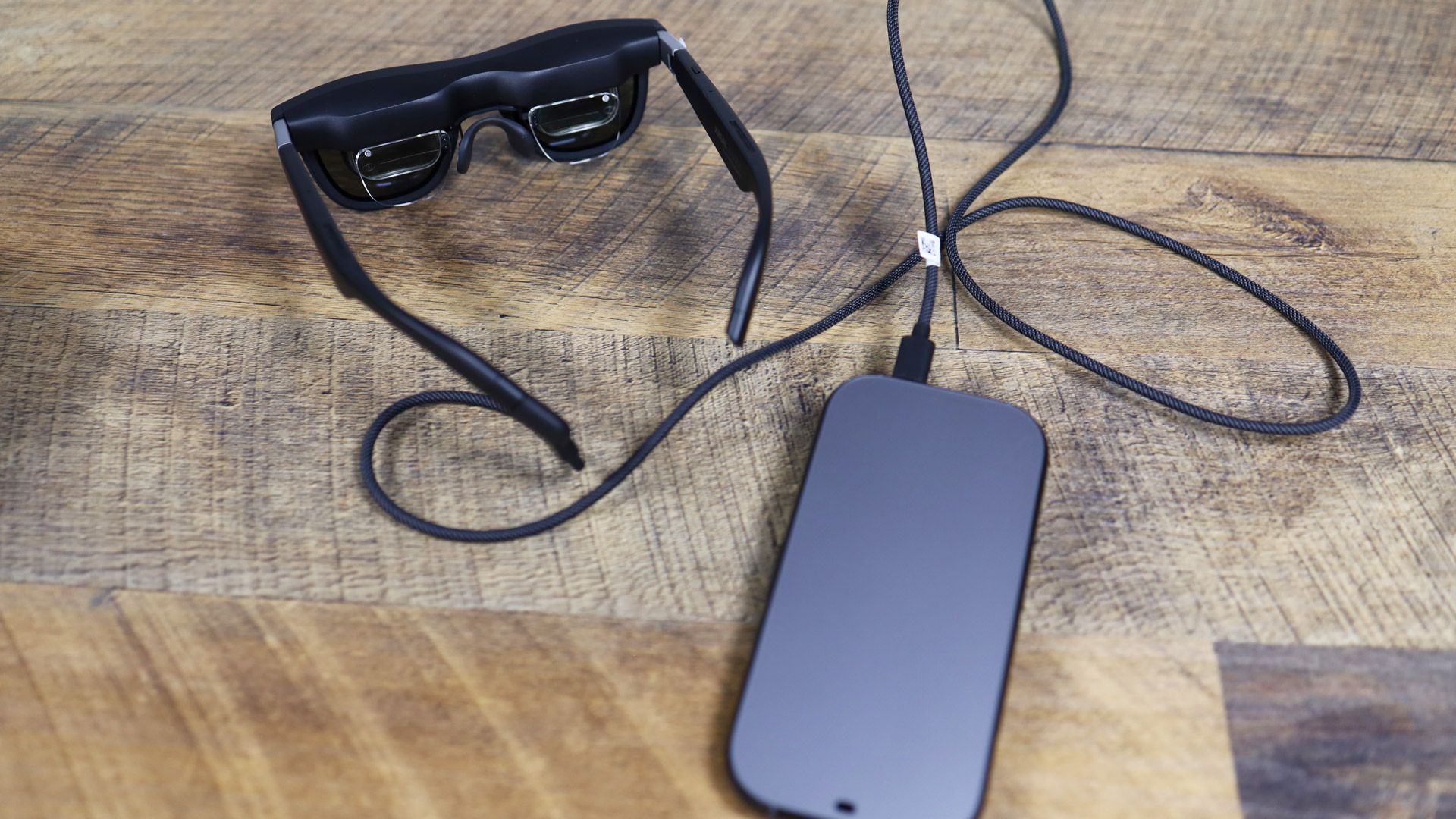
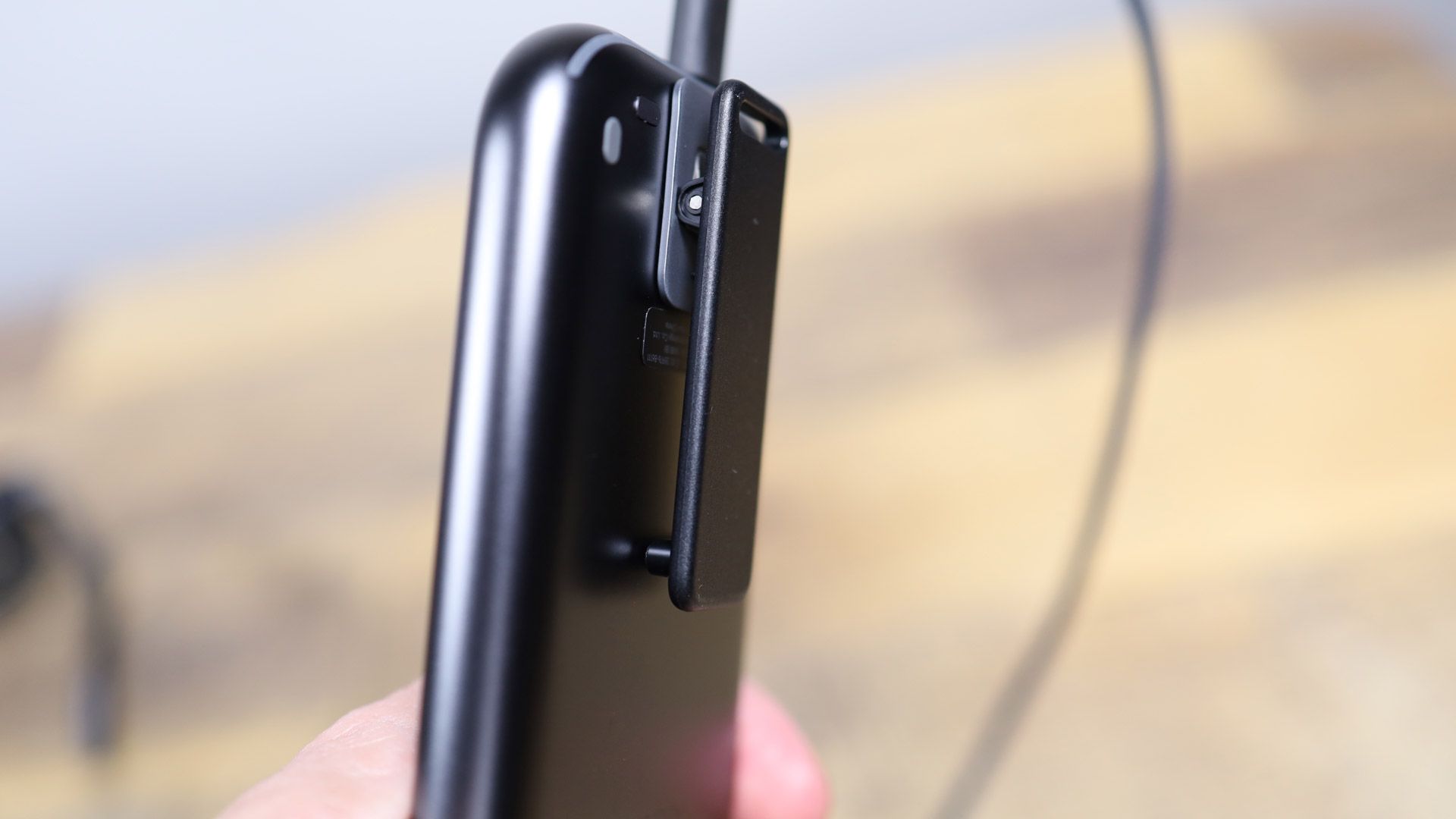
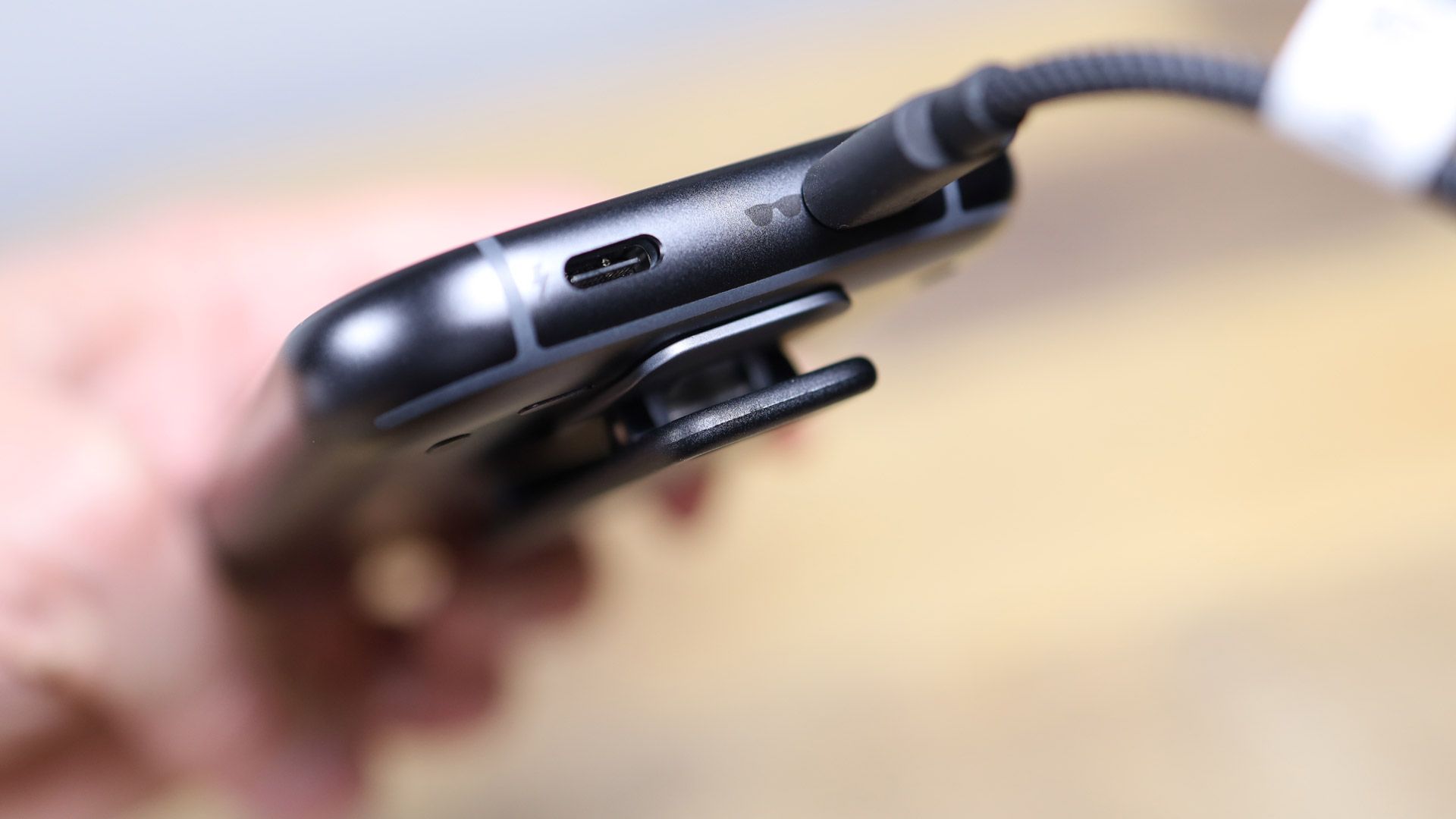
While these are decent-looking glasses and sunglasses (with the electrochromic lens dimming feature turned on), I'd hesitate to call them stylish. If you were wearing them at home or on a plane, I don't think many people would give you a second look; but equally, don't expect anyone to compliment you on your sense of style.
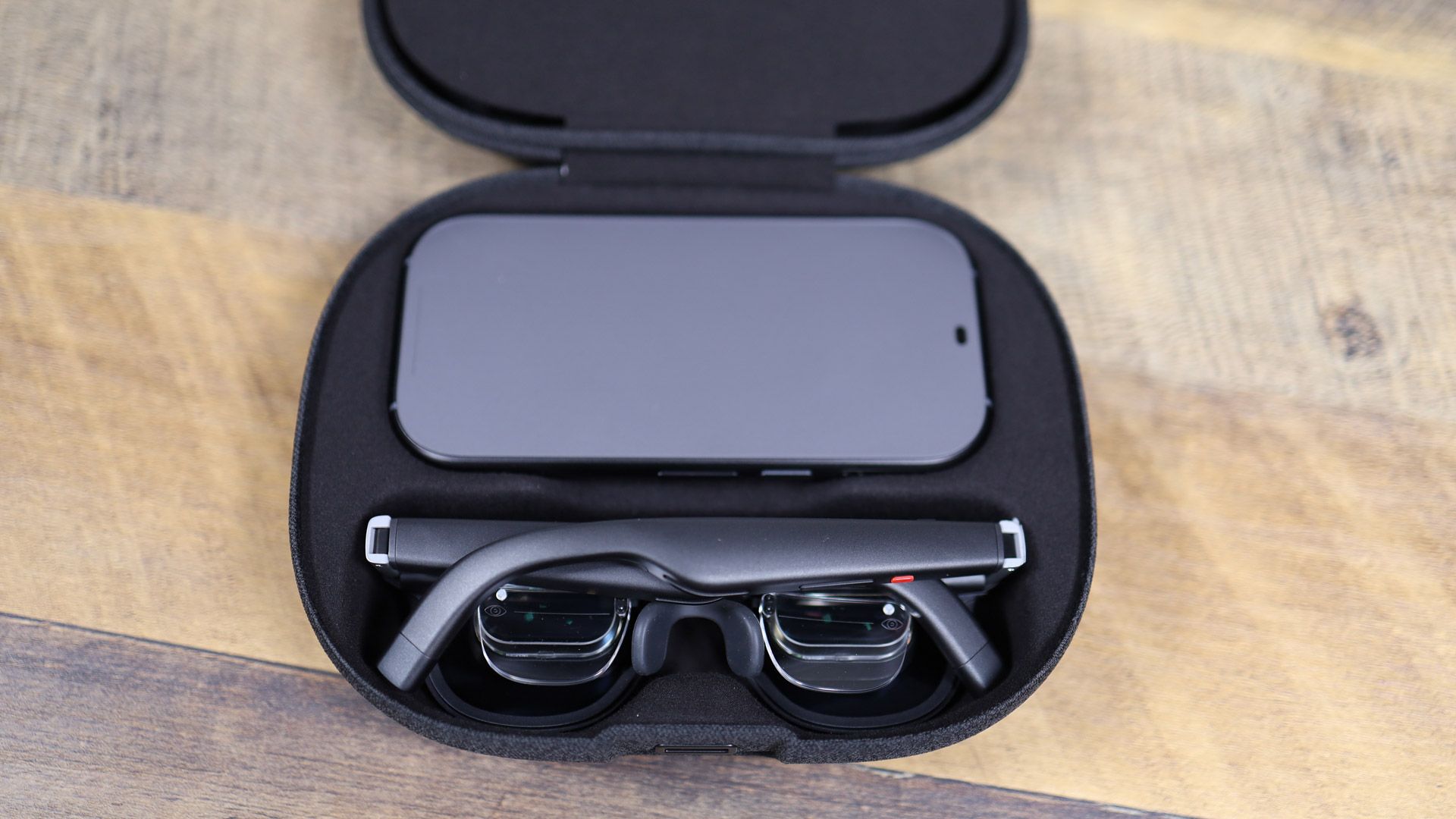
My Xreal Aura specs arrived with cables for charging the puck and for connecting the puck to the back of the left arm, a cleaning cloth, and a wonderfully compact carrying case that fits perfectly inside my backpack.
Xreal Aura review: Setup and performance
With wearable smart glasses, display quality and performance are inextricably linked. Xreal pairs its X1S spatial chip with the Qualcomm Snapdragon Reality Elite Platform. This silicon drives the Android XR platform with 1,920 x 1200 (per eye) visuals delivered through Sony Micro-OLED screens, and directed to each eye via a pair of prisms. In my experience it's a very good visual system that delivers a relatively immersive 70-degree field of view (considerably better than what I recently experienced with the Snap Spec's waveguide 51-degree FoV).
Before I dig into the quality of the imagery and experiences, let's talk setup.
I have, as I mentioned, tried a lot of these mixed-reality wearables, and I've always been struck by the similarities between the setup process. However, with the Xreal Aura, the process — probably dictated to a large degree by the current state of Android AR — is, if not vastly different, quite distinct.
Hardware-wise, setup is simple., I adjusted the arms to match the view angle I needed for my eyes, put in a different set of nose guards, and then inserted my prescription lenses into a pair of holes just in front of the prisms.
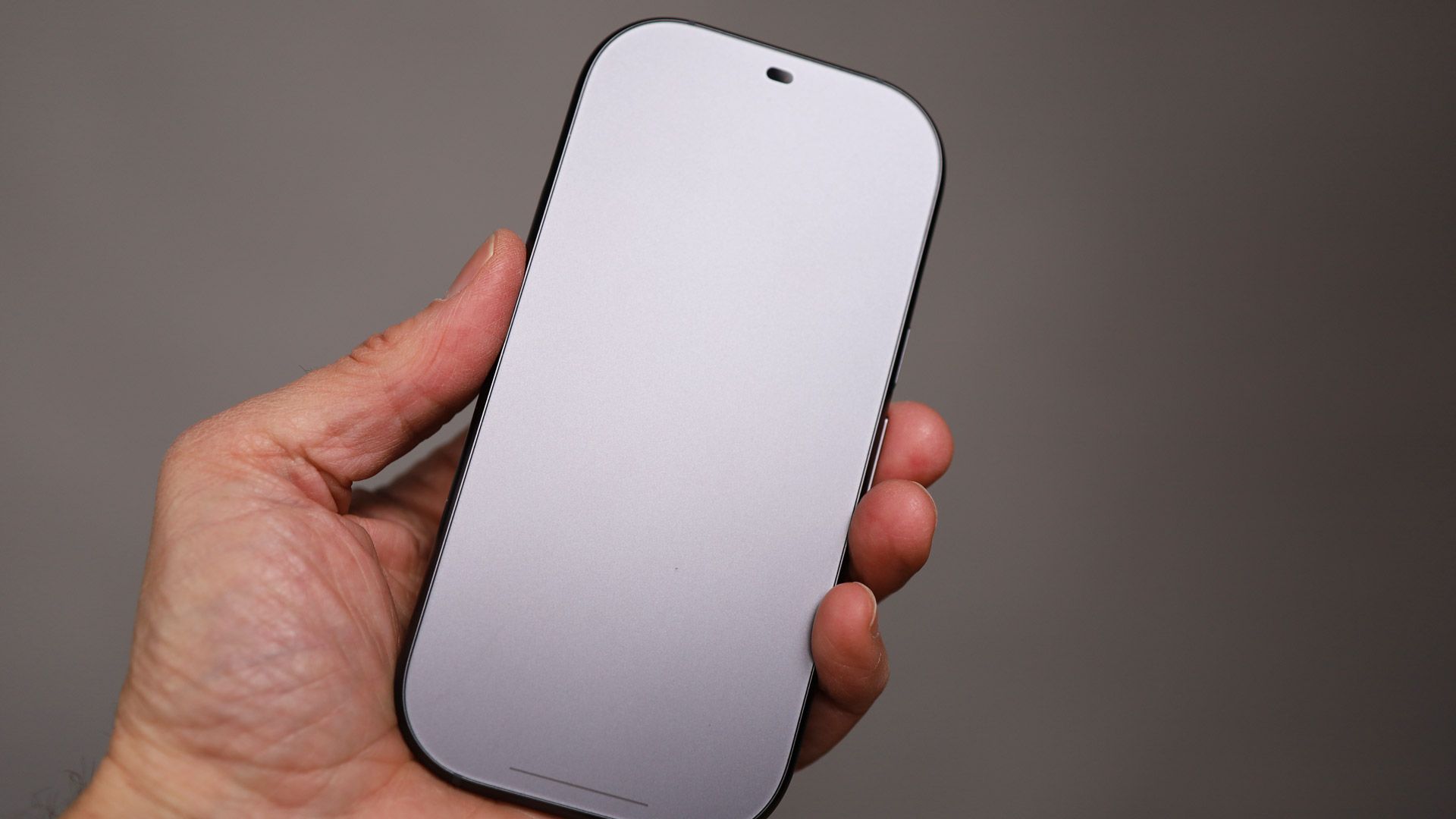
The other crucial piece of hardware is the compute puck. In addition to housing all the processing power, it has a couple of interesting features. First, one flat side is a full-blown trackpad, which does come in handy. There's also a power / sleep / fingerprint reader, which is also useful.
Also on the puck are a volume rocker, vents to help keep the processors cool, and a place to snap in the belt clip. There are also a pair of USB-C ports: one connects to the glasses via a port on the back of the left arm, and the other is there for charging, and to facilitate a wired connection to your computer of choice.
I started by charging the compute puck to 100%, and then ran the included cable from the puck to the rear of the left arm of the glasses; I like that this cable has a right-angle plug so that it doesn't end up jutting out of the back of the stem and, therefore, sticking out behind your ear.
As with other smart headsets, the Xreal Aura guide you through the setup process. Since the system relies on hand-tracking and gesture for control, it quickly guides you through touch calibration. Usually, this involves pinching dots or grasping virtual objects in space. For the Xreal Aura, the system has you put your finger inside a virtual slot that appears at a few virtual distances. It's unlike anything I've seen so far with these types of glasses, but it's fast and effective.
Control and experiences
Broadly speaking, hand-tracking-based mixed-reality systems will never be as good as those that include gaze-tracking. The Apple Vision Pro and Samsung Galaxy XR both combine gaze-tracking with gesture control, but they are also more expensive and bulkier headsets. The Xreal Aura rely on fairly precise hand-tracking, but it wasn't always great for, say, managing windows, or even just for entering my PIN for unlocking the system. For the latter, I came to rely on the integrated puck fingerprint reader (what a godsend).
It's not that the gesture-tracking was bad, but if I wasn't precise in touching what I intended to touch, I could miss my mark. This is one of the reasons why the puck-integrated trackpad sometimes comes in handy. When I was really having trouble, say, selecting a window, I could always turn to the trackpad clipped to my waist.
That said, there were other times when I was very impressed by how well the system tracked my hands and fingers.
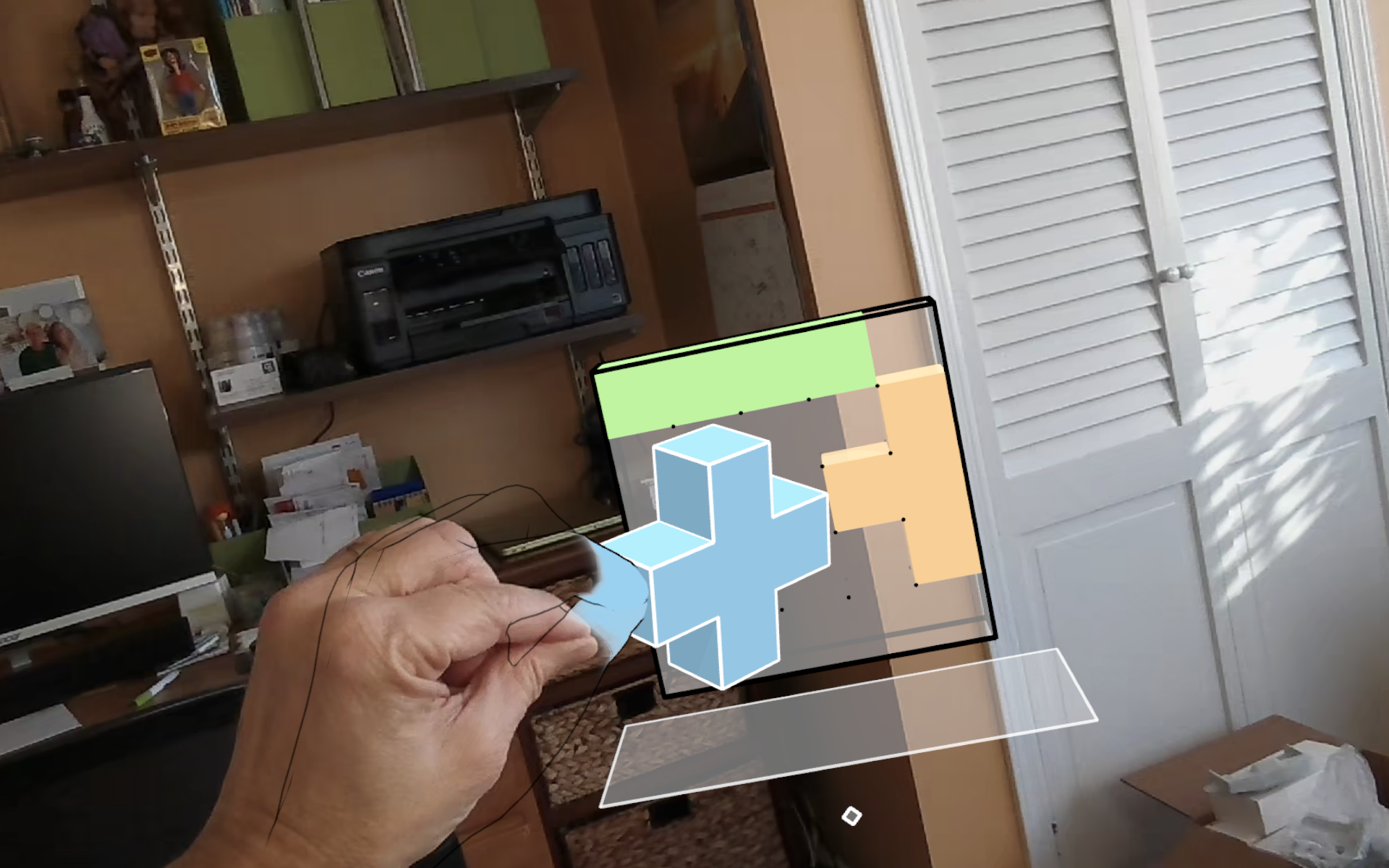
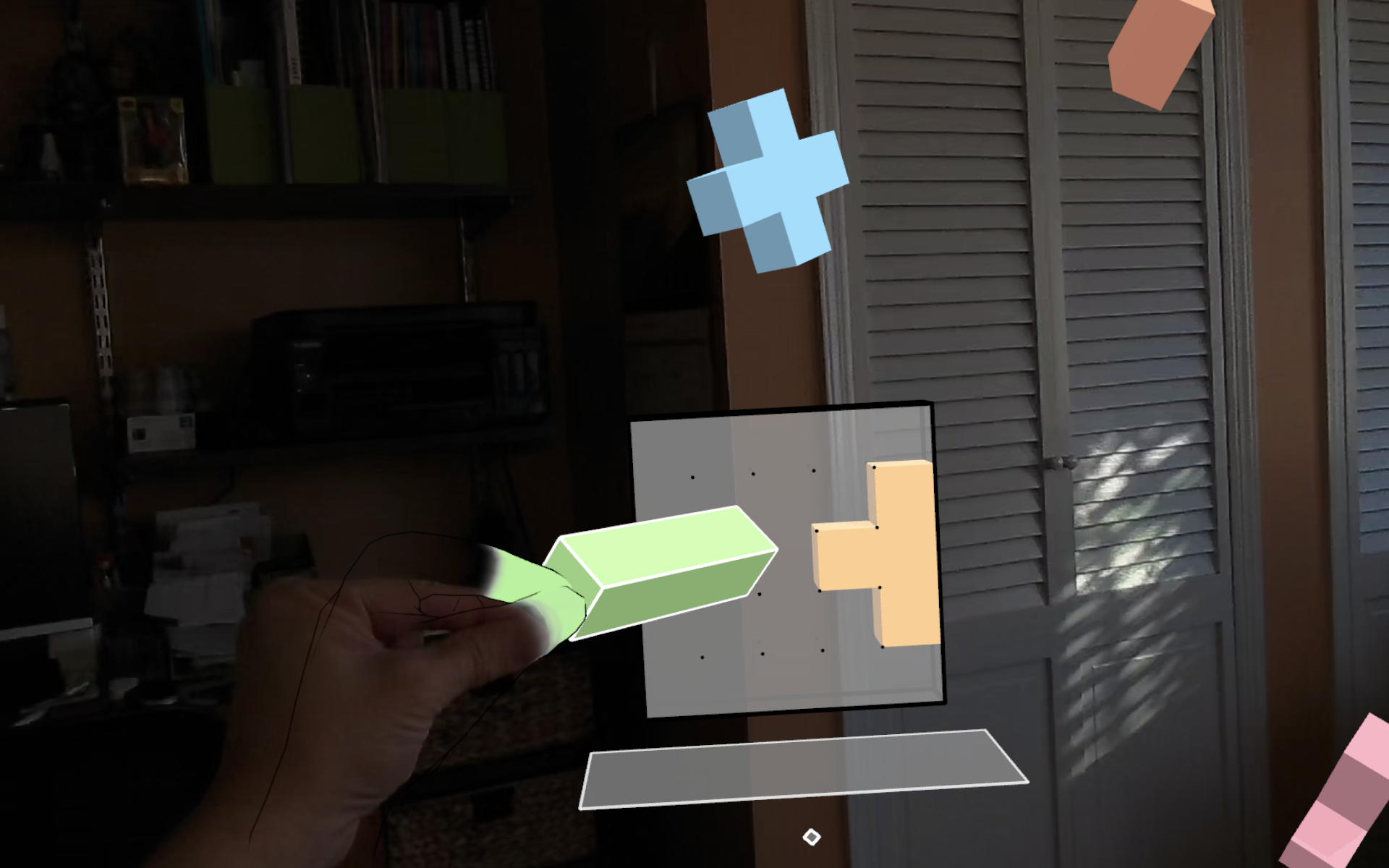
Let me give you a quick example: I started playing the app Cubism. This is a fun puzzle game in which you pick up and move 3D puzzle pieces to fit them together in a predefined space. The hand-tracking was so good that, as I picked up and moved, rotated, pulled out, and replaced pieces, I almost forgot it was a virtual experience. It felt quite real and very immersive.
The experiences are as varied as the offerings in the Google Play library, but some apps are better tuned for the XR platform than others.

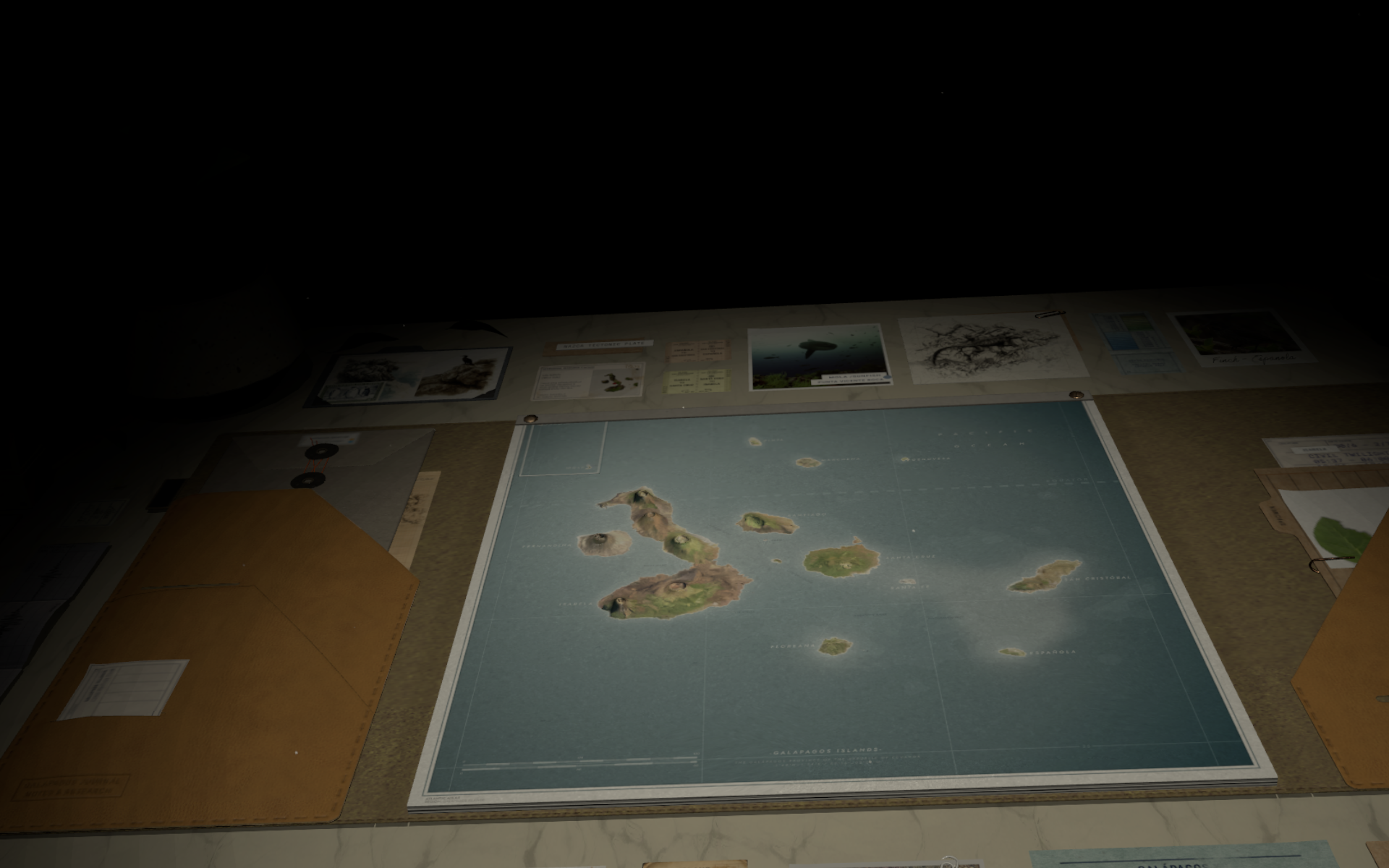
One of my first experiences was with Galápagos: The Last Eden, which is narrated by the actress Margot Robbie. After one unexpected crash and app reboot, I was soon face to grizzled face with giant island tortoises. I like how the app starts relatively wide-screen and then expands to 360-degree 3D. The footage is sharp and stunning; I also noticed that the Bose-based audio system delivered crystal-clear audio.
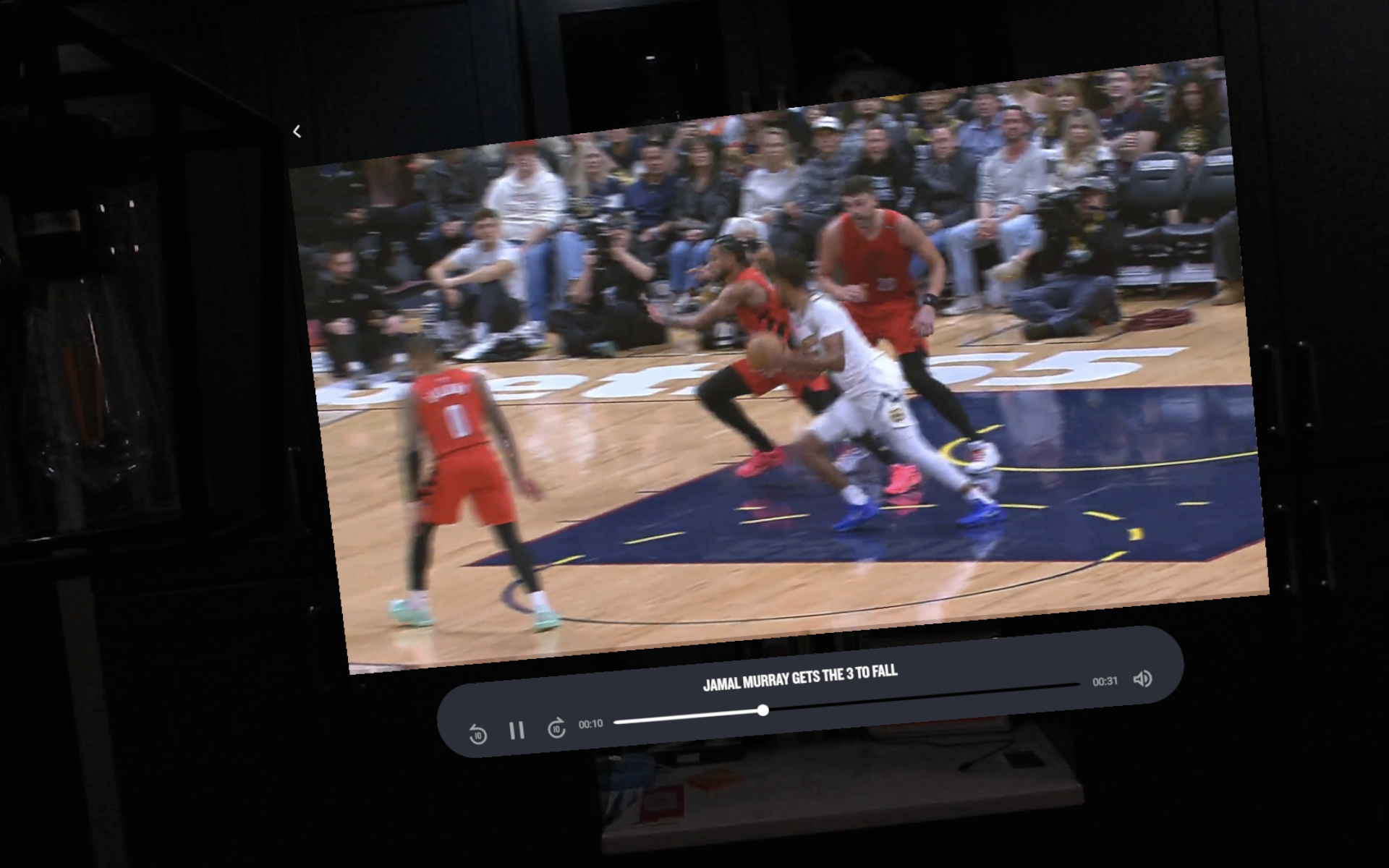
I also tried the NBA app, which gave me some cool court-side views of recent games, but I struggled to find a 'tabletop' view that my reviewer's guide promised. What was most interesting, though, is what Gemini told me about the app.
First, though, a digression. Android XR is built around Google's powerful AI platform, and Gemini is always there, if you allow it, to guide you through the device and your worlds. It can see what's on your screen, or right in front of you, and engage in lengthy, contextual conversations. The glasses include a four-microphone array, but you can also summon Gemini by long-pressing the button on top of the right arm.
Back to the NBA app. I was frustrated that my app menu didn't seem to match Xreal's instructions, so I asked Gemini about it, and it told me that the only way I would see the tabletop view was through the Vision Pro version of the app. Whoops! My assumption is that my version of the NBA app is lagging behind, though there was no update available during my testing.
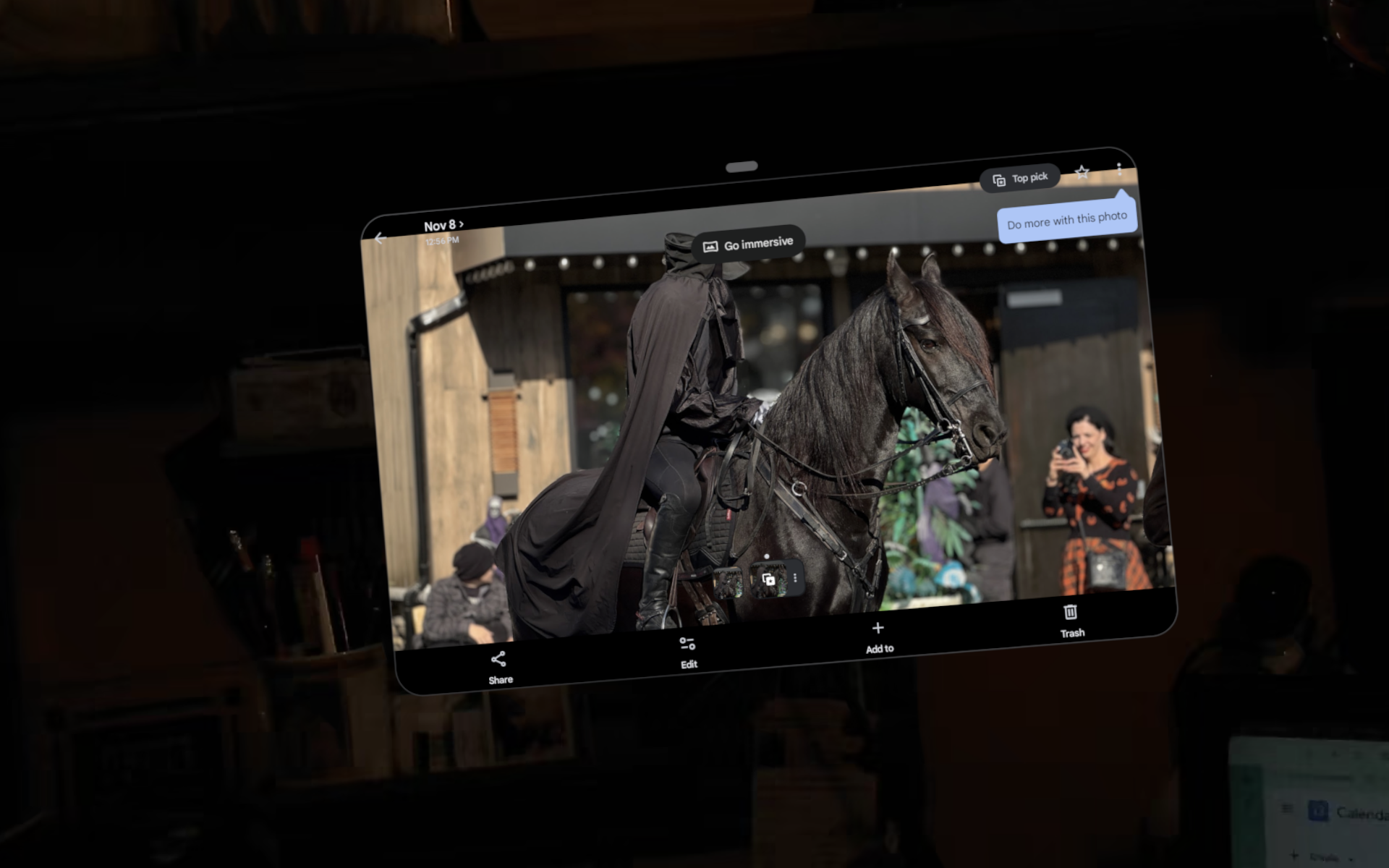
As a naturally 3D system, the Xreal Aura offered me more than a few depth-friendly experiences. Like the Vision Pro, it can take flat images and make them 3D or 'spatial.' I have thousands of photos in Google Photos, and I enjoyed switching them to immersion mode. It's a fun experience, if a little superfluous.
Xreal also supplied me with one of its Xreal Game Controllers ($99), which I used to play Asphalt: Legends. This is one excellent little portable gaming rig, and the 120Hz max refresh rate ensured that all the gaming action was smooth as butter.
The glasses always felt perfectly cool and comfortable, no matter how long I wore them for, or how I used them. The compute puck, on the other hand, gets pretty warm, and you're warned not to block the cooling vents — it's best to wear it on your belt, and not try to use the glasses while the puck is in your pocket.
Let's get productive
The Xreal Aura offer a couple of ways to help you be productive — with the right cable. Xreal sent me a $12.95 USB-C 3 cable to connect my MacBook Pro to the compute puck, after which my laptop launched screen mirroring, and I launched the app on the Xreal Aura. On the Mac, I have the option of Entire Screen, Window or App, or Extend Display.
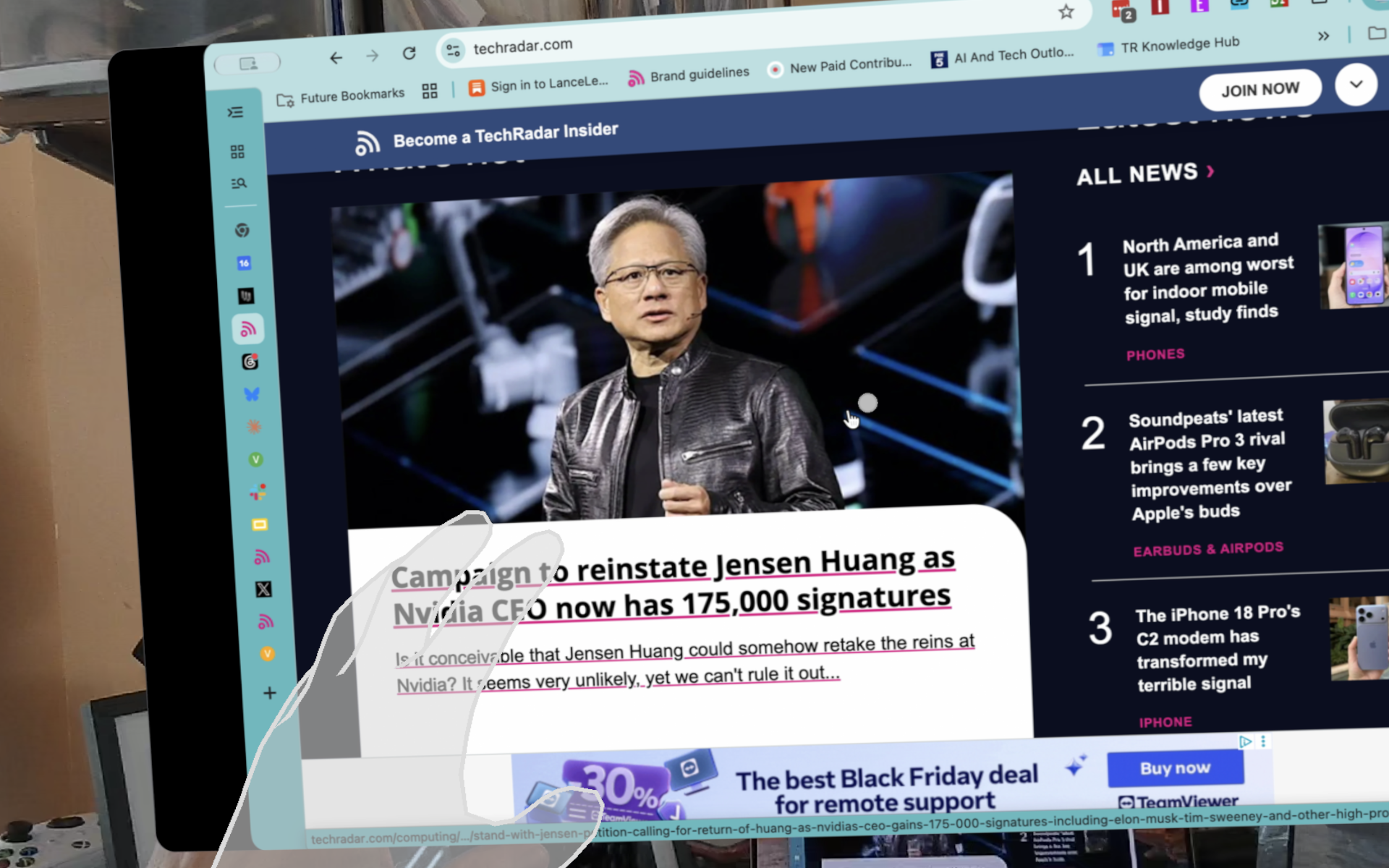
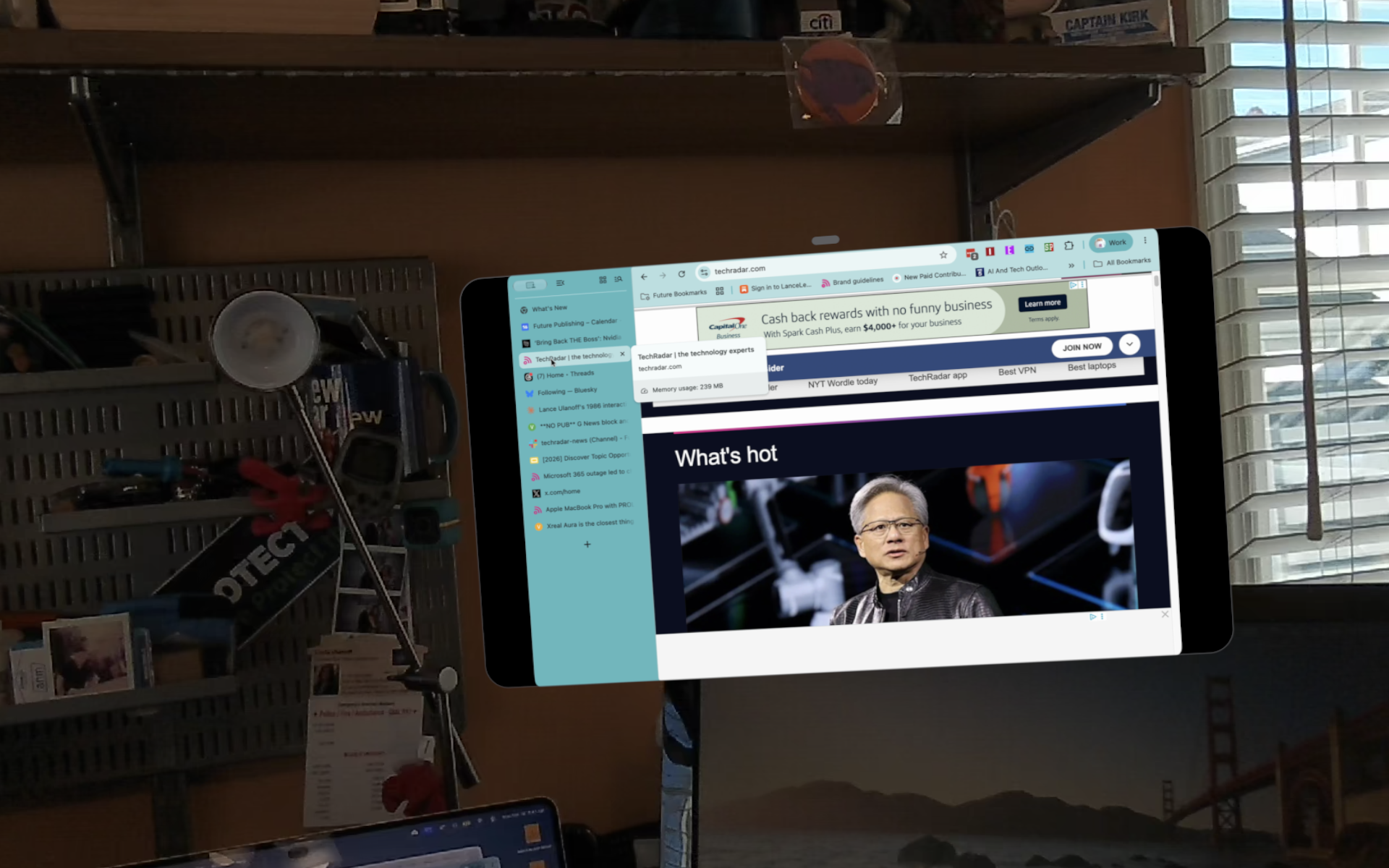
Through the glasses, I could see what essentially looked like a floating and resizable 50-inch display. I can't really see my physical keyboard through the glasses, but if I were a better touch typist this would be an incredible virtual workstation. I especially appreciate that I didn't have to install any special software on my MacBook Pro.
I'm a bit less convinced about the utility of the Xreal Aura as a standalone work computer. Xreal also sent me an Xreal Keyboard ($79), which unfolds and connects via Bluetooth to the glasses. The idea is that you can set the keyboard on a tabletop and place the puck next to it to use as your trackpad, and then use it like a computer with a giant virtual display.
The virtual display is big, and I opened Google Docs, but the setup felt awkward because the cable for the trackpad goes up to my left ear and therefore runs past where my hands would be on the keyboard, and the cable also obstructed my use of the puck as a trackpad. It doesn't feel like a very natural setup, though I might also get used to it.


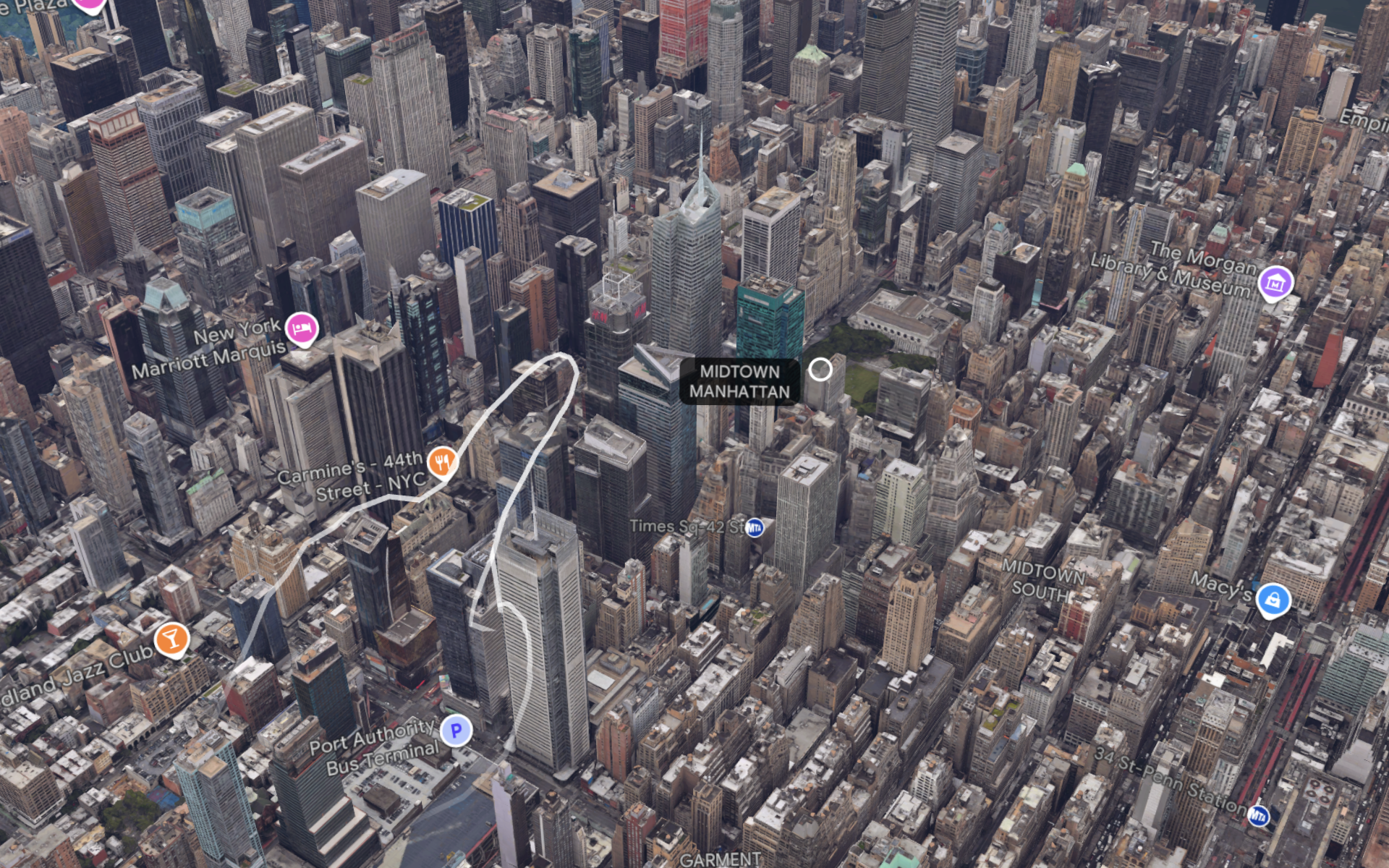
Google Maps on the Xreal Aura stands as one of my favorite experiences. I used both hands to glide around and adjust maps, and while it would take a moment or two for each map to fully render, it was always worth the wait. It was just so much fun to use; I even enjoyed it when I let the system drop me somewhere random, and I ended up in Yosemite Valley.
While I didn't have the chance to take the Xreal Aura on a plane, I can already see how they would make an excellent travel companion. Forget watching movies on that tiny seat-back screen; with the Xreal Aura you can have a go-anywhere theater experience,
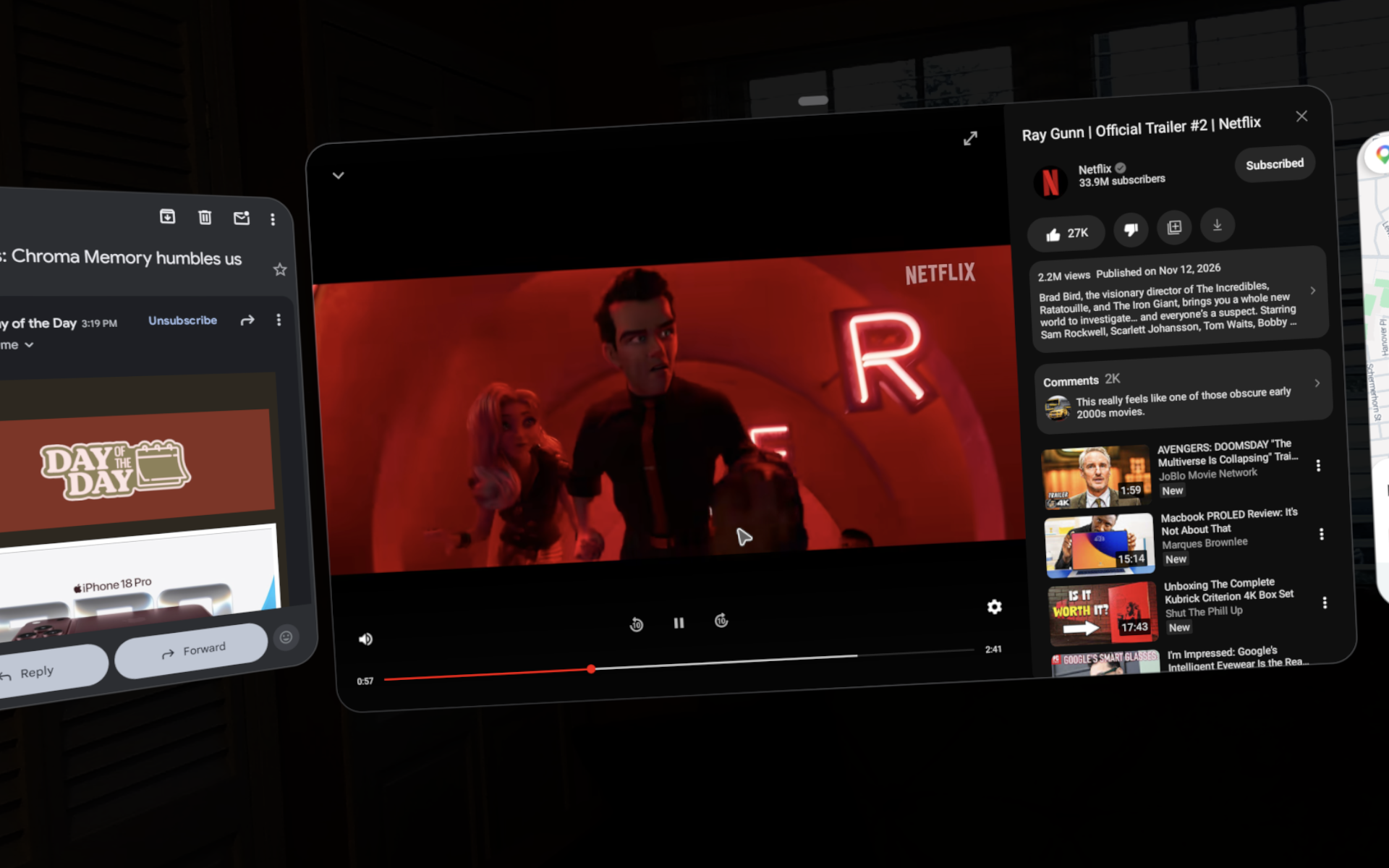
I started by turning on the electrochromic display: a press of a red button on the bottom of the right arm dims the lenses. Then I opened YouTube and played How to Lose a Guy in 10 Days. The virtual room appeared dark, and all I saw was the large, bright screen. This is how I want to travel.
The AI of it
Wearing the Xreal Aura on your face is like giving Gemini a big, warm hug. If enabled, Gemini can see what you see and watch your screen, ready to hop in and help if you're having trouble. As I was learning how to navigate the Xreal Aura, and kept finding app windows in odd places around my virtual space, it was Gemini that told me I could lock screens to the 'wall', or have them auto-organized.
I showed Gemini my real-world shelf of oddities, and then asked if it could tell me how much my uncut set of Star Trek: The Movie cards might be worth. It was a dim space, and Gemini asked me to get closer. Then it identified them, and we talked about their resale value based on condition.
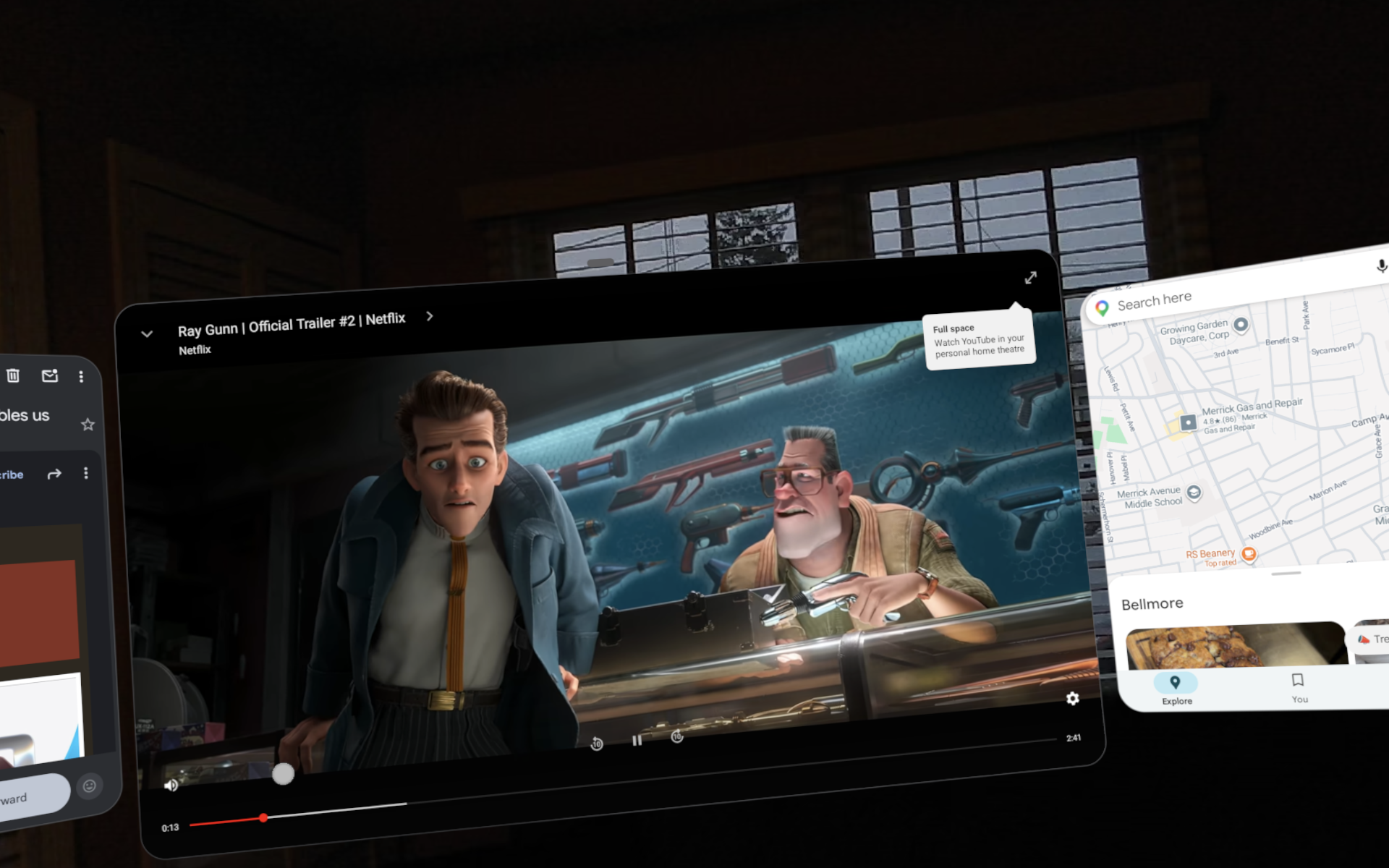
Throughout my review process I asked Gemini to take screenshots, and every single time it reported back to me that it had done so. When I opened my screenshot collection in Google Photos, however, I noticed that it was missing some of the recent ones. Gemini did not know why they were not there yet, but surmised a system delay. On another later attempt, Gemini admitted that, due to a system issue, the screenshots it reported capturing had not actually been captured. I love how convincingly AI can tell you something that simply isn't true.
I also used Gemini to start video recording, but even though Gemini told me it would, at my request, stop filming, it repeatedly ignored my requests to stop.
Overall, though, I like having Gemini at my beck and call to help me figure things out and understand my world.
Xreal Aura review: Battery
The Xreal Aura's 4,455mAh battery is rated for four to five hours of mixed use, and in my tests I found that I got at least that much.
Yes, the puck gets warm, and that could compromise battery life, but it also includes a fan to help manage the heat, and keep the headset from burning through the battery life too quickly.
How I tested the Xreal Aura wired Android XR glasses
I spent a week with the Xreal Aura, using them to browse the web, use a variety of apps such as Google Maps, watch sports and movies, and play games. I also tested their productivity features, including using the glasses to extend my laptops display.